Struggling to get more Google reviews for your bank? You’re not alone. But what if there was an easy tool right under your nose that could help you gather reviews without much hassle?
Enter QR codes. These little squares can make it super simple for your customers to leave feedback. They cut out the extra steps and help build trust with future clients. Keep reading to see how a tiny code can make a big difference for your reviews and your bank’s growth.
Why Google Reviews Matter
Google reviews aren’t just nice to have—they’re crucial. Here’s why:
- Build trust: Real feedback from real customers helps new clients feel confident about your services.
- Boost your reputation: Positive reviews show your bank is reliable and professional.
- Improve search rankings: Google favors businesses with more reviews, pushing you higher in local search results.
- Get valuable feedback: Reviews tell you what’s working and what needs fixing.
- Attract more clicks: Listings with good ratings get more attention and visits.
- Engage your customers: Replying to reviews creates a connection and encourages loyalty.
The Role of QR Codes in Gathering Reviews
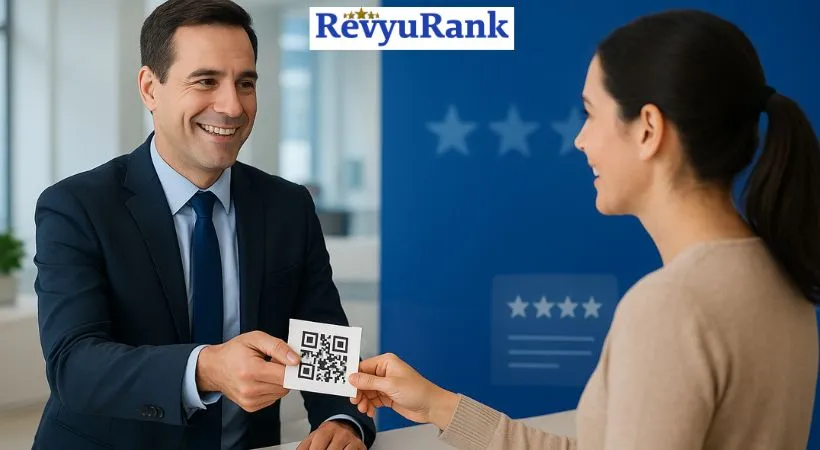
Think of QR codes as a shortcut. Instead of asking customers to type in a long URL or search for your bank online, they just scan a code with their phone and land right on your Google review page.
This makes leaving a review quick and easy. And easier means more people actually do it.
Benefits Of Using Qr Codes For Reviews
- Easy access: One scan, and customers are ready to review.
- More engagement: Customers feel invited to share their thoughts.
- Track success: You can see how many people scan your codes and adjust your strategy.
How to Create a QR Code That Links to Your Google Reviews
Here’s a quick walkthrough I tried myself:
- Find your bank on Google Maps.
- Click the “Write a review” button.
- Copy the URL from that page.
- Go to a free QR code generator online.
- Paste the URL and create your QR code.
- Download the QR code image for use.
It only takes a few minutes, and you can start using that code right away.

Where to Put Your QR Codes for Best Results
Placement matters. Put your QR codes where customers will see them at the right moment:
- At the checkout counter or teller windows.
- Printed on receipts or bank statements.
- On brochures, flyers, or product packaging.
- In waiting areas or exit doors.
The goal? Make it easy for customers to spot the code and scan it without thinking twice.
Tips to Encourage Customers to Use Your QR Codes
- Keep it simple: Use clear calls to action like “Scan here to leave a review.”
- Offer a thank you: A small incentive or a simple “Thanks for your feedback” goes a long way.
- Make scanning quick: The QR code should take customers straight to the review page—no extra steps.
- Train your staff: Friendly reminders from tellers or customer service can boost scan rates.
Designing Effective QR Codes
Not all QR codes are created equal. Here’s what worked for me:
- Use high contrast: Black on white is easiest to scan.
- Keep it simple: Avoid cluttered designs that might confuse scanners.
- Size matters: Make the code at least 2 x 2 inches so it’s easy to scan from a short distance.
- Test it out: Try scanning on different phones and lighting before printing.
Tracking Your Review Growth
One of the coolest things about QR codes is that you can track how many people scan them. This helps you:
- See which marketing materials work best.
- Know which locations get the most reviews.
- Adjust your strategy based on real data.
Real-Life Examples
Here are some stories that show how QR codes helped businesses grow their reviews:
- Local coffee shop: Added QR codes on receipts and saw a 40% jump in reviews within two months.
- Hotel: Placed codes in guest rooms and lobby, boosting reviews by 35% in three months.
- Retail store: Put codes on product packaging and doubled reviews in six weeks.
These examples prove that even small businesses can benefit from making it easy to leave feedback.
FAQs About QR Codes for Google Reviews
What is a QR code for Google reviews?
A simple code that links directly to your Google review page for easy access.
How do QR codes increase reviews?
They cut down the steps and make reviewing quick and easy on smartphones.
Can QR codes be used on printed materials?
Yes! Flyers, receipts, business cards—you name it.
Do QR codes help with customer engagement?
Definitely. They encourage immediate feedback after a visit.
Are QR codes hard to create?
Not at all. Many free tools online make it simple.
Is it safe to use QR codes?
Yes. They just link to your review page and don’t harm devices.
How can I track reviews from QR codes?
Use analytics or URL shorteners to monitor scans and review activity.
Final Thoughts
QR codes make it easier than ever for your customers to leave reviews. The less work it is for them, the more likely they’ll share their experience. More reviews build trust and help your bank stand out online.
Try adding QR codes to receipts, brochures, or even emails. Small steps like these can steadily grow your review count—and your business.

Ava Wilson is a Digital PR Manager at RevyuRank. She excels at helping people trust a brand. Ava has extensive experience working with news and communication. She knows how to use real customer reviews in a way that helps people see the brand in a positive light.She utilizes both traditional and modern PR strategies to help brands gain visibility. Ava works with individuals who have a significant online presence, helps brands maintain their reputation, and also writes stories about the brand. She puts customer reviews at the centre of how people see a brand. Ava also enjoys helping young PR professionals, staying informed about media trends, and providing support to businesses led by women.