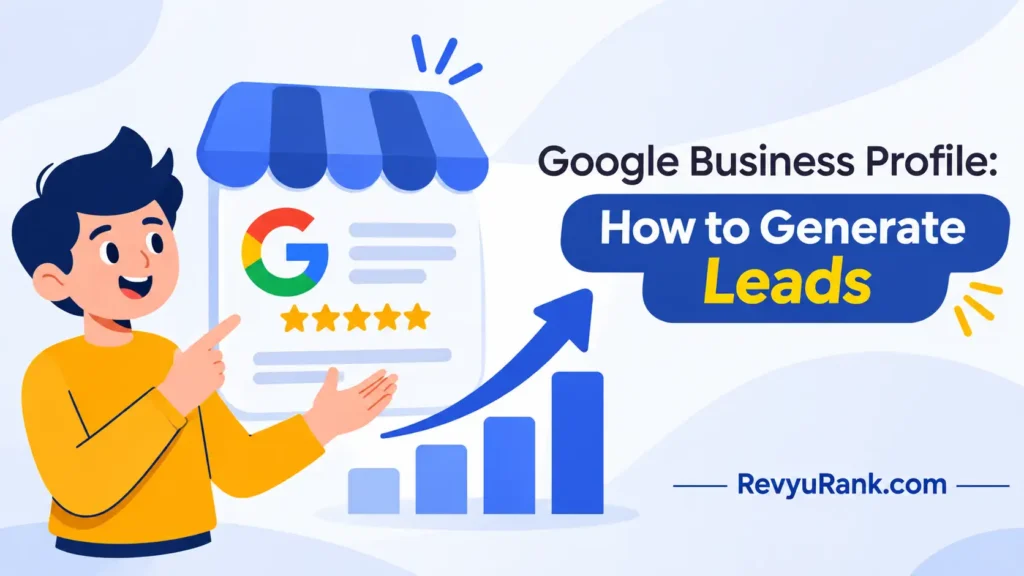
A Google Business Profile generates leads when you claim and fill out your free listing, add your service area and real photos, turn on the message button, and ask every happy customer for a review within 48 hours. Set it up in about two hours, then spend 15 minutes a week posting updates and replying to reviews. This works best for local service businesses — plumbers, dentists, salons, repair shops — that serve people searching nearby. Features and limits change, so check the official Google Business Profile help pages for the current rules.
What your business needs to generate Google leads
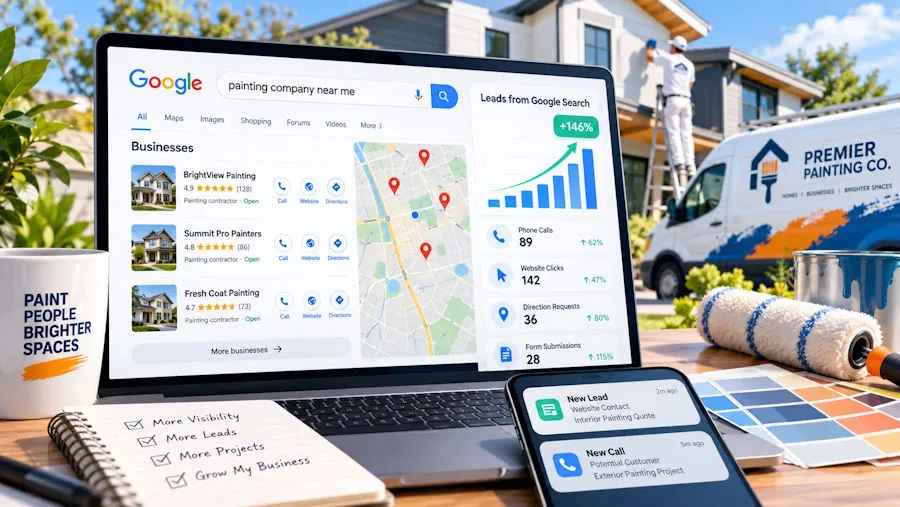
Getting a profile ready to pull in calls and messages takes a few things in front of you. None of them cost money, but skipping one slows the whole thing down.
- A Google account — the business email, not your personal one, so staff can share access later.
- Proof of your address or service area — Google mails a postcard or asks for a phone verification. Have your real business address ready, or your list of cities you serve.
- Your business phone number — the one you actually answer. A number nobody picks up kills leads fast.
- 5 to 10 real photos — your storefront, your team, finished work. Phone photos are fine; stock images are not.
- Your hours, including holidays — wrong hours send people to an open competitor.
- A short description — 2 to 3 sentences on what you do and where.
The one swap that works: a mobile number instead of a landline, so messages reach you anywhere. The one that doesn’t: a shared call center number you can’t track — you’ll never know which leads came from Google. If you need a second verified location later, that’s a separate listing and Google checks each one.
Steps to set up and get leads from your listing
Follow these in order. The verification step takes the longest because Google controls the timing, so start it early.
-
Claim your profile. Go to google.com/business and search your business name. If it already exists, click “Claim this business.” If not, create it. This takes about 10 minutes.
-
Verify your business. Choose postcard, phone, or video verification when offered. Postcard takes 5 to 14 days; phone and video are faster when available. You can’t collect reviews or appear fully until this is done.
Careful: Don’t edit your business name or address while verification is pending — it restarts the whole process.
-
Fill every field. Add your category, hours, phone, website, and service area. Pick the most specific primary category you can; “emergency plumber” pulls better than “plumber” for urgent searches. A half-filled profile ranks lower than a complete one.
-
Upload 5 to 10 photos. Include your logo, your work, and your team. Add new photos every month — profiles with fresh images get more clicks. Google’s own data on photos is in the Google Business Profile Help Center.
-
Turn on messaging. Switch on the chat button in the app so people can text you a question without calling. Reply fast — Google tracks your response time and shows it.
Tip: If you can’t answer messages within a few hours, leave messaging off. A slow reply looks worse than no button at all.
-
Add services and prices. List what you offer with short descriptions. If your prices change a lot, give a starting-from range instead of exact figures so you don’t mislead anyone.
-
Ask for reviews. After each job, send the customer your review link within 48 hours while it’s fresh. Make it a direct link, not “search for us.” Aim for a steady trickle — 2 to 4 a week — not 20 in one day, which looks fake.
Careful: Never offer money or discounts for reviews. That breaks Google’s rules and can get your reviews removed or your profile suspended.
-
Post weekly updates. Use the Posts feature for offers, news, or new photos. Each post lasts about 7 days before it fades, so keep a simple rotation going.
-
Reply to every review. Thank the good ones in a line. For bad ones, answer calmly and factually within a day — future customers read how you handle complaints.
How results change with your business type

Here’s roughly what different setups can expect.
| Your situation | Time to first leads | What’s different | What to watch |
|---|---|---|---|
| Local service, low competition | 2 to 4 weeks after verifying | Fewer rivals means you rank fast | Keep reviews coming so you stay on top |
| Local service, high competition | 1 to 3 months | You need more reviews and posts to break in | Response time and photo freshness |
| Store with a physical address | 3 to 6 weeks | Map pin helps; foot traffic counts too | Correct hours, especially holidays |
| Service-area only (no storefront) | 4 to 8 weeks | No pin on the map, harder to rank | List real cities, not a huge region |
| Brand new business | 2 to 3 months | No review history to build trust yet | First 10 reviews matter most |
These are rough windows, not promises — your actual speed depends on search demand in your area, which you can check in the Insights tab once leads start. Start with one category and a tight service area, then widen it later. Claiming five cities you barely serve spreads you thin and can get the profile flagged.
How to know your profile is actually working
A working profile shows movement in the numbers inside the Google Business Profile app — calls, direction requests, and website clicks climbing week over week. A poor one sits flat: lots of views, almost no actions. Views without calls usually mean your photos, reviews, or category don’t match what searchers want.
A good result looks like a steady stream of calls and messages from people nearby, a review count that grows every week, and your listing showing up when you search your service plus your town on a phone.
The common problem is leads that come in but go cold — the phone rings and nobody answers, or messages sit for a day. That happens because the profile works, but the follow-up doesn’t, not because of Google.
Three things prevent it:
- Answer every call and message the same day. A missed first contact is a lost customer most of the time.
- Keep your category and services accurate, so the people who find you actually want what you sell.
- Check the Insights tab monthly. If calls drop, something changed — a wrong hour, a new competitor, or stale photos.
If your numbers stay flat for two months despite reviews and posts, the issue is usually low search demand in your area, and no profile tweak fixes that.
Rules to follow and upkeep after setup
Google sets the rules here, and breaking them is the fastest way to lose everything you built. The main one: your business name must be your real name, with no stuffed keywords like “Best Cheap Plumber NYC.” Google publishes its guidelines for representing your business, and profiles that break them get suspended. Review the current rules in the Google Business Profile Help Center before you launch.
After setup, there’s little to tear down — a profile is meant to stay live. Save your login details and add a second user with access, so you don’t lose the profile if one person leaves.
Upkeep is light but constant. Post weekly, add photos monthly, and update your hours before every holiday. Reviews need no schedule, but a profile that stops collecting them slowly slips in ranking. Think of it as ongoing, not one-and-done — a listing left untouched for six months usually loses ground to active competitors.
Other ways to bring in local leads
Hire a local marketing agency
Pay someone to manage the profile, posts, and reviews for you. This costs a monthly fee and frees your time, but you lose some direct control. Good for owners too busy to post weekly. Ask for monthly reports on calls and messages so you can see what you’re paying for.
Run Google Local Services Ads
These are the paid listings with the green “Google Guaranteed” badge that sit above the map. You pay per lead, not per click, and you must pass a background check first. Faster than waiting to rank, but it’s an ongoing ad spend, not a free listing.
Combine with a simple website
Point your profile to a one-page site that matches your services and town. The profile brings the click; the page closes the lead with clear contact info and proof. Costs a little to build but lifts how many searchers actually call you.
Frequently asked questions
How long does it take to get leads from a Google Business Profile?
Usually 2 weeks to 3 months after verification, depending on competition and search demand in your area. Low-competition local services often see calls within a month. Brand-new businesses with no reviews take longer because trust hasn’t built yet. Check your Insights tab after a few weeks — if views are high but calls are low, the delay is your photos, category, or reviews, not Google itself.
Is it free to get leads this way?
Yes. Creating, verifying, and running a Google Business Profile costs nothing, and the calls and messages you get from it are free too. You only pay if you choose extras like Local Services Ads or hire someone to manage the profile. The free listing alone can bring steady leads for local businesses that keep it active with reviews and posts.
Can I get leads without a physical store?
Yes. Set up a service-area profile and list the cities you actually serve instead of a street address. You won’t get a pin on the map, which makes ranking a bit harder, so you’ll lean more on reviews and accurate service listings. Keep the area realistic — a handful of nearby towns works far better than claiming a whole state you can’t reach.
Why is my profile getting views but no calls?
Views without calls usually mean what people see doesn’t match what they want. Check that your primary category is specific, your photos show real work, and you have recent reviews. A missing phone number or wrong hours also kills calls. Open the Insights tab to compare views against actions — a wide gap points to the profile content, not to search traffic.
What happens if I break Google’s rules?
Your profile can be suspended, which removes it from search and the map until you appeal. The most common triggers are keyword-stuffed business names, fake reviews, paid reviews, or a fake address. Appeals take time and aren’t always granted. Stick to your real business name, real address or service area, and never pay for reviews — read Google’s current guidelines before you launch.
How often should I post updates?
About once a week. Each Google post lasts roughly 7 days before it fades, so a weekly rhythm keeps something fresh on your profile at all times. You don’t need long posts — a photo, a short offer, or a piece of news works. Businesses that post regularly tend to get more clicks than ones that set it up and never touch it again.
Can I manage the profile from my phone?
Yes. The Google Business Profile app lets you reply to messages and reviews, post updates, add photos, and check your numbers from anywhere. For service businesses answering leads on the go, the app matters more than the desktop version because message response time affects how you show up. Turn on notifications so you never miss a new message or review.
Conclusion
Start with the free listing done properly — verified, complete, with real photos and a steady flow of reviews — and give it a month before you judge it. Most local businesses find that’s enough to turn searches into calls, and the paid options only make sense once the basics are pulling their weight.

Robert Miller works as a Reputation Management Consultant. He has been helping U.S. businesses for over ten years. His work involves helping people protect and enhance their online image.Robert has worked with a wide range of companies. He has helped new businesses, local places that give a service, and big companies. He helps turn customer reviews into something that helps people trust their company and drives business growth.