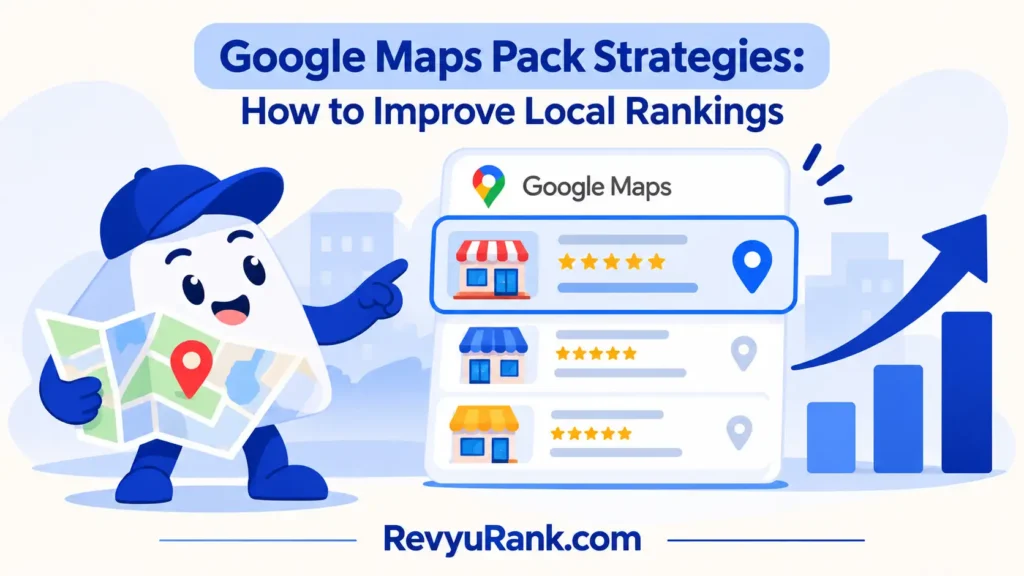
The best Google Maps pack strategies combine a complete Google Business Profile, real customer reviews, and strong local relevance because Google uses several signals together. For most businesses, start with the profile and website, then build reviews through normal customer service. A different method wins when your listing has a serious reputation problem: fix incorrect details, duplicate profiles, or policy issues before chasing more reviews. Your goal isn’t to manipulate the map. It’s to make your business easy to understand, trust, and choose.
How to rank with Google Maps pack strategies
The main local ranking methods work together, but they need different levels of time, effort, and control. This comparison shows where each method fits before you choose your first task.
| Method | How long | Effort | Cost | Best for |
|---|---|---|---|---|
| Business Profile optimization | A few hours to several weeks for changes to settle | Medium | Low | Accurate business information |
| Review and reputation work | Ongoing | Medium | Low | Building customer trust |
| Local website and citation work | Several weeks to months | High | Medium | Competitive local searches |
| Local links and community mentions | Ongoing | High | Medium | Established businesses in crowded areas |
The profile method gives you the most direct control. You can update your category, service area, hours, photos, services, and business description without waiting for another company.
Reviews can strengthen trust, but they’re not a shortcut. Asking for feedback from real customers is safer than offering rewards or trying to remove honest criticism.
Website and citation work takes longer because other websites and search systems must discover, process, or confirm your information. Local links can help your wider reputation, but they’re harder to earn and shouldn’t replace basic profile work.
If your address, phone number, or hours are wrong, fix those first. More advanced promotion won’t compensate for a customer arriving at the wrong place or calling a disconnected number.
Build a complete Business Profile
A complete, accurate Business Profile is usually the best first method because it gives Google and customers the clearest description of your business. You’ll work inside Google Business Profile, not through a private “map ranking” service.
- Claim and verify the profile through Google’s available verification method. Use the real business name, address, phone number, website, and regular hours.
- Choose the most specific primary category that truly describes the business. Add only secondary categories that match real services.
- Add services, products, service areas, accessibility details, and holiday hours where they apply. Don’t add keywords to the business name unless they’re part of the real-world name.
- Upload clear photos of the storefront, staff, work, products, or interior. Keep them current, useful, and connected to the business.
- Check the profile after major changes. Google can review edits, and some changes may be delayed or rejected.
Google’s published Business Profile guidelines explain rules for names, locations, eligibility, and prohibited behavior. Read them before creating a second listing or changing the business name.
This method is good when your information is incomplete, inconsistent, or hard for customers to understand. It also gives you a clean base for the other methods.
Its weakness is limited control over the final position. Google can show different results based on the searcher’s location, query, and local competition.
If verification fails, a location is hidden, or the business may not qualify, stop changing details repeatedly. Ask Google Business Profile support or a qualified local SEO professional to handle the issue.
Earn reviews without risking trust

Reviews work best as a reputation process, not as a burst of copied requests. The aim is to make it simple for genuine customers to share honest feedback after a real interaction.
- Choose one review link from your verified Business Profile and test it on a phone. It should open the correct business listing.
- Ask customers shortly after a completed purchase, appointment, delivery, or service. Use a short message that asks for an honest review.
- Send one request through a normal channel, such as email, text, a receipt, or a follow-up message. Don’t pressure a customer to leave a positive rating.
- Reply to positive and negative reviews with specific, calm answers. Never include private customer details in a public reply.
- Report reviews that clearly violate Google’s rules, such as spam or content about the wrong business. Don’t report a review only because it’s unfavorable.
This method is useful when people compare several nearby businesses before calling. Fresh, genuine feedback can also show customers what the experience is like, especially when replies explain how problems were handled.
The trade-off is that you can request feedback, but you can’t control what customers write. A common mistake is asking only happy customers or offering a reward for a positive review; that can damage trust and may create policy problems.
If a review involves threats, extortion, or private information, don’t argue publicly. Save the details and contact the platform or a legal professional when the matter goes beyond normal reputation management.
Strengthen local website signals
A local website supports the map listing by explaining what you do, where you work, and which customers you serve. It’s the better third method when nearby competitors already have complete profiles and steady reviews.
- Create one useful page for each real location or service area. Use the actual city, neighborhood, or service area, not a long list of places you don’t serve.
- Put the business name, address, phone number, hours, and service details where visitors can find them. Keep these details consistent with the Business Profile.
- Write original service information for local customers. Include prices only when they’re current, and explain limits such as travel areas or appointment rules.
- Add clear contact options, directions, parking details, and proof of work where relevant. Check every form, phone link, and map on a phone.
- Review the pages when services, locations, hours, or contact details change. Remove pages that promise services the business no longer provides.
This method is strong for searches that need detail, such as a specific service in a specific city. It can also help people decide before they visit the map listing or contact you.
Its weakness is speed. A new page may take time to find and evaluate, and a thin page can make the business look less trustworthy than more relevant.
This method isn’t for a business that has no real local service, location, or customer area to describe. If the site needs technical changes involving redirects, structured data, or security, use a qualified web professional rather than changing code blindly.
A fourth option is local link building through chambers, associations, suppliers, and community groups. It can help an established business, but it’s rarely the right first move when the profile or website still contains basic errors.
Which local method fits your situation?
The right choice changes with the situation, not just the size of the business. If your profile has missing details, fix that foundation before spending time on promotion or outreach.
When you’re in a hurry
Choose Business Profile optimization. Correct hours, category, phone number, service details, and photos can make the listing more useful right away. This doesn’t promise a position change, but it removes avoidable confusion before a customer calls or visits.
If the urgent problem is a wrong address or duplicate listing, handle that before requesting reviews. A strong review count won’t help much if customers see conflicting locations.
When you’re doing this for the first time
Choose review and reputation work, but only after the profile is accurate. Start with a simple request to real customers and reply to the feedback you already have. This creates a repeatable habit without requiring advanced website or link-building skills.
Don’t copy a competitor’s review message word for word. Your request should sound natural for your business and should never promise a reward for a favorable rating.
When you want the best possible result
Use all three methods in order: profile accuracy, genuine customer feedback, then local website improvements. The trade-off is clear: faster work gives you less depth, while deeper work takes more time and coordination.
The result also varies by location, search wording, and competition. You can see your baseline in Business Profile Performance, then compare calls, website visits, direction requests, and search terms over time instead of judging a single search from a single device.
Rules for better local rankings
Every method starts with eligibility and accuracy. A business should represent a real customer-facing operation, and its published details should match what customers find in the real world.
Prepare the basics first: the correct business name, primary category, phone number, website, hours, address or service area, and verification access. Keep a short record of changes so you’ll know what changed when performance moves.
Check partway through the work. Search the business name, open the listing on a phone, test the phone number, review the map pin, and confirm that the website shows the same service and location details. If something is wrong, correct the source rather than adding more duplicate listings.
At the end, measure useful actions instead of staring at one ranking. Look at calls, direction requests, website visits, messages, and completed customer actions, then compare similar time periods.
There’s no universal map position or guaranteed time to reach one. Google’s results vary by searcher location, query, relevance, distance, and prominence, so an SEO provider can improve signals but can’t promise a fixed placement.
If ownership, verification, suspension, privacy, or legal complaints are involved, use Google support or the relevant legal and business professional. Don’t create fake locations or edit information you can’t prove.
Frequently asked questions
These questions cover problems that often appear before a business starts local optimization. The safest answers focus on accurate information and real customer experiences, not shortcuts.
Can I pay to appear in the Google Maps Pack?
No, paying for Google Ads may place ads in or near map results, but that isn’t the same as earning an organic local ranking. Be careful with anyone promising a guaranteed map position for a fixed fee.
Why did my Google Maps listing disappear?
A listing can disappear because of verification trouble, a policy issue, duplicate profiles, a moved business, or a change in how Google displays a search. Check the profile’s status and any messages in the account first. Don’t immediately create another listing, because duplicates can make the problem harder to resolve.
How long does local SEO take to work?
Local SEO has no honest single timeline. Track actions such as calls and direction requests over a consistent period, rather than treating one day’s position as proof.
Is it safe to buy Google reviews?
No. Purchased reviews aren’t genuine customer feedback, and they can create platform, reputation, and consumer-protection risks. A safer approach is to ask real customers for honest feedback after a completed interaction. Keep the request neutral, and don’t ask people to change a review or leave one only when they’re happy.
What happens if I use the wrong business category?
The listing may appear for less relevant searches, or Google may change the category after reviewing the profile. A wrong category can also confuse customers about what the business actually offers. Select the closest accurate category, then use services and the website to explain the full offering.
Can a service-area business show its home address?
Yes, but only when the address follows Google’s eligibility and display rules for that business type. If customers don’t visit the address, the business may need to hide it and define its service area instead. Check the current Business Profile guidance before publishing a private home address.
Conclusion
Keep an eye on how your listing performs over the next few weeks, and use real customer questions to guide improvements. If something looks wrong, address it early instead of chasing quick wins. Consistent, helpful updates will make your business easier to find and more likely to earn trust over time.

Robert Miller works as a Reputation Management Consultant. He has been helping U.S. businesses for over ten years. His work involves helping people protect and enhance their online image.Robert has worked with a wide range of companies. He has helped new businesses, local places that give a service, and big companies. He helps turn customer reviews into something that helps people trust their company and drives business growth.