The safest way to get more Google reviews for painting company businesses is to ask every real customer at the right moment, use one simple review link, and never offer rewards for positive feedback. Ask after the final walkthrough, when the customer confirms the work is complete.
Your results will change with the number of completed jobs, the customer’s satisfaction, and how easy your review process is. Your service area, follow-up timing, and response to negative feedback also matter.
Google reviews for painting companies
A painting company can ask every real customer for an honest Google review, using the same simple process after each completed job. A homeowner who just received a finished paint job needs a quick way to share honest feedback.
A small painting company with only a few completed jobs needs a repeatable request system. The owner may handle sales, scheduling, and customer service, so the process must take only a few minutes after each project.
A larger contractor with office staff needs clear roles. Someone should know which jobs are complete, who sends the request, and who checks new reviews. Without that ownership, requests get missed.
This page serves best if you already have a verified Google Business Profile and complete real painting projects for customers. It assumes you want honest reviews from customers who hired and paid your company. If you need help creating or verifying the profile, read Google’s Business Profile guidance first.
What changes your review results
The number of completed jobs matters most. A company finishing 10 painting projects in a month has more genuine chances to request reviews than one finishing two. Count closed jobs, not quotes, leads, or unpaid estimates.
The request timing changes response quality. Ask after the customer has seen the finished walls, trim, or exterior and has confirmed the project is complete. If you ask before the final walkthrough, the customer may still be focused on touch-ups.
The review link removes friction. A customer who must search your company name, choose a location, and find the review button may stop. Open your profile in a private browser window, search the business name, and test the link before sending it.
Your message also matters. A short request that names the finished project feels more personal than a mass message. Mention the room, exterior, or service completed, but don’t tell the customer what rating or wording to use.
The mistake that causes the most trouble is asking only customers who seem happy. That can create an unfair process and may violate platform or consumer-protection rules. Ask every customer through the same basic process, then respond professionally to whatever they write.
Steps to request painting reviews
Use the same process for every completed project. Keep the request separate from any discount, gift, refund, or promise about future work.
-
Mark the job complete after the final walkthrough. Confirm that the agreed painting work is finished and record any promised touch-ups. The step is complete when the customer accepts the project status.
-
Ask the customer for honest feedback in person. Say, “If you’re comfortable, we’d appreciate an honest Google review about the painting work.” Stop there if the customer declines.
-
Wait until the customer confirms the work is complete. Don’t ask while ladders, tools, wet paint, or unresolved defects remain in the work area. The sign to continue is a completed walkthrough with no open service issues.
-
Send one direct Google review link. Use your Google Business Profile’s review-request link, then test it on a phone before sending it. It should open the correct company profile, not a general search page.
-
Add a short personal message. Write the customer’s name and the completed service, such as interior painting or exterior trim work. Keep the message to two or three sentences.
-
Send the request through the agreed channel. Use text or email only if that channel was used for project communication. A customer should recognize the sender before opening the link.
-
Record the request date without recording a desired rating. Your job record can show that the request was sent. Don’t mark customers as “five-star prospects” or create a list that filters out unhappy customers.
-
Send one polite reminder after several days. Use a different sentence and include the same review link. If there’s no response, stop requesting and don’t keep sending reminders.
-
Reply to each review without sharing private details. Thank the customer for positive feedback and invite unhappy customers to contact the company privately. Never argue about the project in public.
If your link keeps landing on a search page instead of your company profile, we can look at it with you or fix it for you.
If a customer reports unsafe work, property damage, or a serious dispute, stop the review request and resolve the service issue first. Ask a qualified manager, insurer, lawyer, or relevant regulator for help when the issue involves injury, legal rights, or a formal complaint.
Where to find your review link
In your Business Profile, open Read reviews and choose the Get more reviews option. Google says you can share a review request link or a QR code from there. It suggests placing the link or QR code on receipts and in thank-you emails.
Reviews must reflect a genuine experience. Google also does not allow reviews to include email addresses, phone numbers, social media links or links to other websites.
Review request options compared
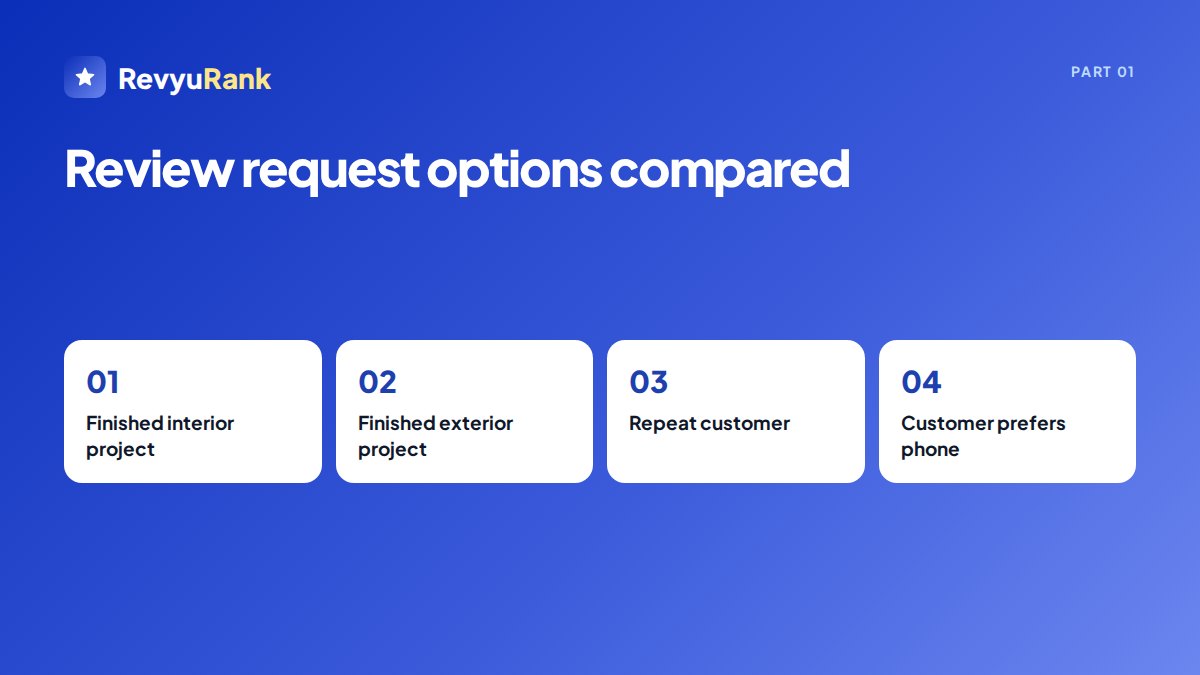
The best method balances personal timing with low effort. Choose one main channel and keep the wording consistent.
| Customer situation | What to do | What it takes | What to watch for |
|---|---|---|---|
| Finished interior project | Ask after walkthrough | Two minutes | Unresolved touch-ups |
| Finished exterior project | Ask after acceptance | Text or email | Weather delays |
| Repeat customer | Ask after new work | One direct link | Old review confusion |
| Customer prefers phone | Ask during call | Short conversation | Don’t pressure them |
| Customer is unhappy | Resolve issue first | Extra service time | Avoid review pressure |
| Commercial client | Ask approved contact | Permission to share | Company privacy rules |
Details that improve painting reviews
Prepare before the job closes
Create one approved message for each service type: interior painting, exterior painting, cabinets, and commercial work. Each message should contain the customer’s name, the completed service, the direct review link, and a simple request for honest feedback.
Check the link yourself before using it. It should open the correct business profile on both a phone and a desktop browser. If it opens the wrong location, fix the profile link before any customer receives it.
Keep a record of completed jobs and request dates. This helps you ask every customer consistently instead of relying on memory. It also reduces repeated messages to the same person.
Check the work, then leave it alone
The final walkthrough should come before the review request. Check the agreed surfaces, paint color, visible coverage, trim lines, cleanup, and listed touch-ups before asking for feedback.
Don’t rewrite a customer’s review, ask them to remove criticism, or suggest five-star wording. You can correct a factual error in your own public reply, but the customer must control their review.
The trade-off is simple: a fair process may produce lower ratings than asking only enthusiastic customers, but it gives you feedback you can trust and reduces the risk of platform or legal problems.
Painting review problems and fixes
A weak review process often fails at the timing or follow-up stage. Match what you see with the first safe correction.
| What you notice | What it usually means | What to do first | How to stop it happening again |
|---|---|---|---|
| Few reviews from finished jobs | Requests get missed | Check completed-job records | Assign one request owner |
| Customers can’t find profile | Link opens search results | Test the direct link | Save the correct profile link |
| Customer asks for a reward | Incentive expectation exists | Decline the exchange | State reviews are unpaid |
| Negative review appears | Service concern remains | Reply calmly and promptly | Improve final walkthroughs |
| Same customers get reminders | No request tracking | Check request dates | Record every sent message |
| Review names wrong company | Multiple profiles confuse customers | Verify business details | Use one location-specific link |
Google review rules to follow
Google’s Business Profile policies prohibit fake engagement, paid reviews, and review requests that try to influence the rating or content. Reviews paid for, directly or in kind, count as fake and misleading content, and incentivized or biased reviews are removed from Maps. Don’t offer cash, gift cards, discounts, free services, or other benefits in exchange for a review.
Don’t ask only for positive reviews, tell a customer what words to use, or require or pressure someone to post while you are on their property. The request should be optional and should ask for honest feedback.
The Federal Trade Commission also regulates deceptive reviews and endorsements in the United States. Rules can change by situation, state, and business relationship, so check the FTC’s current guidance and your state’s consumer-protection rules before using incentives or endorsements.
Google’s rules can differ from another platform’s rules. If you use Angi, Yelp, Facebook, or a trade association profile, read that platform’s current review policy separately. Stop and ask a lawyer before creating reviews, buying reviews, or tying a refund to review removal.
The real cost of getting reviews
The direct cost can be close to zero if you use your existing phone, email system, and Google Business Profile. The real cost is staff time: someone must confirm the job is complete, send the link, and monitor replies.
A short request may take about two minutes per completed job when the message and link are ready. The time rises when the company has multiple locations, several contacts, unresolved touch-ups, or a commercial approval process.
Paid review software can add a subscription cost, but it may save administrative time. Compare the monthly price, message limits, customer-record features, and cancellation terms on the provider’s current pricing page.
The highest avoidable cost comes from asking at the wrong time. A request sent before defects are fixed can create a negative review, extra customer-service work, and a public record of a problem that could have been corrected privately.
Keep the review process working
Store the approved message, direct review link, and request record where office staff can find them. Give access only to people who need customer information, and avoid putting private project details into public replies.
Check the profile when a review arrives and confirm that the business name, phone number, service area, and location still match your current details. If the link stops opening the right profile, replace it before sending another request.
A review process needs attention again when requests are being skipped, the same customer is contacted twice, or staff can’t tell which jobs are complete. Fix the record and the ownership first; don’t restart the whole system.
Reply to reviews with a calm, specific message. Thank the customer without repeating private information, and move detailed disputes to a private channel. If a review reports injury, threats, fraud, or legal action, get professional help before replying.
When review requests are the wrong choice
Review requests aren’t the right first move when the customer has an unresolved paint defect, damage claim, or payment dispute. Finish the service-resolution process first, then decide whether a neutral request is appropriate.
Don’t use this approach for jobs you didn’t complete or customers who never hired your company. Ask for reviews only from people with a genuine customer experience.
It’s also the wrong approach if your staff plans to screen out unhappy customers or offer rewards for high ratings. Use a consistent, unpaid request process instead, and ask a lawyer about any incentive or endorsement campaign.
Want an expert to set this up with you? Take a look at Google Review Generation.
Frequently asked questions
Can a painting company ask for Google reviews?
Yes, a painting company can ask real customers for honest Google reviews. The request should be optional and shouldn’t ask for a specific rating, positive wording, payment, discount, or gift. Ask after the agreed work is complete and any known service issue is addressed.
Why aren’t my painting customers leaving reviews?
Customers may not respond because the request comes too early, the link is difficult to use, or the message feels generic. Test the link, ask after the final walkthrough, and send one short request through a channel the customer already recognizes.
How long should I wait before asking for a review?
Ask after the customer accepts the completed painting work, not after a fixed number of days. For a project with touch-ups, wait until those items are finished. If the customer doesn’t respond, send one reminder after several days and then stop.
Is it safe to offer a discount for a Google review?
No, don’t make a discount depend on posting a review or receiving a positive rating. Google treats reviews paid for, directly or in kind, as fake and misleading content, and incentivized reviews are removed from Maps. Consumer-protection rules may also apply.
What happens if Google removes a customer review?
Google may remove content that violates its review policies, but removal isn’t guaranteed just because a review is negative. Save project records, report clear policy violations through the Business Profile tools, and reply publicly without sharing private customer information.
Does it matter how a painting company replies?
Yes, the reply affects how future customers view the business, even though it won’t change the original rating. Thank customers briefly, address the work in general terms, and invite a private conversation when the review describes a service problem.
Start with painting review requests
Start with one customer with a completed job and a usable contact method. Send a short, unpaid request using the tested Google review link; don’t offer a discount, gift, or other reward for writing one. Open the link yourself before sending it and confirm it reaches the correct business profile, not a search page.
Keep the message easy to act on: identify the completed job, ask the customer to share an honest review, and make clear participation is optional. Check that the customer reaches the correct profile and understands what to do.
Stop and get help if the matter involves an injury, legal action, or a disputed payment.

Robert Miller works as a Reputation Management Consultant. He has been helping U.S. businesses for over ten years. His work involves helping people protect and enhance their online image.Robert has worked with a wide range of companies. He has helped new businesses, local places that give a service, and big companies. He helps turn customer reviews into something that helps people trust their company and drives business growth.
Sources and official guidance