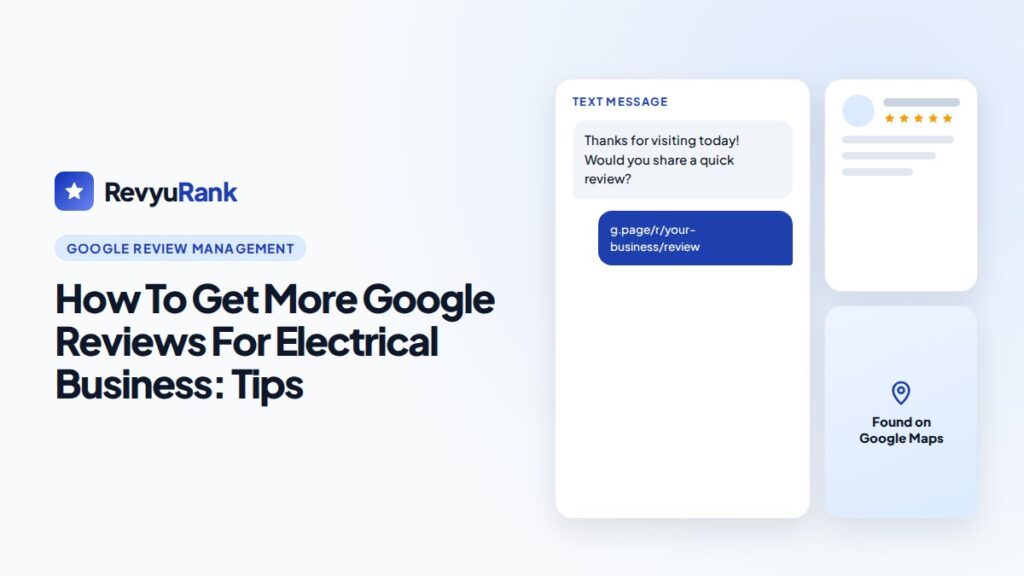
How to get more Google reviews for an electrical business starts with asking every customer at the right time, once the job is done. Send a direct Google review link after the job, use the same short message, and make the request easy to complete on a phone.
Your result will change with job type, customer satisfaction, and how quickly you ask. Your Google Business Profile, follow-up system, local rules, and review policy also matter, so don’t offer rewards or ask only happy customers.
Who Needs More Electrical Reviews?
An electrical contractor with a verified Google Business Profile usually needs a simple way to request reviews after completed jobs. This page fits residential electricians, commercial service companies, and small teams that already receive calls or online bookings.
A solo electrician may need a message they can send from a phone after each visit. A larger company may need a process that assigns the request to the right technician without exposing customer information.
A new business may have only a few completed jobs and needs honest feedback from real customers. An established company may already have reviews but needs a steady flow instead of long gaps.
This page serves electrical businesses that want genuine Google reviews from customers who actually received service. It assumes you can contact customers after a completed job and can manage your Google Business Profile.
It’s not for anyone trying to buy reviews, hide poor feedback, or post reviews for customers. Those actions can create policy problems and damage trust. If you’re not yet verified on Google, set up and verify the profile before building a review process.
What Changes Your Review Results?
The customer’s final experience matters most. A customer who had clear pricing, tidy work, and a working electrical system is more likely to respond well. Check the job record for completion status, payment status, and any open callback before asking.
Timing changes response quality. Ask soon after the customer confirms the work is complete, while the visit is still easy to remember. If the customer has an unresolved issue, wait until you’ve handled it; if the job went smoothly, send the request that day.
The request must remove friction. A direct review link is easier than telling someone to search for your company. Google’s Business Profile guidance explains how businesses can share a Google review link with customers.
The message should sound personal. Use the customer’s name, the service type, and the technician’s name when appropriate. A message about a panel upgrade shouldn’t look identical to one about an emergency repair.
The follow-up limit is easy to get wrong. One clear request and one polite reminder are usually enough for a small business process. Repeated texts can feel like pressure, so stop when the customer ignores the request or says no.
How To Ask For Electrical Reviews
Use this process after each completed electrical job. Keep the message short, send the direct review link, and record whether the request was sent so nobody contacts the same customer repeatedly.
-
Confirm the job is complete. Ask the customer whether the electrical work is finished and working as expected. Move on only when there’s no open repair, callback, or billing dispute.
-
Check the customer’s contact permission. Use the phone number or email address provided for business communication. Don’t add personal contacts or unrelated addresses to the request list.
-
Choose the right channel. Send a text when the customer normally uses text, or send an email when email is the established channel. Keep the same channel used for scheduling or job updates.
-
Personalize the request. Write the customer’s first name and the completed service, such as “kitchen circuit repair” or “EV charger installation.” Check that both details match the invoice.
-
Add the direct review link. Use your Google Business Profile review link rather than asking the customer to search. Test the link on a phone before adding it to your regular message.
-
Ask for honest feedback. Say that a review about the service helps people choose an electrician. Don’t ask for five stars, positive words, or a specific rating.
-
Send the request after the visit. Send it when the job is closed in your system, and the customer has no active complaint. The sign that this step worked is a sent message linked to the correct job.
-
Send one polite reminder. If there’s no response, send one reminder through the same channel after checking your business policy. Stop after that reminder, even if the customer doesn’t open it.
-
Record the outcome. Mark the request as sent, completed, declined, or unresolved. Keep only the information your business needs for follow-up and customer service.
The key judgment is whether the customer’s service experience is truly finished. If the customer reports a fault, return to the service issue; if the customer confirms the work is good, send the review request.
Review Request Situations Compared

The right approach depends on the customer’s current experience, not just the type of electrical work.
| Customer situation | What to do | What it takes | What to watch for |
|---|---|---|---|
| Job completed smoothly | Ask the same day | One short message | Use the correct link |
| Customer has a question | Answer before asking | Extra service time | Don’t rush the request |
| Callback is scheduled | Wait until resolved | Follow-up tracking | Record the open issue |
| Emergency repair finished | Ask after confirmation | Careful timing | Avoid pressure after stress |
| Large commercial project | Ask the contact person | Approval and coordination | Protect project details |
| Customer declines | Stop the request | No further outreach | Respect the decision |
Details That Improve Review Quality
Prepare the customer record
A clean job record prevents awkward requests. Check the customer’s name, completed service, contact channel, and invoice status before sending anything. A wrong name or wrong job description makes the message look automated and can reduce trust.
Use one approved template, but leave space for two personal details. For example: “Hi Maria, thanks for choosing us for the kitchen circuit repair. If you have a moment, please share your honest experience on Google: [link].”
The message should describe the experience, not direct the rating. Asking for “a five-star review” creates a different request from asking for honest feedback. If your company uses several technicians, include the technician’s name only when the customer already knows it.
Check the request while it runs
Watch for bounced emails, failed texts, duplicate requests, and unresolved service tickets. If a customer replies with a complaint, stop the review sequence and move the reply into customer service.
Leave the review itself alone. Don’t write the customer’s words, edit their review, or ask them to remove a fair complaint. You can thank them for feedback and address service problems through your normal process.
The trade-off is speed versus care: sending requests quickly creates a steady habit, but sending them before the job is settled can produce complaints instead of useful reviews.
Electrical Review Problems And Fixes
A review process usually fails because the request reaches the wrong customer, the wrong time, or the wrong page.
| What you notice | What it usually means | What to do first | How to stop it happening again |
|---|---|---|---|
| Link opens wrong business | Profile link is incorrect | Test the link | Use one approved link |
| Customer reports a fault | Job isn’t complete | Pause the request | Check callbacks first |
| No one responds | Message feels generic | Shorten the message | Personalize two details |
| Duplicate requests arrive | Records aren’t updated | Stop extra messages | Mark requests immediately |
| Customer asks for payment | Incentive was offered | Remove the offer | Train the whole team |
| Reviews stop appearing | Requests may violate policy | Review Google guidance | Use honest requests only |
Rules For Google Electrical Reviews
Google Business Profile rules require reviews to reflect genuine customer experiences. Don’t post reviews for your own company, ask staff or relatives to pose as customers, copy reviews between locations, or use a service that sells reviews.
Don’t offer money, discounts, gift cards, free work, or contest entries in exchange for a review. Google treats reviews paid for, directly or in kind, as fake, and incentivized reviews are removed from Maps. Don’t ask only customers who seem pleased, and don’t discourage or block negative reviews. Don’t set review quotas for staff. Don’t pressure customers to write a review on site or tell them what to say. Reviews also can’t include email addresses, phone numbers, social media links, or links to other websites. A request can be open to every eligible customer and still ask for honest feedback.
Google’s current rules can change, and details may differ by product or account type. Check Google’s Business Profile policies for the version that applies to your profile before launching a campaign.
If a review appears fake, abusive, or unrelated to the service, report it through your Business Profile. Don’t threaten the reviewer or promise a benefit for deleting it. For serious disputes involving defamation, privacy, or a legal demand, consult a qualified attorney.
What Reviews Really Cost
The direct cost can be close to zero if you use your existing phone, email, and Google Business Profile link. The real cost is staff time: someone must confirm the job status, send the request, record it, and handle replies.
Labor cost rises when technicians must remember the process during busy service calls. It falls when the office sends the request from a completed-job list or when your field-service software supports approved follow-up messages.
Software costs vary by the field-service platform, number of users, text volume, and included automation. Compare the monthly price, message fees, contact limits, and review-request features on each provider’s current pricing page.
The highest hidden cost is a poor customer experience. A rushed repair, unclear invoice, or missed callback can lead to extra service work and a public complaint. Fix the service problem before trying to increase review volume.
Keep Your Review Process Working
Keep one current review link in your office templates, technician instructions, invoice emails, and customer follow-up messages. Remove old links when your business profile changes, and test the current link from a phone.
Review your sent-request records when a customer reports receiving duplicate messages or when a completed job has no follow-up status. The sign that the process needs attention is a mismatch between closed jobs and recorded requests.
Update the wording when your service mix changes. A message for residential troubleshooting may not fit a commercial maintenance contract, so keep separate templates where the customer relationship differs.
Store only the customer and job details needed for the request. Follow your company’s privacy policy and applicable data rules, and remove access for staff who no longer handle customer communication.
When Electrical Review Requests Aren’t Right
Don’t send a review request while the customer has an unresolved outage, safety concern, billing dispute, or complaint. Fix the service issue first and use a normal support conversation instead.
Don’t use this process for a customer who has clearly opted out of marketing or business messages. Follow your consent records and ask your communications provider or attorney about the rules that apply in your state.
This approach also isn’t right for fake or purchased reviews. Use verified customer feedback, service-quality improvements, and a public response process instead.
If a customer threatens legal action or reports dangerous electrical work, stop the review conversation. Send the matter to your insurer, company manager, licensed electrical supervisor, or attorney, depending on the issue.
For hands-on help with this, our team offers Google Review Generation.
Frequently asked questions
Can I offer a discount for a Google review?
No. Don’t offer a discount, gift, payment, or free service in exchange for a Google review. Ask for honest feedback without linking it to a rating or reward. Google treats paid or rewarded reviews as fake and removes incentivized reviews from Maps. If you want to offer a general customer promotion, keep it separate from the review request.
Why are my electrical customers not leaving reviews?
The usual problem is friction or poor timing. A request sent days later, without a direct link, is easy to ignore. Check whether the message reaches the right customer, arrives after job completion, and names the correct electrical service.
How long should I wait before asking for a review?
Ask after the job is complete and the customer confirms there’s no open issue. For a straightforward visit, that can be the same day. For a project with testing, inspection, or a follow-up visit, wait until the agreed work is finished.
Is it safe to text customers a Google review link?
Yes, when the customer gave your business permission to contact them through that channel and the message follows applicable communication rules. Use a business number, identify your company, and honor opt-out requests immediately.
What happens if a customer leaves a bad review?
Respond calmly and avoid private customer details. Thank the reviewer for the feedback, invite them to contact the business, and investigate the job record. Don’t offer a benefit for removing the review or argue about the rating in public.
Does it matter which electrician asks for the review?
Yes, the sender can affect trust. A request from the office may suit a larger company, while a technician’s personal follow-up may feel natural after a small visit. Use whichever sender the customer already recognizes.
How much does a review request system cost?
The manual process can cost nothing beyond staff time and message charges. Automated tools have changing prices based on users, contacts, and features. Check each provider’s current plan, text fees, and contract terms before choosing one.
Can I ask every electrical customer for a review?
You can request honest feedback from genuine customers, subject to your communication permissions and Google’s rules. Don’t create fake customer accounts, pressure people, or filter out complaints. Keep a record of who was contacted and why.
How To Start Electrical Review Requests
First, verify your Google Business Profile link and add one honest-feedback message to your completed-job process. You should see cleaner follow-up records and easier customer responses, shown by customers reaching the correct review page. Stop and get help if a customer raises a safety, legal, or unresolved service issue.

Robert Miller works as a Reputation Management Consultant. He has been helping U.S. businesses for over ten years. His work involves helping people protect and enhance their online image.Robert has worked with a wide range of companies. He has helped new businesses, local places that give a service, and big companies. He helps turn customer reviews into something that helps people trust their company and drives business growth.
Sources and official guidance