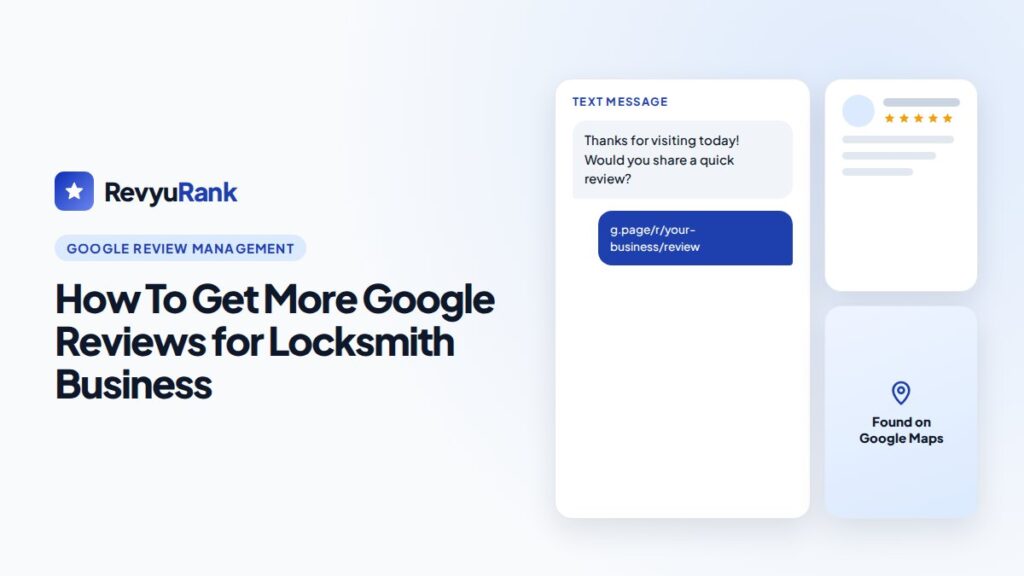
To get more Google reviews for a locksmith business, ask every satisfied customer once the job is complete, send a direct Google review link, and make the request easy to complete. Don’t offer rewards, write reviews for customers, or ask only people who sound happy.
Your result will change with the customer’s experience, the timing of your request, and the way your Google Business Profile is set up. The service type also matters: an emergency lockout needs a different follow-up from a planned rekey.
Locksmith review readers and goals
A new locksmith may have a claimed Google Business Profile but only a few reviews. This reader needs a simple request process, a working review link, and wording that doesn’t sound pushy.
An established locksmith may already receive reviews but struggle to get them consistently. This business needs a repeatable follow-up system, clear staff instructions, and a way to see which jobs produce more responses.
A locksmith with poor or mixed reviews needs a repair plan, not a larger request list. The first task is to fix service problems and answer existing reviews before asking for more.
This page serves a local locksmith who has access to the business’s Google account, customer contact details, and permission to follow up. It assumes the business wants genuine customer feedback, not paid or manufactured praise. If you’re dealing with a suspended profile or a serious review dispute, read Google’s official support guidance or contact Google Business Profile support instead.
What changes your review results
Customer satisfaction matters most. A fast arrival, clear price, careful work, and a working lock create a better reason to leave feedback. Read your last 20 reviews and mark repeated complaints, such as late arrival or surprise charges, before increasing your requests.
The request timing changes response quality. Ask after the customer confirms that the key works, the door locks correctly, or the new hardware is secure. If the job is still being checked, wait; if the customer has confirmed the result, send the link while the visit is fresh.
The link must open the right place. A customer who has to search for your business may choose the wrong listing or abandon the task. Open your Google Business Profile in a private browser, select the review option, and test the link on a phone.
The job type affects the wording. An emergency lockout customer may need a short text after payment. A property manager arranging several rekeys may prefer one email with clear instructions. Match the message to the contact method the customer already uses.
The biggest error is targeting only happy customers. Google does not allow businesses to selectively ask for positive reviews, so ask every customer in the same way. Ask customers consistently after completed jobs, then use complaints to improve the service rather than hiding unhappy feedback.
How to ask for Google reviews
To ask for a Google review, confirm the job is complete, send one short message with a tested direct review link, and don’t ask for a rating. Use these steps for a normal completed locksmith job. They assume the customer has paid, the work is finished, and you’re contacting a real customer through a permitted business channel.
-
Confirm the job is complete. Ask, “Is the lock, key, or entry problem working correctly now?” Move on only when the customer confirms the result or tells you what still needs attention.
-
Resolve open problems first. If the key sticks, the lock fails, or the invoice is disputed, record the issue and arrange the proper fix. Don’t ask for a review while the customer still needs service.
-
Open your Google Business Profile. Use the business account that manages the listing, choose the option for getting more reviews, and copy the generated review link. Don’t copy a search-results URL as a substitute.
-
Test the link privately. Open it in a browser where you aren’t signed in as the business owner. It should show the correct locksmith profile and a clear way to leave a review.
-
Choose the customer’s normal channel. Use text when the customer has already used text with you. Use email for office contacts, landlords, or property managers who normally handle invoices by email.
-
Send one short request. Write, “Thanks for choosing [Business Name]. If you have a moment, please share your honest experience on Google: [link].” Keep the words honest and avoid asking for five stars.
-
Send the message once. A single request is enough for one completed job. If the customer doesn’t respond, don’t keep sending reminders that could feel like pressure.
-
Record the request date. Use your customer relationship system, invoice notes, or a simple private log. Record only the details your business needs and can handle securely.
-
Reply to the published review. Thank the customer without repeating private information about their home, address, lock, or emergency. Move a complaint into a private service conversation, but don’t ask the customer to delete criticism.
If your link opens the wrong listing when you test it signed out, we can look at your profile with you or do it for you.
The key judgment is whether the customer has received the result promised. If the work is complete and verified, ask; if the job is unresolved, fix it first. Electrical work, access-control wiring, safe installation, or legal disputes may need a qualified locksmith, electrician, attorney, or licensing authority, so stop rather than giving a customer unsafe instructions.
Make the request easy to find
Google’s help says you can share a review request link or a QR code. It suggests putting the link or QR code on receipts and in thank-you emails. In your Business Profile, the “Get more reviews” option sits under Read reviews.
Don’t require or pressure the customer to leave a rating or write a review while you’re on site. Don’t ask for specific content to be included.
Review request situations compared

Use the row that matches the job, customer, and contact method. The effort stays low when the request fits the customer’s normal communication style.
| Customer situation | What to do | What it takes | What to watch for |
|---|---|---|---|
| Emergency lockout completed | Send brief text | One short message | Customer may be driving |
| Rekey for homeowner | Ask after testing | Two-minute conversation | Confirm every key works |
| Rental property rekey | Email property manager | One clear email | Protect tenant details |
| Commercial access repair | Ask office contact | Permission to follow up | Don’t expose security details |
| Customer reports a fault | Fix issue first | Extra service time | No review request yet |
| No response after request | Leave it alone | No further messages | Avoid repeated pressure |
Details that improve locksmith reviews
Prepare before the request
Keep the review process ready before the next job ends. Put the tested Google link in your approved text and email templates, then replace the placeholder with the real business name. Ask staff to use the same basic wording, but let them answer service questions in their own words. Don’t ask staff to collect a set number of reviews, because Google does not allow that.
Check that the business name, phone number, service area, and hours match across the profile and your website. A customer who sees an old number may call a competitor before leaving feedback. If you change locations or service areas, update the profile before sending more requests.
Check the work, then stop
Experienced follow-up checks the result without trying to control the review. Test the key or lock with the customer present, explain any care limits, and ask whether they have questions. That gives you a chance to fix a real problem before the request goes out.
Leave the rating choice alone. A request for “an honest review” gives the customer control; a request for “five stars” creates pressure. Don’t ask the customer to mention a keyword, praise a specific employee, or remove a negative review.
Locksmith review problems and fixes
These signs usually point to a process problem rather than a need for more aggressive messages. Fix the first issue you can safely verify.
| What you notice | What it usually means | What to do first | How to stop it happening again |
|---|---|---|---|
| Link opens wrong business | Incorrect profile link | Test the copied link | Recheck after profile changes |
| Few customers respond | Request feels inconvenient | Shorten the message | Send one direct link |
| Negative reviews increase | Service issue remains | Read repeated complaints | Review arrival and billing |
| Customers report pressure | Request sounds demanding | Remove rating language | Ask for honest feedback |
| Duplicate reviews appear | Customers posted repeatedly | Don’t request repeats | Ask once per completed job |
| Reviews mention private details | Reply shared too much | Edit future replies | Use neutral public wording |
Google review rules for locksmiths
Google allows businesses to ask customers for reviews, but the feedback must reflect a real experience. Don’t pay for reviews, offer discounts for positive ratings, ask staff to post as customers, or submit reviews on a customer’s behalf. Google’s Maps user-generated content policy explains prohibited and restricted review content.
The request must not favor only customers who appear pleased. If you use a survey first, don’t send the public review link only to people who give a high private score. Ask customers consistently after completed jobs, then handle complaints through your service process.
Rules can also come from your state, trade association, advertising platform, or franchise agreement. Check the current terms for each place where you advertise. If a review involves threats, blackmail, personal data, or a legal dispute, stop direct pressure and ask Google support, your attorney, or the relevant licensing body for help.
What Google does not allow in reviews
- Reviews may not include email addresses, phone numbers, social media links or links to other websites.
- Content posted for advertising or solicitation purposes is not allowed.
- Content based on a conflict of interest is prohibited. Asking for reviews is fine, but each review must reflect a genuine experience.
- Merchants may not discourage or prohibit negative reviews.
- Google does allow content that describes a negative experience in a respectful manner. Reply politely and fix the problem instead of asking for removal.
When Google reviews content or an account, it looks at the content itself, account information, user actions and whether there is a pattern of harmful behavior. Google’s Business Profile help has separate pages on reporting inappropriate reviews and reporting negative review extortion scams.
What locksmith review growth costs
The direct cost can be close to zero if you use your existing Google profile, customer email, and business phone. The real cost is staff time: someone must verify the job, send the request, record it, and answer the published review.
Costs rise when you add software, automated messages, call tracking, or customer relationship tools. Compare the monthly fee, setup time, text charges, data handling, and cancellation terms before choosing one. A tool isn’t useful if it sends requests to the wrong customer or can’t separate completed jobs from unresolved complaints.
Your follow-up also has an opportunity cost. A rushed request may save a minute but create a complaint that takes much longer to resolve. If the customer’s concern is still open, spend the time on the repair or explanation instead of requesting feedback.
Keeping your review process consistent
Store the approved message, the current review link, and the staff rule in one place. Check the link after a profile name, location, phone number, or ownership change. If it opens the wrong listing, replace it before the next request.
Watch for signs that the process needs attention: repeated complaints about the same charge, staff using different promises, or customers saying they never received the message. Review the original invoice and customer contact record before sending anything again.
Reply to new reviews with a short, professional message. Don’t reveal the customer’s address, access problem, travel schedule, or security details. If a response needs private facts, invite the customer to contact the business directly without copying those facts into the public reply.
When locksmith review requests are wrong
Don’t use this process while a customer is still locked out, unsafe, or waiting for a promised repair. Resolve the emergency first, then ask later only if the customer confirms the work is complete.
This approach also isn’t right for a disputed charge, suspected fraud, or a threat to publish a review unless you refund money. Keep the records, avoid bargaining over the rating, and contact your payment provider, attorney, or Google support as appropriate.
A business with repeated poor workmanship shouldn’t increase review requests first. Pause the campaign, inspect the jobs behind the complaints, and use a qualified locksmith or manager to correct the service problem.
Prefer a done-for-you option? Read about Google Review Generation.
Frequently asked questions
Can locksmiths ask customers for Google reviews?
Yes, locksmiths can ask real customers for honest Google reviews. The request should come after completed work, use neutral wording, and avoid rewards, pressure, review writing, or requests for a specific star rating.
Why are my locksmith customers not leaving reviews?
Usually, the request is hard to complete, arrives before the job is verified, or gets lost in a busy customer’s messages. Test the review link, shorten the message, and send one request through the channel the customer already uses.
How long should I wait before asking for a locksmith review?
Ask after the customer confirms the work functions correctly, which may be immediately for a lockout or after testing new keys. For a job needing later customer use, wait until the customer can reasonably verify the result.
Is it safe to send a Google review link by text?
Yes, a direct review link can be sent by text when the customer has already provided or used that business contact channel. Keep the message free of home addresses, lock details, alarm information, and other private security data.
What happens if I offer a discount for reviews?
Google does not allow incentivized reviews, and they will be removed from Maps. Reviews paid for, directly or in kind, count as fake and misleading content. Don’t tie a discount, refund, gift, or future service benefit to leaving a review or choosing a positive rating.
Does it matter if I ask for five stars?
Yes, it matters because asking for a specific rating pressures the customer and can distort feedback. Ask for an honest review instead, then use criticism to identify problems with arrival time, pricing, communication, or workmanship.
How many review requests should I send?
Send one request per completed job to the real customer who received the service. A second request can feel like pressure and may create duplicate or unwanted messages, especially after an emergency visit.
Locksmith review steps to take first
First, verify the locksmith completed the job and that the customer is entitled to review it. Match the request to an invoice, work order, or appointment record, without including the customer’s address or lock details. If the job is disputed or unresolved, wait before requesting a review.
Open the Google review link in a private browser, preferably while signed out. Confirm the correct business name and profile appear, then test that the review option opens normally. A wrong profile can send feedback to another locksmith. Stop and get help if the profile is wrong or the request could expose keys, alarm codes, entry methods, or an address.

Robert Miller works as a Reputation Management Consultant. He has been helping U.S. businesses for over ten years. His work involves helping people protect and enhance their online image.Robert has worked with a wide range of companies. He has helped new businesses, local places that give a service, and big companies. He helps turn customer reviews into something that helps people trust their company and drives business growth.
Sources and official guidance