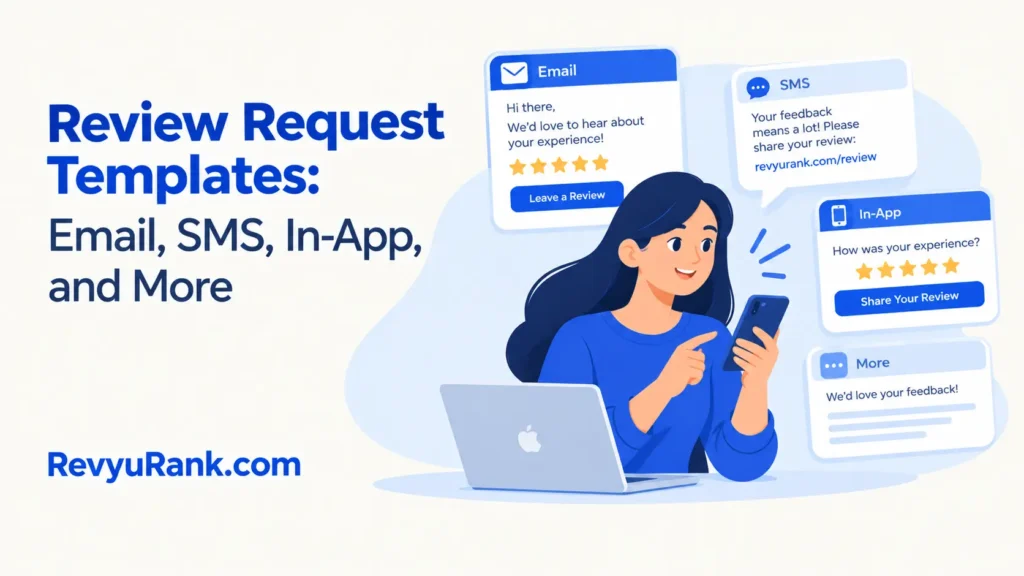
Email, SMS, in-app, receipt, QR code, and phone review request templates are ready-to-edit messages that help customers share feedback. The main difference is how personal, visible, and easy each request feels.
Review request template types
These six formats cover the main ways businesses ask for customer reviews. Choose the format that fits where the customer already interacts with your business.
| Template type | Best for | Recognizable example |
|---|---|---|
| Email request | Detailed customer follow-up | Order delivery email |
| SMS request | Fast mobile replies | Text after an appointment |
| In-app request | Active app users | Rating prompt after checkout |
| Receipt request | In-person purchases | Printed receipt message |
| QR-code request | Signs and packaging | Table card QR code |
| Phone request | Personal service follow-up | Call after a project |
Email review request templates
Email review requests suit businesses with customer emails and a little time for follow-up. They can include context, a link, and a thank-you.
- After a purchase: “Thanks for your order. How did everything go? Share your review here: [link].”
- After delivery: “Your order has arrived. Tell us what you thought about the product and delivery.”
- After support: “We’re glad we could help. Would you share a quick review of your support experience?”
- After repeat business: “Thanks for choosing us again. Your feedback helps other customers decide.”
Email is a good fit for customers who may want to explain their experience in more than one sentence.
SMS review request templates
SMS requests do something email doesn’t: they reach the customer in the same place where short, immediate replies are common. They suit services with a clear end point.
- After an appointment: “Thanks for visiting [Business]. How was your appointment? Review us here: [link].”
- After delivery: “Your should be with you now. Could you rate your experience? [link]”
- After a repair: “How did the repair go? Your honest feedback helps us improve: [link].”
- After a service visit: “Thanks for choosing us today. Please share your experience here: [link]”
Keep the message short and identify your business clearly.
In-app review request templates

In-app requests fit digital products where the customer has just completed an action. They work after a clear action, such as a booking or order.
- After completion: “How was your experience? Leave a quick review.”
- After a successful task: “Did [feature] work well for you? Tell us what you think.”
- After repeat use: “You’ve used [service] several times. Would you rate your experience?”
- After support: “Was your issue resolved? Share feedback about your support experience.”
This format needs product access and careful timing.
Receipt review request templates
Receipt requests reach customers at the point of purchase without needing their email address or phone number. They suit regular in-person businesses.
- Printed receipt: “Enjoyed your visit? Share your feedback at [short URL].”
- Digital receipt: “Thanks for shopping with us. Tell us about your experience: [link]”
- Restaurant receipt: “How was your meal and service? Leave a review: [link]”
Receipt requests work best when the web address is short and easy to type.
Other review request templates
The remaining formats help when email, SMS, app prompts, or receipts don’t fit the customer journey.
- QR-code request: Use on packaging, table cards, or signs when customers can scan with a phone.
- Phone request: Choose for personal services where a staff member already calls after the work.
- Invoice request: Add after completed business-to-business work when the buyer checks billing documents.
- Postcard request: Use for offline customers who may not have shared digital contact details.
How to choose a review template
Start with the customer’s last clear interaction.
Next, consider the detail you need. Choose email or an invoice when customers may explain a complex project. Choose SMS, a receipt, or a QR code when a short response is enough. For regulated or sensitive services, check industry rules first.
Your available customer data also matters. Without permission to text, choose a receipt or QR code.
Don’t offer a reward only for positive reviews. That mistake can create compliance problems; the FTC’s rule on reviews explains restrictions on fake reviews and incentives.
Frequently asked questions
Can I use the same review request template everywhere?
You can reuse the core message, but adjust its length and tone for each channel. An SMS request should be brief, while an email can explain the service and give customers more context.
Why aren’t customers responding to my review requests?
Customers may miss requests sent at the wrong time, or the message may ask for too much effort. Try sending it after the completed experience and use one clear link rather than several choices.
How long should a review request be?
Keep SMS and in-app requests to one or two short sentences. Email can be longer, but the request, review link, and reason for asking should appear near the beginning.
Is it safe to ask every customer for a review?
It can be appropriate to ask every customer for honest feedback, but follow privacy, messaging, platform, and industry rules. Don’t ask customers to change their review or publish only favorable comments.
What happens if a customer leaves a negative review?
A negative review gives you a chance to respond calmly and identify the issue. Thank the customer, avoid private details, and move the conversation to a suitable support channel.
Does it matter which channel I use?
Yes. The best channel is the one the customer already uses with your business. Email suits detailed follow-up, while SMS, receipts, and QR codes suit quick requests after in-person service.
First review request template to use
Start with the channel customers already recognize, then send one short request after the completed purchase or service. A useful response is a review that names the experience clearly, while threats, privacy concerns, or platform warnings mean you should stop and get professional advice.

Robert Miller works as a Reputation Management Consultant. He has been helping U.S. businesses for over ten years. His work involves helping people protect and enhance their online image.Robert has worked with a wide range of companies. He has helped new businesses, local places that give a service, and big companies. He helps turn customer reviews into something that helps people trust their company and drives business growth.