
Want to update your business name on Google My Business but feel stuck? No worries—you’re in the right spot.
Your business name is often the first thing people notice online. If it’s wrong or outdated, you might lose customers without even knowing it. Let’s fix that.
This guide will walk you through the process in a straightforward way. No tech skills needed.
Why Change Your Business Name on Google My Business?

Keeping your business name up to date is more important than you might think. Here’s why:
- Builds trust: A clear, correct name shows you’re professional and reliable.
- Improves search results: Google ranks listings better when details are accurate.
- Reflects your brand: If you’ve rebranded or changed ownership, your name should show it.
- Stops confusion: Customers won’t get mixed up if they see the right name.
- Keeps you compliant: Google expects your business name to match what’s real. Otherwise, you risk penalties.
Before You Start: What You Need
Before jumping in, make sure you have:
- Access to your Google My Business account
- Your new business name ready (matching official documents)
- Checked Google’s rules on business names (no extra keywords or slogans)
- Confirmed your account is verified and not suspended
Step 1: Log into Google My Business
First things first. Head to business.google.com and sign in using your Google account linked to your business.
Once inside, pick the location or business profile you want to edit.
Step 2: Find the Business Info Section
On the left menu, click Business Info. This is where all your business details live.
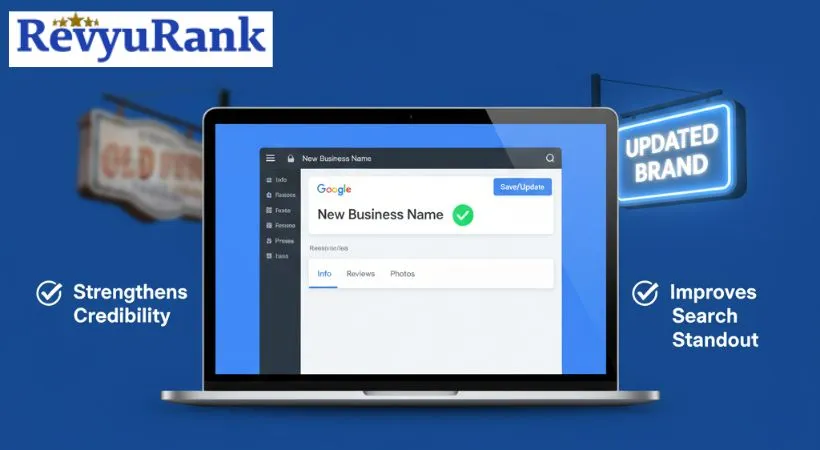
Step 3: Edit Your Business Name
Look for your current business name and click the pencil icon next to it. Type in your new name carefully—double-check spelling!
When you’re happy, click Apply or Save.
Heads up: It might take a few days for Google to review and show the update.
Google’s Rules on Changing Your Business Name

Not every name change is accepted. Google wants the real deal. Here’s what to keep in mind:
- Your new name should match your official business name.
- No slogans, special characters, or extra keywords.
- Changes are OK for reasons like rebranding, fixing typos, or ownership changes.
- Don’t try to add keywords just to rank better—Google will catch that.
After You Submit: What Happens Next?
Google usually reviews name changes within 3 to 7 days. Sometimes they might ask for more info or verification. This can happen by phone, email, or postcard.
Keep an eye on your Google My Business dashboard and email for updates.
Keeping Your Listing Fresh and Accurate
Once you’ve updated your name, don’t stop there. Here are a few tips to keep your listing in great shape:
- Use the same business name everywhere. Consistency helps Google and customers.
- Update other details too. Like your address, phone number, or hours after any changes.
- Check your listing regularly. Fix errors or fake reviews fast.
- Reply to customer reviews. It shows you care.
- Add fresh photos and posts. This keeps your profile active and appealing.
Frequently Asked Questions
How Do I Change My Business Name On Google My Business?
Log in, select your business, click Info, then edit the business name field.
Can I Change My Business Name Anytime?
Yes. You can update it whenever you want from your dashboard.
How Long Does It Take For Google To Update My New Business Name?
Usually 3 to 7 days after you submit the change.
Will Changing My Business Name Affect My Search Rankings?
There might be a short dip, but rankings usually bounce back once the update is live.
Do I Need To Verify My Business Again After Changing The Name?
Most of the time, no. But sometimes Google may ask for verification.
Can Someone Else Change My Business Name Without Owner Access?
No. Only verified owners or managers can make changes.
What If Google Rejects My Name Change?
They’ll tell you why. Fix the issue and try again.
Will My Reviews Or Photos Be Lost After Changing My Business Name?
Nope. Reviews and photos stay intact.
Final Thoughts
Changing your business name on Google My Business is easier than it looks. Just take it step by step, follow the rules, and double-check your info.
Keeping your listing accurate helps customers find you and trust your brand. Plus, it keeps your online presence sharp.
So, why wait? Update your business name today and keep your profile working for you.