
The 15 proven Google review email templates cover after-purchase, after-service, positive-feedback, milestone, resolved-issue, event, and personal thank-you emails for honest feedback without asking for a five-star rating or offering a reward. Each gives customers one clear action, making a genuine review easy to leave on your Google Business Profile. Choose the closest customer moment—such as a delivered order, finished appointment, solved problem, or personal milestone—because a request before the customer can judge the result won’t sound relevant.
Google review email templates at a glance

These groups contain all 15 templates, organized by the customer moment that triggers the email. Choose the row that matches the customer’s last meaningful interaction, not simply the type of business you run.
| Template type | Best for | Recognizable example |
|---|---|---|
| After-purchase review emails | Product buyers | Delivered order follow-up |
| After-service review emails | Appointment and service customers | Finished repair message |
| Positive-feedback review emails | Customers who praised you | Reply to kind email |
| Milestone review emails | Repeat or long-term customers | Renewal-day request |
| Resolved-issue review emails | Customers after problem resolution | Fixed complaint follow-up |
| Event follow-up review emails | Class or event attendees | After-class thank-you |
| Personal thank-you review emails | One-to-one relationships | Consultant follow-up note |
After-purchase review emails
After-purchase review emails follow a delivered, collected, or installed product. They suit retailers, makers, restaurants, and service businesses selling a physical item. They work when the customer can judge the purchase, not while the order is still moving.
Keep the request tied to the item. Give one review link rather than a menu of choices. If delivery timing is uncertain, wait until the customer has received the item; if pickup happened face to face, use the pickup version that day. These templates aren’t for a product that hasn’t reached the customer, because the recipient can’t fairly judge it yet.
-
Delivered order review email helps collect feedback after the customer receives the item. “Subject: How is your ? Hi [First name], your should be with you now. When you’ve had a chance to use it, would you share an honest review on Google? [Review link] Thanks, [Name]”
-
Pickup or installation review email fits a product collected in person or set up by your team. “Subject: How did setup go? Thanks for choosing [Business]. If your is working as expected, we’d value an honest Google review. If something isn’t right, reply here, and we’ll help. [Review link]”
-
Repeat purchase review email suits a customer who has bought the same or a related item again. “Subject: Thanks for coming back. Hi [First name], thanks for choosing [Business] again. Would you tell us how this order went in an honest Google review? [Review link] No pressure—your feedback helps us improve. [Name]”
Example: A local bakery sends the Delivered order review email after a cake pickup. Its subject is “How did your cake turn out?”
After-service review emails
After-service review emails do something the first set doesn’t: they follow a completed human service, not a product handoff. They suit repair shops, cleaners, tutors, consultants, and home-service teams. Ask after the customer has seen the result, and name the service so the note doesn’t feel generic.
If the appointment ended cleanly today, use the same-day version; if the work needs time to show its result, use the completed-project version later. These templates aren’t for an unfinished job or an unresolved problem, so send a service update instead.
-
Same-day appointment review email helps capture feedback while a short appointment is fresh. “Subject: Thanks for visiting [Business]. Hi [First name], thanks for coming in today for [service]. If you’d like to share how the visit went, an honest Google review would help. [Review link] If you need anything, reply here. Thanks, [Name]”
-
Completed repair review email fits a repair returned to the customer and tested. “Subject: How is [item] working now? Your [item] is ready, [First name]. After you’ve tested it, would you share an honest Google review? If the problem remains, reply here so we can help. [Review link]”
-
Finished project review email suits a project with a clear handoff and visible result. “Subject: How is the finished [project]? Hi [First name], we’ve completed [project]. Once you’ve had time to see the result, would you share an honest Google review? [Review link] Thanks for trusting [Business].”
Example: A mobile repair shop sends the Completed repair review email after the customer has tested a phone. The subject says, “How is your phone working now?”
Positive-feedback review emails

Positive-feedback review emails start with praise the customer has already given. They suit a business whose team records comments in email, chat, notes, or a customer system. This trigger makes the message feel personal, but it shouldn’t become a filter for asking only people expected to rate highly. Ask for an honest review and leave room for a private reply.
This option needs a recorded compliment and an appropriate way to contact that person. Without that signal, use After-service review emails instead. If your platform can’t show why the person is being contacted or whether the send is permitted, ask your email provider or a compliance adviser before automating it.
-
Reply to email praise turns a specific private compliment into an optional public review. “Subject: Could we share your feedback? Hi [First name], thanks for saying [short compliment]. If you’re willing, would you share that experience in an honest Google review? [Review link] A private reply is welcome too. [Name]”
-
Team compliment follow-up suits praise given to an employee when the customer already expects a follow-up. “Subject: Thanks for recognizing [employee]. [First name], [employee] appreciated your kind words about [service]. If you’d like to add an honest Google review, here’s the link: [Review link]. Thanks for taking the time.”
-
Support success review email works after the customer confirms a support issue is solved. “Subject: Glad we could help. Hi [First name], thanks for letting us know [issue] is fixed. If you’d like to describe the support you received, an honest Google review would help other customers. [Review link]”
Example: A customer emails, “Your team fixed this quickly.” The reply uses the subject “Would you share that feedback on Google?”
Milestone review emails
Milestone review emails are tied to a customer stage, such as a repeat order, renewal, anniversary, or completed phase. They suit memberships, subscription services, agencies, and businesses with repeat customers. Name the milestone so the request feels earned, and don’t send it when your records can’t support the date.
These messages can feel more thoughtful than a generic reminder, but they take cleaner customer records and more timing work. Use one only when the milestone is real and the customer has had enough experience to judge the relationship.
-
30-day check-in review email suits a product or service the customer has used for a full month. “Subject: One month with [Business]. Hi [First name], you’ve now had about 30 days with
. Has it met your needs? If you’d like to share an honest Google review, here’s the link: [Review link].” -
Renewal thank-you review email fits a customer who has just renewed or continued service. “Subject: Thanks for renewing. Hi [First name], thanks for continuing with [Business]. If you’d like to tell others about your experience, an honest Google review is welcome. [Review link] Best, [Name]”
-
Customer anniversary review email works on a known relationship date, not a guessed birthday. “Subject: Thanks for being with us. Hi [First name], we’re glad to mark another year with you. If our work has earned an honest Google review, you can leave one here: [Review link].”

Example: A design agency sends the Renewal thank-you review email on the date a client renews. Its subject says, “Thanks for another year with [Business].”
Other Google review email templates
These remaining templates fit moments that don’t belong to a normal purchase, appointment, praise, or milestone. Use them only when the event or conversation gives you a clear, truthful reason to write.
They also need a closer human touch than a batch send. Keep each note tied to the one event that gives it context.
-
Resolved-issue review email — Use it after a complaint is addressed and the customer has had time to judge the result. “Subject: How are things now? If the issue is resolved, we’d welcome an honest Google review. If not, reply here so we can help. [Review link]” It suits teams that follow up personally.
-
Event follow-up review email — Reach for it after a class, workshop, tour, or other finished event. “Subject: Thanks for joining [event]. We’d value your honest view on Google: [Review link].” It suits organizers whose attendees can judge the experience right away.
-
Personal thank-you review email — Use it after a one-to-one conversation, referral, or completed consultation. “Subject: A quick favor? It was a pleasure helping with [need]. If you’d like to share an honest Google review, here’s the link: [Review link].” It suits consultants and owners who write each message themselves.
Choosing Google review email templates

Choose by the customer’s last meaningful moment, the time you can send, and the outcome you want. The table maps the trigger you have to the template that fits it best.
| What’s true for you | Choose this |
|---|---|
| Product delivered or picked up | After-purchase review emails |
| Appointment, repair, or project finished | After-service review emails |
| Customer already gave praise | Positive-feedback review emails |
| Renewal or known anniversary | Milestone review emails |
| Complaint has been resolved | Resolved-issue review emails |
| Class or event has ended | Event follow-up review emails |
| One-to-one work or conversation | Personal thank-you review emails |
Your available time changes the best version. A personal thank-you takes longer but can name the real conversation; an automated After-service review email is faster and more consistent, but it needs accurate triggers and can feel cold if it arrives late. You can combine a purchase follow-up with a later milestone note, but don’t send overlapping requests for the same moment.
Don’t paste one template into every campaign or leave the wrong bracketed detail; the mismatch makes the request look careless and can cost you a response. These templates aren’t for a contact who hasn’t bought, attended, or completed a service, or for a sender who wants only five-star reviews.
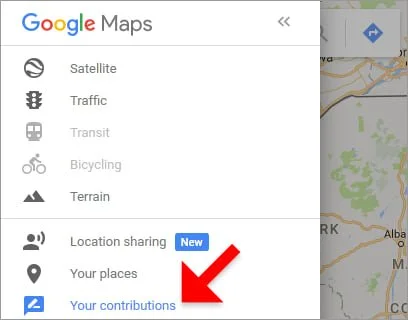
A direct review link from your Business Profile lets readers reach the listing without searching; Google’s review link guide explains the process for creating a review link or QR code. Response rates vary with the relationship, timing, message quality, and the customer’s ability to use the link, so compare sent requests with published Google reviews over the same period instead of trusting a template’s promise.
Related guides
- Top 5 Best Trustpilot Invitation Email Templates to Use
- A Guide On How To Delete Google Reviews: Easy Steps to Remove Negative Feedback
Frequently asked questions
The right answer changes with the customer’s last interaction, the timing of the request, and whether a problem remains open. Use the guidance below to keep the message relevant and optional.
Can I ask customers for a Google review by email?
Yes, you can email customers for a Google review after a real interaction when they can choose freely. Use their name and mention the purchase, service, or event they can judge. Don’t demand a particular rating; include a reply path for problems, and remember that a direct link can reduce searching but can’t fix an unclear message.
Why aren’t customers clicking my Google review email?
The common causes are a vague subject, a hidden link, or an email sent before the customer has used the product or seen the result. Start with a subject that names the completed order, visit, or event. Then check the message on a phone and click the link yourself. If those checks pass, change one part at a time so you can see which wording improves the response.
How long should a Google review email be?
Aim for 40–80 words for a customer who already knows your business, excluding the subject line, link label, and signature. Use that space to name the completed interaction, make the request, and offer a reply path. A longer note can fit a complex project, but remove background details that don’t help the reader decide whether to leave honest feedback.
Is it safe to send a Google review request after a complaint?
Yes, it can be appropriate after a complaint, but only once the issue has been addressed and the customer can judge the result. Follow Google’s review policies by asking for honest feedback, not a positive rating. Don’t ask the customer to delete, edit, or replace an earlier review. If the problem is still open, send a service update instead, because a review request can sound like pressure.
What happens if I send the same review email to everyone?
You’ll save time, but the same wording can feel irrelevant when it reaches a buyer, a repair customer, and an event attendee. Remove the wrong scenario before sending, and replace every bracketed field. If an automated send can’t tell whether the order was delivered or the service was completed, pause it and use a manual message until the trigger is fixed.
Does it matter when I ask for a Google review?
Yes, timing matters because the customer needs enough experience to judge what you delivered. Send after a completed moment: after receipt of a product, after the visit for a short service, or after the result is visible for a longer project. Sending earlier can produce vague feedback or a request the customer ignores.
Can I send a Google review request twice?
Usually, send one request for a single customer moment and stop there. A later request makes sense only after a new purchase, completed service, or meaningful milestone gives you a fresh reason to write. Keep the second message separate and optional. If the customer has asked not to receive messages, remove that contact from future requests instead of trying a different template.
Using Google review email templates
Next, choose the template matching the customer’s last completed interaction, replace its bracketed fields, add the direct Google review link from your Business Profile, and read it once as the customer before sending. If you can’t confirm the recipient should receive it, ask your email provider or a compliance adviser for help; that uncertainty means the send isn’t ready.