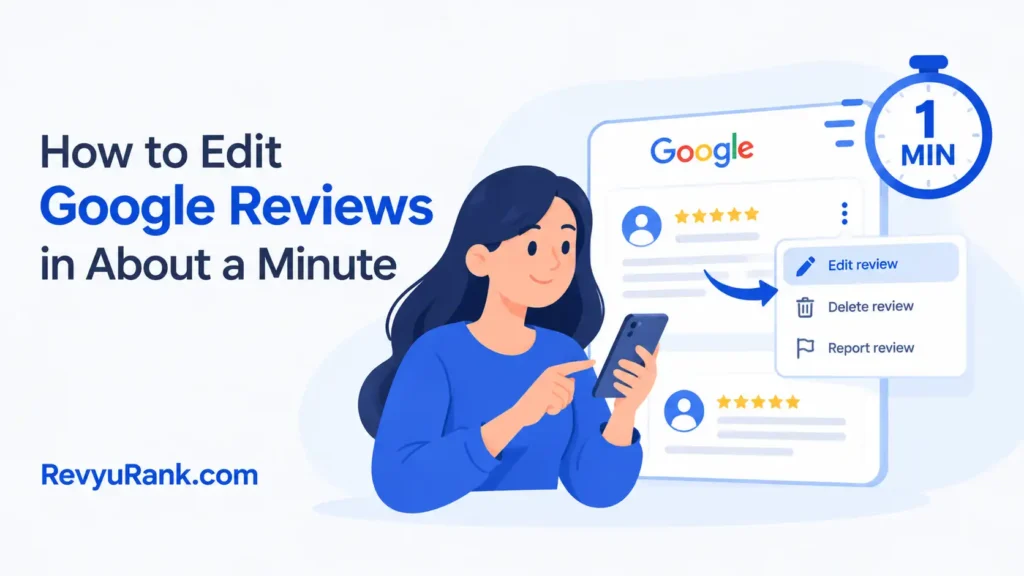
You can edit a Google review in about a minute from Google Maps or Search: open your review, tap the three-dot menu, pick Edit review, change your stars or text, and save.
What you need before editing a Google review
Editing a review needs only a few things in front of you.
- The Google account you used to post the original review — editing from another account won’t show your review at all.
- Google Maps app or any web browser — both work; the app is faster on a phone.
- A stable internet connection, since the change saves to Google’s servers right away.
- The business name you reviewed, so you can find it quickly.
- Your updated star rating and text, decided before you start.
You can swap the Maps app for Search in a browser and get the same result, but you can’t edit someone else’s review — only your own.
Steps to change your Google review
Here’s the full process from start to finish.
- Open Google Maps on your phone or go to google.com in a browser and sign in with the account that posted the review.
- Tap your profile picture in the top right, then choose Your Reviews (in Maps it’s under the menu; in Search type your name plus “reviews” or use your contributions page).
- Find the review you want to change by scrolling through your list.
- Tap the three-dot menu next to that review.
- Select Edit review from the small menu that pops up.
- Change your star rating by tapping a new number of stars, and rewrite your text in the box.
- Add or remove photos if you want — tap the camera icon to add, tap an existing photo and choose delete to remove it.
- Tap Post to save. The update is live in seconds, though the business sees the new version, not the old one.
Tip: On step 2, if “Your Reviews” is empty, you’re probably signed into the wrong account — check the email at the top.
Careful: On step 8, posting replaces the old text completely. There’s no undo, so read it once before you tap Post.
When editing gets more complicated
Most edits are quick, but a few situations change how long it takes or whether it works at all.
| Situation | Time it takes | What’s different | What to watch |
|---|---|---|---|
| Simple text or star change | Under 2 minutes | Standard edit, works instantly | Old version is gone for good |
| Business replied already | 2-3 minutes | Their reply stays visible | Reply may no longer match your new text |
| Review was flagged/removed | Can’t edit | Review isn’t live to change | Contact Google support instead |
| Adding photos | 3-5 minutes | Upload depends on your connection | Large photos take longer to post |
Start with a small text tweak before rewriting everything — that way you confirm the edit saves correctly without losing a long paragraph.
Checking your edited review looks right
A good edit shows your new stars and text live on the business page, with no “edited” error and your old wording fully replaced.
Two things prevent it: check the profile email before you start, and refresh the business page after posting.
Google’s review rules and what sticks
Reviews must follow Google’s content policies — no fake content, no conflicts of interest, no off-topic rants. Break those rules, and an edit can get your review removed, not just changed.
After editing, Google saves it automatically, and the old version is overwritten. Your edit stays live until you change it again or delete it yourself.
Other ways to fix your review
Editing isn’t the only route. Depending on what you want, one of these may fit better.
Delete and repost
Instead of editing, delete the review and write a fresh one. This resets the date stamp to today and removes any business reply tied to it, but you lose the original posting history.
Reply to the business reply
You can’t reply to the owner directly. Editing your own review text to address their reply is the workaround, which keeps everything in one place.
Use Google support
If your review won’t edit or was wrongly removed, open a support request through Google Maps help. This takes longer — often days — but handles cases the edit button can’t.
Frequently asked questions
Can I edit a Google review after the business replied?
Yes. You can edit your review anytime, even after the owner responds. Their reply stays visible, so check that it still makes sense next to your new text, or it may look out of place.
How long does it take to edit a Google review?
Under two minutes for a simple star or text change on a stable connection. Adding photos pushes it to three to five minutes, since upload time depends on your internet speed and photo size.
Why can’t I find my review to edit?
You’re likely signed into a different Google account than the one that posted it. Check the email at the top of your profile. If it’s still missing, the review may have been removed for a policy violation.
Is it safe to edit my own Google review?
Yes. Editing your own review is safe and allowed. The only risk is losing your original wording, because posting an edit overwrites the old text permanently with no undo button.
What happens if I edit a review that broke the rules?
Editing won’t restore a removed review on its own. If your content still breaks Google’s policies, the edited version can be flagged and taken down again. Fix the policy issue, not just the wording.
Can I edit a review from my computer?
Yes. Sign in at google.com, open your contributions or “Your reviews,” find the review, and use the three-dot menu to edit. It works the same as the Maps app with slightly different menus.
Does the business know I edited my review?
The business sees your updated review in their dashboard, not a notification history of each change. They view the current version, so an old reply may no longer match what you wrote.
Conclusion
Editing a review is one of the easiest things to fix on Google, as long as you’re on the right account and you read your new text before posting. Keep it honest, keep it on topic, and the change goes live in seconds.

Robert Miller works as a Reputation Management Consultant. He has been helping U.S. businesses for over ten years. His work involves helping people protect and enhance their online image.Robert has worked with a wide range of companies. He has helped new businesses, local places that give a service, and big companies. He helps turn customer reviews into something that helps people trust their company and drives business growth.