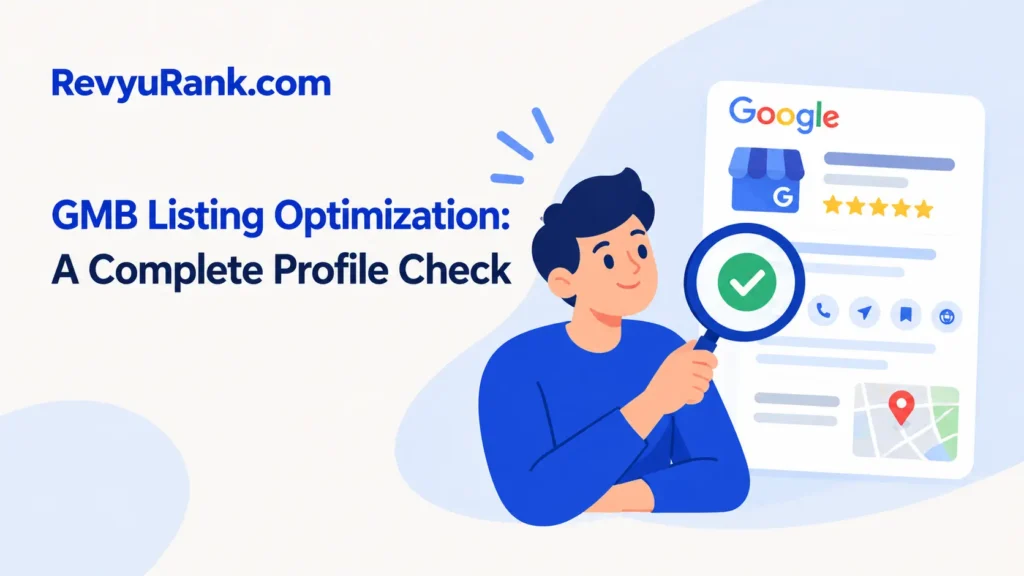
Gmb listing optimization works best as a complete profile check: spend 60–90 minutes updating the core details, then review performance after 30 days. Use the current Google Business Profile tools, not old “GMB” instructions. This method suits local businesses that already have a verified profile and can answer customer questions.
What You Need for Listing Optimization

Keep the business information consistent before you edit anything. Small differences in the name, address, phone number, or website can create confusion across Google and other directories.
- Verified Google Business Profile access: Use the account that owns or manages the listing.
- Exact business name: Use the real-world name shown on your storefront, website, and business documents.
- Correct address or service area: A storefront needs a real customer-facing address; a service-area business should use its actual service locations.
- Primary phone number: Choose a number customers can reach during business hours.
- Website URL: Use the matching local landing page, not a general page that hides the business location.
- Opening hours: Include regular hours, holiday hours, and special closures.
- Business photos: Prepare clear exterior, interior, team, product, or service images that you own.
- Business details: Have your services, products, appointment link, and short description ready.
A phone camera can replace a professional camera, but copied stock photos won’t replace genuine images of your business.
How to optimize a Google Business Profile
Start with the profile itself, then check the customer experience around it. Don’t add keywords to fields where Google asks for your real business information.
-
Open the profile in Google Search or Google Maps while signed in to the verified manager account. Confirm that you’re editing the correct location before changing anything.
-
Check the business name, address, phone number, website, and hours against your storefront and website. Remove extra slogans, phone numbers, city names, or services from the business name unless they’re part of the real-world name.
Tip: Keep one written version of these details. Use it when you update directories, social profiles, invoices, and your website.
-
Choose the most accurate primary category, then add only relevant secondary categories that Google offers. Pick the category that best describes the main service customers seek from this location.
-
Rewrite the description in plain language. Explain what the business does, where it serves customers, and what makes the offer useful. Don’t add links, prices, promotions, or keyword blocks to the description.
-
Add services, products, menus, appointment links, and attributes that match the real offer. Check each item after publishing, because an old service or incorrect attribute can send customers to the wrong page.
Careful: Don’t claim features you can’t provide. A misleading “open,” “delivery,” or “wheelchair accessible” label can waste a customer’s trip and lead to complaints.
-
Upload recent, well-lit photos of the outside, entrance, inside, staff, products, or completed work. Use the correct location and remove images that are blurry, duplicated, unrelated, or owned by someone else.
-
Request reviews from real customers after a completed purchase or service. Use a direct review link, but don’t offer gifts, discounts, or other rewards for positive reviews. Reply to positive and negative reviews with specific, calm answers.
-
Publish useful updates only when you have something current to say, such as a holiday schedule, new service, event, or temporary change. Check that every update still matches the business before leaving it live.
-
Record the starting condition, such as calls, website visits, direction requests, and profile views shown in the performance area. Compare similar periods after changes instead of judging the result after one quiet day.
If an ownership conflict, suspension, verification problem, or fraudulent edit appears, stop changing the profile and use Google Business Profile support; repeated edits can make the problem harder to resolve.
Profile changes by business situation

The work changes with the location type, the number of services, and the condition of the existing profile.
| Business situation | Time or money cost | What changes | Watch while it runs |
|---|---|---|---|
| Single storefront | 60–90 minutes | Add the entrance, address, hours, and local service details | Customers must find the correct entrance |
| Service-area business | 45–75 minutes | Hide the address if customers don’t visit it and set real service areas | Don’t list places you don’t actually serve |
| Restaurant or salon | 90–120 minutes | Check menu, booking link, services, attributes, and fresh photos | Links must open on a phone |
| Multiple locations | Several hours or outside help | Review every location separately and keep details consistent | One bad location can confuse customers |
| Suspended or disputed profile | Longer than a normal edit | Gather proof and follow Google’s support process | Don’t create duplicate listings |
Start with one location or one service group, then add changes gradually; overshooting with broad categories or unsupported details creates more cleanup.
How to judge your profile
A strong profile gives customers enough information to act without opening several other pages. The name, address, hours, category, phone number, and website should agree, while the photos should show the real place or service.
A weak profile often has old hours, a wrong category, a missing entrance photo, broken booking links, or unanswered customer questions. These problems can cause missed calls, failed visits, and poor reviews.
One common mistake is stuffing city names and services into the business name. It may make the listing look more targeted, but it can create a guideline problem and force you to repair or reinstate the profile later.
Keep the primary category focused, use real photos, and check every important link from a phone. Ask a staff member to read the listing as a new customer would; unclear directions often show up faster that way.
Google rules and ongoing checks
Google’s Business Profile guidelines say the profile should represent the real business, use an accurate name, and avoid misleading information. Google can change its features and policies, so check its current guidance when a profile is suspended or rejected.
After publishing, remove old promotions, close temporary updates, and save a record of important edits. Check hours before holidays and review the profile whenever the phone number, website, address, services, or ownership changes.
There’s no fixed lifespan for an optimization pass. Hours and links can become wrong after one business change, so use the business’s own change calendar rather than waiting for a set number of months. Agencies or specialists should handle verification disputes and complex ownership cases.
Other ways to improve the profile

Use a simple owner checklist
The owner can review the profile, website, photos, hours, and reviews in one sitting. This costs little beyond staff time, but it may miss technical problems such as tracking errors, duplicate listings, or inconsistent details on other websites.
Hire a local SEO specialist
A specialist can compare several locations, find duplicate profiles, and organize citation updates. The trade-off is cost and oversight: ask for a written change list, access limits, and a clear report instead of accepting promises about ranking positions.
Use a review and photo routine
Assign one staff member to request genuine reviews and add approved photos after completed work. This spreads the effort across the month and keeps the profile current, but it won’t fix an incorrect category, address, ownership problem, or suspended listing.
Frequently asked questions
These questions cover issues that often appear before a profile is fully updated. The right answer depends on whether customers visit your address, whether the profile is verified, and whether the information reflects the real business.
Can I optimize a Google Business Profile without a storefront?
Yes. A service-area business can show the areas it genuinely serves without displaying a customer-facing address. It should still use accurate contact details and explain how customers receive the service. Don’t use a mailbox, virtual office, or location where customers can’t normally meet the business.
Why is my Google Business Profile edit still pending?
An edit may need review when the information changes a major business detail, conflicts with other public information, or triggers a quality check. Avoid submitting the same change repeatedly. Save proof of the real business details and contact Google support if the edit remains unresolved.
How long does it take for Google Business Profile photos to appear?
Photos can appear quickly, but Google may review or delay them before they become visible. Check the profile from a normal customer view after uploading. If a photo disappears, confirm that it shows the real business and doesn’t contain misleading text, heavy editing, or unrelated content.
Is it safe to add keywords to a business name?
No, not unless those words are part of the business’s real-world name. Adding extra cities or services can make the listing inaccurate and may lead to an edit, removal, or suspension. Put useful service language in the correct service, category, website, or description fields instead.
What happens if a competitor leaves a false review?
You can report a review when it violates Google’s content rules, such as being fake, abusive, or unrelated to a genuine customer experience. Keep your response factual and private where possible. Don’t accuse the reviewer publicly unless you have clear evidence and can explain it calmly.
Can I manage more than one business location?
Yes. Each genuine location should have its own accurate profile when customers can identify or contact it separately. Keep names, addresses, hours, phone numbers, and landing pages correct for each site. A shared template can save time, but copied details still need a location-by-location check.
How often should I check my business listing?
Check it whenever the business changes its hours, services, address, phone number, website, or ownership. A routine monthly check can catch broken links and outdated updates between larger changes. Review customer questions and new reviews sooner, because those can affect a customer’s decision to visit.
Conclusion
Set a recurring calendar reminder to review your profile whenever your services, hours, or customer questions change. Ask a team member to flag new feedback and outdated details, then make updates promptly. Small, timely changes mean you’ll help local customers find accurate information and feel confident choosing your business.

Robert Miller works as a Reputation Management Consultant. He has been helping U.S. businesses for over ten years. His work involves helping people protect and enhance their online image.Robert has worked with a wide range of companies. He has helped new businesses, local places that give a service, and big companies. He helps turn customer reviews into something that helps people trust their company and drives business growth.