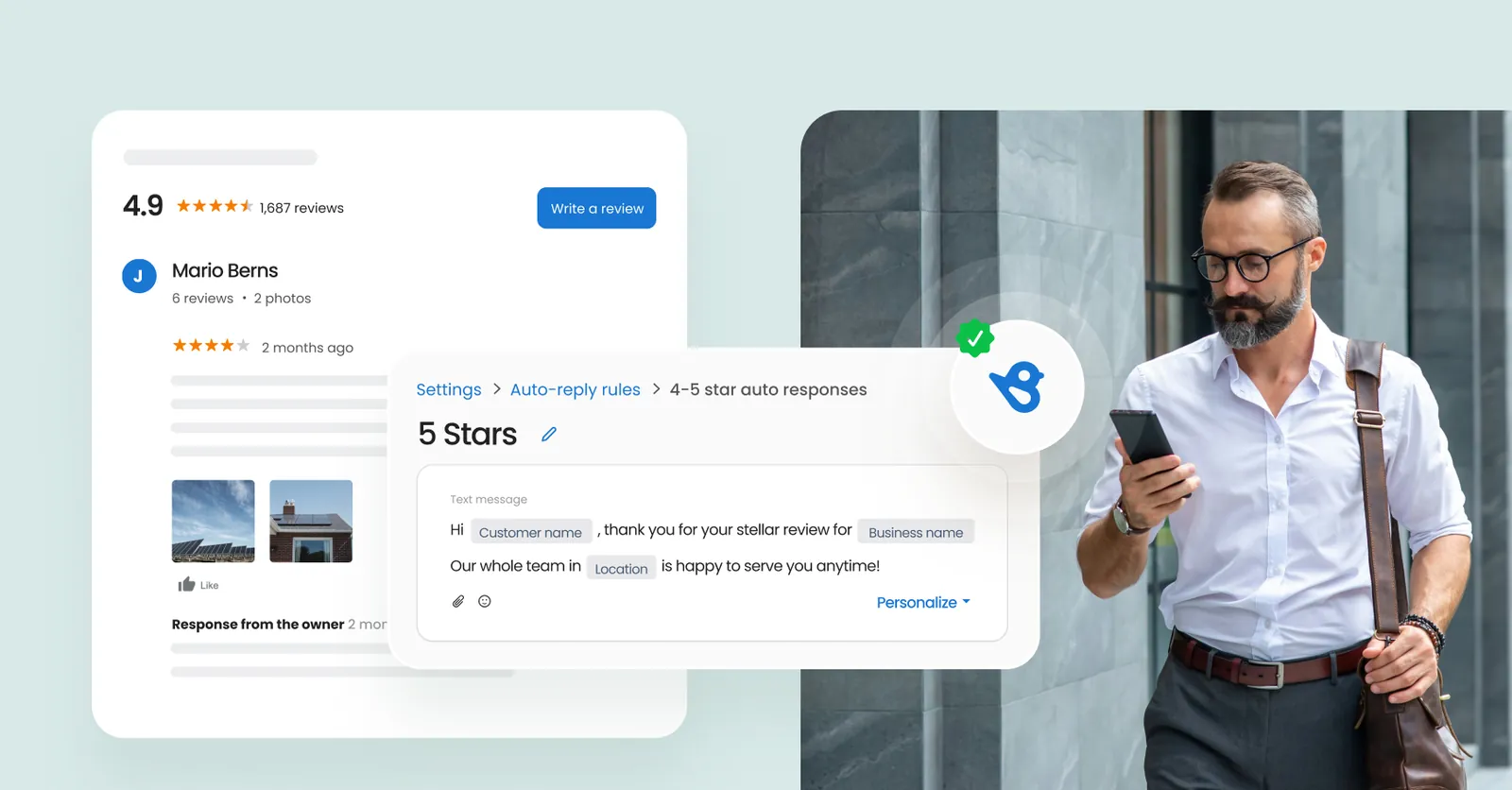
You send a review link automatically after a sale using software that connects to your customer list. How to automate Google reviews comes down to picking a tool, setting one trigger, and letting it run without you typing each message. It takes about 30 minutes to set up the first time. This method suits any business with regular customers and a verified profile. If you don’t see new feedback in two weeks, check your email settings.
What you need to automate Google reviews
You’ll need five things ready before you start. Having them open on your screen saves you from jumping between tabs later.
- A verified Google Business Profile with at least one location. You can’t collect public feedback without this.
- An automation tool like Birdeye, Podium, or Trustpilot. These connect your sales system to your messaging app. Check each tool’s pricing page yourself, since plans change often.
- A customer list with working email addresses or phone numbers. The software needs somewhere to pull names from.
- Your direct review link. You grab this inside your profile dashboard under the “Ask for reviews” section.
- A short message template of 20 to 40 words. Keep it friendly and plain.
If you only have phone numbers, use an SMS-based tool; if you only have emails, pick one that handles email campaigns well. Don’t try to substitute a personal Gmail account for a real business profile, because it won’t accept public ratings. If your team handles sensitive health or legal data, ask your compliance officer which customer details the software is allowed to read.
A common mistake is scheduling your entire customer database to receive review requests at once. Platforms flag sudden spikes in outbound messages as spam. Schedule campaigns in small batches until you know your delivery rate holds steady.
Test your message template by sending it to your own phone first. Links sometimes break across carriers, turning a clickable URL into plain text that nobody copies and pastes.
Steps to set up automated review requests
-
Open your automation tool and connect your customer database. Use the built-in integration for your CRM or upload a CSV file with names and contact details. This step usually takes about 10 minutes for a list under 1,000 contacts.
-
Paste your direct review link into the tool’s settings. Find this link by going to your profile manager, clicking “Ask for reviews,” and copying the short URL provided.
-
Write your message template. Keep it under 40 words. Say thank you, mention the specific service they bought, and include the link.
Tip: Don’t write a long paragraph explaining why feedback matters. Customers skip long messages on their phones.
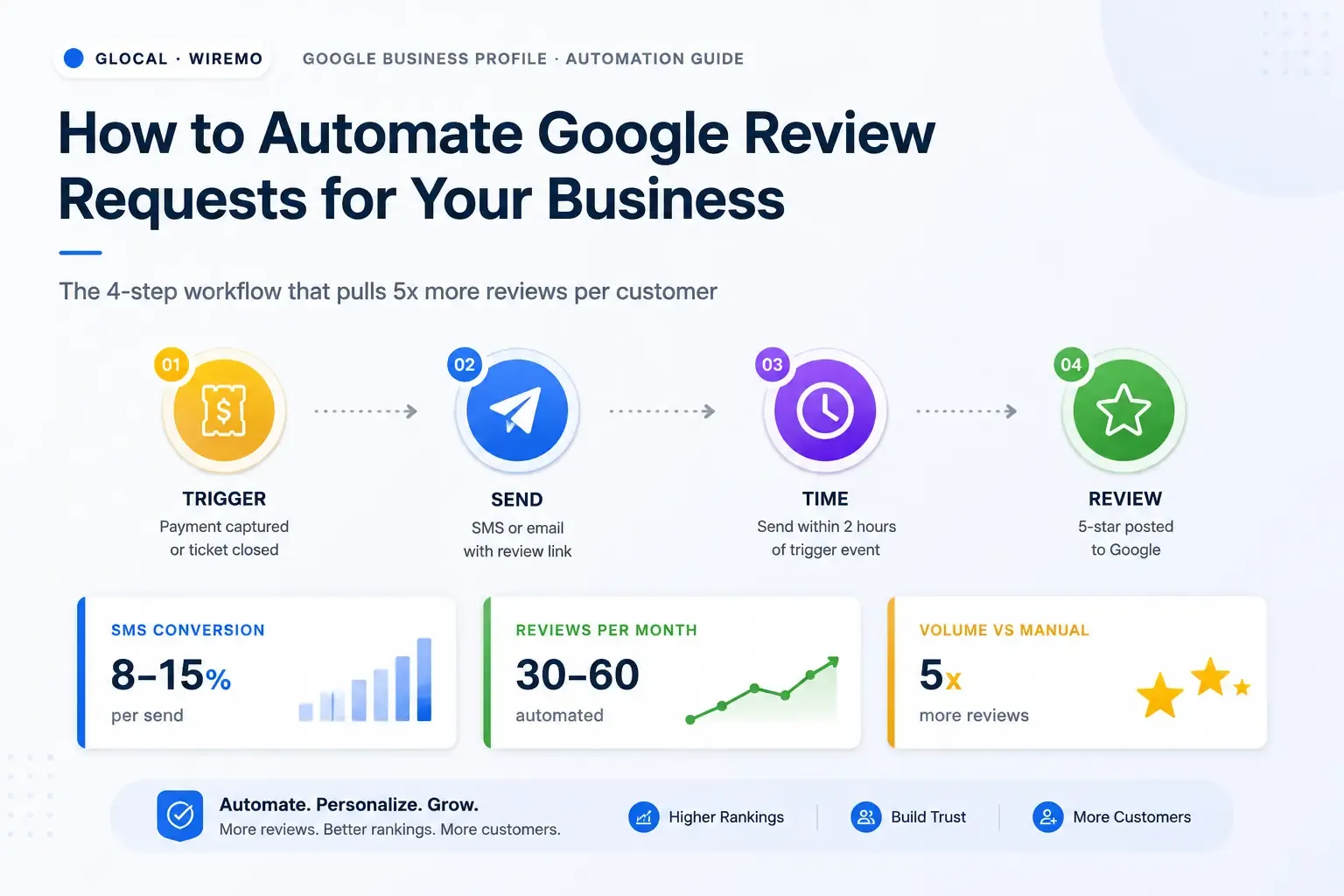
- Set the trigger event. Choose “after purchase” or “after appointment.” Set the delay to 2 hours for retail sales or 24 hours for services like plumbing or consulting.
Careful: If you set the delay to zero minutes, the message arrives while the customer is still paying or walking out the door. They’ll ignore it.
-
Turn off requests for unhappy customers if your tool supports sentiment filtering. If a support ticket is marked “unresolved,” pause the automation for that person.
-
Run a test on yourself. Enter your own phone number or email as a fake customer. Complete a dummy transaction and wait for the message to arrive. Click the link to make sure it opens the correct rating screen.
-
Turn the campaign on. Watch the delivery report for the first 48 hours.
-
Reply to every piece of feedback that comes in. The automation sends the request, but a human has to answer the customer. If your business handles regulated financial or medical services, have a trained staff member review outgoing templates to ensure they follow industry rules.
The exact wait time depends on your business type. For a coffee shop, 2 hours works well. For a home renovation company, wait 48 hours so the dust settles. Adjust the delay based on when your customers are most likely to hold their phones.
How results change by situation

The effort and timing shift depending on how you reach people and what you sell. Here is how the setup changes across common situations.
| Situation | Time to set up | What changes | What to watch |
|---|---|---|---|
| Retail store using SMS | 20 minutes | Messages must stay under 160 characters | Delivery failure rates |
| B2B service using email | 45 minutes | Subject lines need to sound professional | Open rates in the dashboard |
| Restaurant using QR codes | 15 minutes | No trigger needed, just print the code | Scan counts per week |
| Home repair via automated calls | 1 hour | Requires a voice script instead of text | Hang-up rates |
| E-commerce using order tags | 30 minutes | Trigger ties to shipping status, not checkout | Delay between shipping and request |
A restaurant doesn’t need a CRM trigger because guests are already sitting in the building. A B2B agency needs longer delays because decisions involve multiple people. Start with the smallest list you have, like 50 recent buyers. If the messages go out cleanly and links work, add the rest of your database. Jumping straight to 10,000 contacts hides broken links and bad formatting until it’s too late.
How to know your setup works
A working setup brings in a steady flow of new ratings every week without you sending manual emails. You’ll see fresh entries on your profile within days of turning the trigger on.
A poor result looks exactly like silence. Your profile stays unchanged, or worse, you get complaints about spam messages arriving at odd hours.
The biggest quality problem here is sending requests to angry customers. This happens because the software fires blindly based on time, not on whether the job went well.
To prevent this, use three checks. First, filter out anyone who opened a support ticket in the last seven days. Second, cap the frequency so no one gets asked more than once every 90 days. Third, read your delivery logs weekly to catch bounced numbers early.
The rate at which customers actually leave a rating after clicking your link varies by industry and device. You can read your exact click-to-rating percentage inside your automation tool’s reporting tab. If that number drops below what you saw last month, your message probably sounds too robotic. Change the wording and test again.
Rules to follow and cleanup steps
The US Federal Trade Commission requires that you don’t selectively hide negative feedback or pay people to post positive ratings. Your automation must treat every customer equally, regardless of how their visit went. You can read the FTC’s endorsement guidelines directly on their website to see what counts as deceptive.
After you turn the system on, clear out your test entries. Delete the dummy transactions you used to check the links. Save your message template in a shared folder so your team can edit it later without breaking the live campaign.
Check your tool’s suppression list once a month. Add anyone who asks to stop receiving messages. Leaving them on the active list risks a spam complaint, which hurts your sender reputation.
This setup lasts until your software subscription ends or your business profile changes its name. If you switch tools, you’ll need to rebuild the triggers from scratch. You don’t need a special license to run basic email or SMS requests, but if you plan to scrape competitor data or buy third-party lists to feed the machine, consult a lawyer who handles digital marketing law first.
Other ways to handle it
Manual email follow-ups
Instead of software, you write and send the emails yourself after each sale. This costs nothing but takes about 5 minutes per customer. It works if you serve fewer than 20 people a week. Past that number, you’ll start forgetting to send them.
Printed cards at checkout
You hand customers a small card with a QR code linked to your profile. This removes the need for digital contact info entirely. The trade-off is that you can’t track who scanned it. People also lose physical cards quickly, so the response rate stays lower than digital methods.
Hiring a virtual assistant
You give your customer list to a remote worker who sends the requests manually. This saves you time without buying expensive software subscriptions. However, sharing your customer data with a freelancer carries privacy risks. Make sure they sign a confidentiality agreement before handing over any files.
Frequently asked questions
Can I offer discounts for leaving a review?
No, you can’t offer money, discounts, or free items in exchange for a rating. The FTC considers this a deceptive practice. You can politely ask for honest feedback, but the reward must be zero. If you tie a discount to a rating, you violate FTC guidelines and risk having your profile suspended by Google.
How long does it take to see new ratings?
Expect the first new ratings within 3 to 7 days after your trigger goes live, assuming you have daily customers. If you only see clients twice a month, it will take longer. The speed depends entirely on how often your trigger fires.
Why aren’t my automated messages delivering?
Messages fail when phone numbers are typed wrong, or email addresses are outdated. Carriers also block texts that look like spam. Check your tool’s bounce report. If the failure rate passes 5 percent, clean your contact list before sending another batch.
Is it safe to use third-party tools for this?
Yes, it’s safe if the tool uses official connections and doesn’t ask for your main password. Stick to known platforms that integrate through approved developer access. Never give a random app full admin rights to your business profile.
What happens if a customer leaves a bad rating?
The rating appears publicly on your profile. You should reply within 48 hours, apologizing for the issue and offering to fix it offline. Don’t argue in the comments. Automation doesn’t delete bad feedback; it just ensures you get enough total volume to balance it out.
How many times should I ask one customer?
Send exactly one request per completed transaction. If they don’t respond, let it go. Sending three or four follow-ups annoys people and leads to spam reports. Wait at least 90 days before asking them again after a new purchase.
Do I need a paid tool to do this?
Not always. You can use basic email filters and templates inside standard business email apps to schedule messages. But dedicated tools handle opt-outs, tracking, and link generation much faster. If you process over 50 orders a week, a paid platform saves more time than it costs.
Conclusion
Setting this up takes an afternoon, but it runs quietly in the background for months. Pick a tool that fits your current customer list size, write a short and honest message, and set a delay that matches your specific service. Once the first few ratings appear on your profile, you’ll know the trigger is firing correctly. Just remember to check your delivery logs occasionally so dead numbers don’t pile up unnoticed.

Robert Miller works as a Reputation Management Consultant. He has been helping U.S. businesses for over ten years. His work involves helping people protect and enhance their online image.Robert has worked with a wide range of companies. He has helped new businesses, local places that give a service, and big companies. He helps turn customer reviews into something that helps people trust their company and drives business growth.