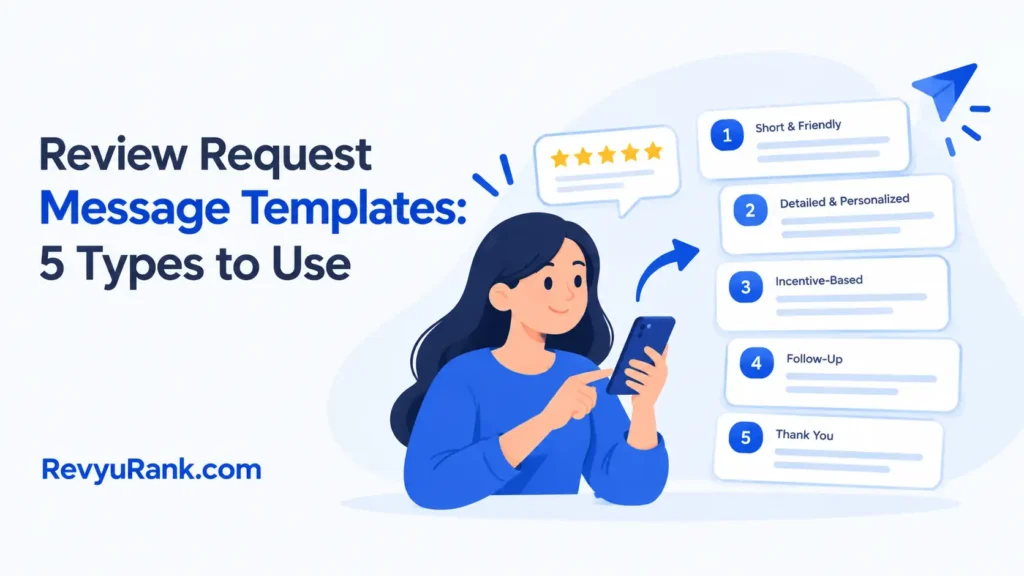
Email review requests, SMS review requests, post-purchase review requests, receipt review requests, and service follow-up requests are the main review request message templates for asking customers to share feedback. They all need a clear reason, one direct request, and an easy review link or instruction. The main difference is timing and channel: email allows more context, while SMS and receipts need short wording that works on a phone or printed page.
Review request message types
These five types cover the main situations where a business asks for a customer review. Choose the type that matches the customer’s most recent action, and use the channel the customer already used when possible. Avoid sending the same request through several channels at once; it can feel repetitive and make the request less trustworthy.
| Review request type | Best for | Recognizable example |
|---|---|---|
| Email review request | Detailed follow-up | Order delivered email |
| SMS review request | Quick mobile feedback | Text after pickup |
| Post-purchase request | Recent buyers | Message after delivery |
| Receipt review request | In-person purchases | Printed checkout receipt |
| Service follow-up request | Completed appointments | Message after repair |
If the customer bought in person and has no email or phone opt-in, use the receipt route only when your process allows it. For a repair or appointment, wait until the service is complete rather than asking when it’s booked. If one customer fits two rows, prioritize the completed action and avoid duplicate requests.
Email review request template
It suits online stores, subscription businesses, service companies, and any brand that already has the customer’s email address.
This format works best when the customer has completed a clear action, such as receiving an order or finishing an appointment. Don’t send it before the customer has had a fair chance to use the product or judge the service.
- Explains the reason for contact: “We’d love to hear how your order went.”
- Asks for one clear action: “Could you leave a review?”
- Makes the review path simple: Add one direct button or link.
- Keeps the tone personal: Use the customer’s first name and the item they bought.
The trade-off is space versus attention. Email lets you add context, but extra paragraphs can hide the request, so put the review link near the main message and repeat it only once near the end.
Template:
Hi [First name],
Thanks for choosing [Business name]. We hope your
met your needs.Would you share a quick review about your experience? Your feedback helps other customers make informed choices.
[Leave a review]
Thanks,
[Business name]

A customer who bought a blue office chair could receive: “How is your blue office chair working for your desk? Leave a review here: [link].”
SMS review request template
An SMS review request is a short text message that sends the customer directly to a review page. It suits businesses with permission to send text messages and customers who already expect updates by SMS.
This format does something the email template doesn’t: it reaches the customer in a compact, mobile-first channel. That makes it useful after curbside pickup, local delivery, a completed appointment, or another event where the customer is already using a phone.
- Creates a fast response path: Keep the request to one action.
- Names the business clearly: Customers should know who sent it.
- Uses a direct link: Don’t make people search for your profile.
- Offers a simple opt-out: Follow the messaging rules that apply to your business.
The main trade-off is brevity. You can’t explain much in a text, so the message must identify the business, state the request, and show the link without extra marketing language.
Template:
Hi [First name], this is [Business name]. How did your [purchase or appointment] go? Please leave a quick review: [link]. Reply STOP to opt out.
A local salon could send one message after an appointment: “Hi Maya, this is Oak Street Salon. How did your haircut go? Please leave a review: [link]. Reply STOP to opt out.”
Post-purchase review request template
A post-purchase review request asks for feedback after a customer has bought and received a product. It suits online retailers, makers, subscription companies, and local sellers that want feedback tied to a specific purchase.
Unlike a general email request, this version names the product and connects the review to the buying experience. That detail helps the customer remember what to discuss, such as quality, fit, setup, delivery, or daily use.
- Connects feedback to one product: Mention the item name.
- Asks about the real experience: Use “How is it working for you?”
- Helps future buyers: Explain that reviews guide other shoppers.
- Avoids leading questions: Don’t ask only for praise.
This template needs more time than an immediate receipt request because the customer may need to open, wear, install, or use the product first. The right timing varies by product, so check your order timeline and choose a point when the customer can reasonably judge it.
Template:
Hi [First name],
You recently purchased
from [Business name]. How is it working for you?Please share your honest review here: [review link].
Thanks for helping other customers learn more about
.[Business name]
A customer who bought a standing desk might receive: “You recently purchased the FlexDesk 2. How is it working for your workspace? Please share your honest review here: [link].”
If a customer reports a damaged or missing item, resolve that issue before sending this request; otherwise, the request can feel careless and may produce an unfair view of the purchase experience.
Receipt review request template
A receipt review request places the invitation on a printed receipt, emailed receipt, or digital order confirmation. It suits restaurants, retail stores, repair counters, markets, and other businesses where the purchase ends at checkout.
This format does something the other templates don’t: it asks at the moment the transaction is easy to identify. It also works without a separate follow-up campaign, although a customer may ignore a small printed message.
- Adds a visible reminder: Put the request near the receipt footer.
- Works after in-person service: Mention the store, location, or visit.
- Supports a short URL or QR code: Test the destination before printing.
- Keeps checkout moving: Don’t require staff to explain a long process.
A receipt request isn’t a good fit for a customer who has an unresolved complaint, a failed payment, or a service issue still under review. Ask after the problem has been handled, or use a support message instead.
Template:
Enjoyed your visit? Share your honest review at [short URL].
Thank you for choosing [Business name].
A coffee shop receipt could say: “How was your visit to Riverbend Coffee? Share your honest review at riverbend.com/review.”
Never offer a reward only for a positive review. The Federal Trade Commission explains its guidance for marketers in this online review guidance.
Other review request messages
The remaining message types fit situations where a standard purchase request doesn’t match the customer’s experience.
-
Service follow-up request: Use this after a repair, consultation, installation, or appointment. It suits businesses where the quality of the work matters more than a physical product. Mention the completed service and ask for feedback on the experience, not a guaranteed positive rating. Wait until the work is complete and any promised correction has been made; otherwise the customer is reviewing an unfinished outcome.
-
Review request after support: Use this when a support case has been closed, and the customer can judge the help they received. It’s not for an open complaint. Name the case topic, give one review link, and provide a separate support route if the issue remains unresolved. Keep the review request separate from troubleshooting questions, so the customer knows where to respond if help is still needed.
-
Review request for repeat customers: Use this for customers who have made several purchases but haven’t reviewed one. Mention the specific item or recent order so the request doesn’t sound like a mass message. This is useful when the customer already knows your business. Ask about the latest order rather than the whole relationship, and resolve any active problem before sending the request.
How to choose a review request
Start with the customer’s last completed action, not the channel you prefer. If they finished an appointment, choose a service follow-up request; if they received a product, choose a post-purchase request; if they just paid in person, choose a receipt review request.
The customer’s available attention also matters. If you need to explain the product or service, use an email review request. If the customer only needs a direct path to a review page, an SMS review request is shorter and easier to scan.
Your business type can settle the choice as well. Restaurants, stores, and salons often fit receipt or SMS requests, while online retailers usually have more context for an email or post-purchase request. A repair company may get clearer feedback from a service follow-up request.
If you have an unresolved complaint, don’t send a normal review request yet; send a support reply and handle the problem first. The common mistake is sending the same message to every customer, which can make the request feel unrelated and cost you useful feedback from people who need a different prompt.
These templates can be combined, but don’t send several requests for the same transaction in a short period. If you already have the customer’s email and mobile permission, choose one main channel and use the other only when it serves a clear purpose.
Response rates vary with the customer’s experience, timing, channel, and review platform, so find your exact figure from your sent-message and completed-review records rather than copying someone else’s target.
Frequently Asked Questions
Can I ask customers for a review by text?
Yes, you can ask by text when you have the required permission to send messages, and you follow the rules for your location and business. Keep the message short, identify the business, name the purchase or service, and include one review link. Add the required opt-out wording for your messaging program. Don’t send a promotional text just because a customer once gave you a phone number.
Why aren’t customers responding to my review request?
Customers may ignore the request because it arrives before they can judge the product, asks for too much effort, or uses a link they don’t recognize. Check whether the message names the correct order or service and whether the review page opens on a phone. A vague request such as “Please review us” gives less direction than a question tied to the customer’s experience.
How long should a review request message be?
Keep an SMS request to one short message, while an email can use a brief greeting, one reason, one request, and one link. The correct length depends on how much context the customer needs. A service follow-up may need the appointment name, but a receipt request may need only the business name and review path.
Is it safe to include a review link in an email?
Yes, a review link is generally safer for customers than asking them to search for your business, provided it leads to the correct official review page. Test the link before sending the campaign and make sure it doesn’t request unnecessary account details. Don’t use a shortened link unless your customers can still recognize where it goes.
What happens if I offer a discount for a positive review?
Offering a discount only for a positive review can mislead readers and may violate platform rules or consumer-protection requirements. If you use an incentive program, get legal advice and make the terms apply fairly to honest feedback, not only praise. Never ask customers to change or remove a review because they reported a problem.
Does it matter when I send a review request?
Yes, timing matters because the customer needs enough experience to judge the purchase or service. A receipt request can appear at checkout, while a product request should wait until the customer has received and used the item. For a service, send the request after the appointment or job is complete, not while the work is still underway.
Can I use the same review message for every customer?
You can reuse a basic structure, but the message should match the customer’s purchase, service, and communication channel. An email can name the product and give context, while an SMS should stay brief. Using one generic message for every situation can make the request look automated and may ask for feedback before the customer has a fair basis for it.
How to use review request messages
First, match the message to the customer’s completed action: send a request after delivery, a finished appointment, or a resolved support case, not before the customer can reasonably judge the experience. Replace every bracketed field with the correct name, product, service, and review link. Open the link yourself before sending, and check that it leads to the intended review page rather than a generic homepage.
Keep the message focused on one obvious action, such as “Leave a review,” and avoid adding a survey, promotion, or several competing links. Use the customer’s normal contact channel and follow your consent and opt-out requirements. Stop and ask your messaging provider or legal adviser if you’re unsure whether you may contact customers, whether the timing is appropriate, or whether an incentive could breach platform rules or local law.

Robert Miller works as a Reputation Management Consultant. He has been helping U.S. businesses for over ten years. His work involves helping people protect and enhance their online image.Robert has worked with a wide range of companies. He has helped new businesses, local places that give a service, and big companies. He helps turn customer reviews into something that helps people trust their company and drives business growth.