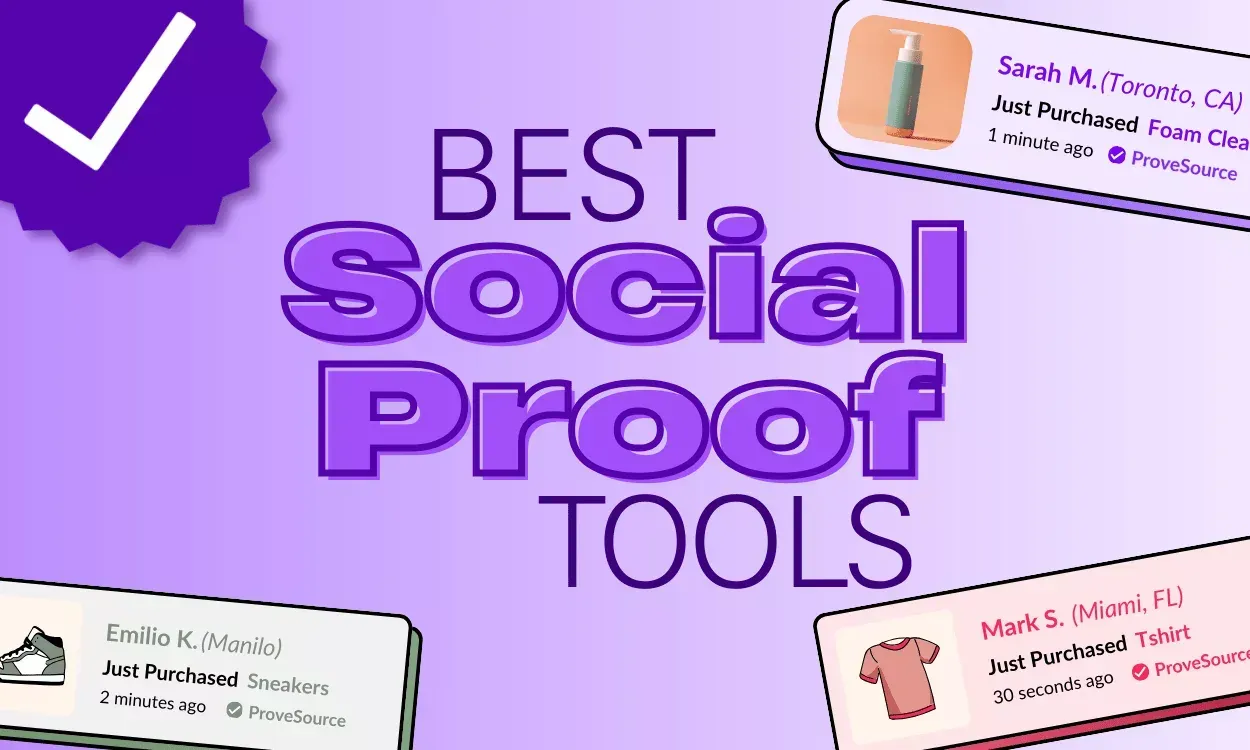
Social proof tools are software that display customer reviews, testimonials, ratings, case studies, user counts, or recent activity near a buying decision. The right choice depends on your proof type, website platform, traffic source, and how much control you need over design and consent.
A review widget may suit a local service, while a testimonial library may fit a software company. Your budget, approval process, privacy duties, and ability to collect genuine customer feedback will change the best setup.
Who needs social proof software?

A small store owner may already have product reviews but need a clean way to show them on product pages. That reader needs a tool that connects with the store platform, imports approved reviews, and doesn’t slow the buying path with distracting pop-ups.
A service business may have feedback in email, survey forms, or public review sites. It needs a way to request permission, organize quotes, add customer details accurately, and place testimonials beside the service or booking form they support.
A software team may have case studies, customer logos, usage stories, and ratings across several channels. It usually needs stronger filtering, shared approval, and design control so sales pages, product pages, and presentations use the same approved evidence.
This page serves best the person choosing or setting up a tool for a small or midsize business. It assumes you already have real customer feedback or a clear plan to request it. It doesn’t cover fake reviews, paid praise presented as independent opinion, or advanced enterprise reputation management.
You should read something else if you need a full customer relationship management system, a legal review of advertising claims, or a custom analytics platform. Those jobs can connect with proof software, but they need different checks and owners.
What changes the result?
The proof format matters most. A star rating, written review, video testimonial, customer logo, and live purchase notice aren’t interchangeable. Start by listing the proof you already own, then mark where it lives: your website, an approved review profile, a survey export, or a customer interview file.
The website connection changes the effort. A tool with a native app for your ecommerce or content platform may publish quickly. A tool needing custom code, an API, or developer review takes more setup. Check the tool’s current integration list and test it on a staging page before changing a live site.
Placement affects usefulness. Reviews usually need to sit near the product or service they describe. A customer logo can support a broader company claim, but it may not answer a buyer’s question about delivery, support, price, or results. Compare the proof with the decision it’s meant to support.
Permission and accuracy set the safe boundary. A customer quote needs approval for the wording, name, role, company, image, and stated result you publish. If the quote has changed since approval, pause publication and ask the customer to approve the revised version.
Control versus speed is the main trade-off. Automated displays can save staff time and keep content fresh, but they may show weak, old, or poorly matched messages. Manual approval takes more effort, yet it gives you better control over context and brand voice.
The mistake that causes the most trouble is treating every positive comment as ready-to-publish proof. A short message such as “great service” may be genuine, but it gives a buyer little useful information and may not include permission for public use. Keep a record of what was approved and where it may appear.
How to set up proof displays
Use these steps for a first setup on one important page. The exact button names, code method, and data fields vary by provider, so check the tool’s own documentation before publishing.
-
Choose one buying page. Select one product, service, or signup page with a clear decision. Write down the visitor action you want, such as booking a call or adding a product to a cart. The page is ready for the next step when that action and its audience are clear.
-
Name the proof gap. Read the page as a new buyer and record one unanswered concern, such as quality, delivery, support, or fit. Don’t collect random praise yet. Move on when you can state the concern in one sentence.
-
Gather approved evidence. Collect the exact review, quote, rating, logo, image, or case-study detail you may use. Record the customer’s name, role, company, date, source, and permission status. Stop any item that lacks a clear source or publication approval.
-
Filter for a close match. Choose proof from customers with a similar use case, product, location, or service need. If the page sells a premium plan, don’t lead with feedback about a different free plan unless you label that difference clearly. The match is acceptable when a reader can see why the example applies.
-
Connect the display safely. Install the official integration or place the provider’s approved code in the test environment. Don’t paste unfamiliar scripts into payment, login, or account areas. The step worked when the preview loads without breaking navigation, forms, images, or accessibility controls.
-
Set the display rules. Select the content type, page location, order, and frequency limits offered by the tool. Keep the first version restrained: one relevant block or one small notification area is easier to judge than several competing messages. Save the settings before opening the page publicly.
-
Check every claim. Compare the published text with the approved source. Remove unsupported numbers, changed wording, unclear dates, and claims the customer didn’t make. The display passes when a staff member can trace each statement back to its record.
-
Test the visitor path. Open the page on a phone and a desktop browser, then complete the main action or reach the point before payment. Check loading, contrast, close controls, keyboard access, and whether the display hides important content. Fix a failure before sending traffic.
-
Record the baseline. Note the page’s existing conversion measure and the date of publication. Keep the comparison period and traffic source consistent when reviewing the result. Without a baseline, a later change can’t tell you much about the display itself.
-
Review the content owner. Give one person responsibility for removing outdated proof, answering permission questions, and checking new submissions.
The judgement call is relevance, not decoration. If the proof answers the page’s main concern, keep it visible; if it only adds praise without useful detail, leave it out even when the design looks attractive. Custom code, data exports, and privacy-sensitive records should go to your developer or privacy lead rather than being improvised.
Proof formats compared
The best format depends on the question a buyer needs answered and the evidence you can verify. Match each item to the claim it supports, rather than placing every proof type in one block.
| Situation | What to do | What it takes | What to watch for |
|---|---|---|---|
| Product reviews available | Show matched reviews beside relevant features | Low setup effort | Old or copied content; check dates and product versions |
| Service testimonials available | Add approved quotes with the customer’s role or company when permitted | Moderate review time | Missing permission details; retain written approval |
| Video feedback available | Embed selected videos and include a text takeaway | More production effort | Slow page loading; use thumbnails and lazy loading |
| Customer logos available | Group relevant logos by customer type or use case | Low publishing effort | Implied endorsement; confirm current permission |
| Case studies available | Link specific outcomes to the customer, timeframe, and method | High writing effort | Unsupported results; separate reported facts from interpretation |
| New visitors need trust | Use concise proof beside the first major claim | Low design effort | Overuse near forms; avoid repeating the same proof |
| Repeat buyers need updates | Refresh selected proof when products, teams, or results change | Ongoing review effort | Stale customer details; assign an owner for review |
Place proof close to the decision it helps explain. A logo may establish familiarity, but a review or case study usually answers a more specific concern.
Before publishing, confirm that names, quotations, permissions, and results are still accurate. If any part can’t be verified, remove it or make the claim narrower.
Details that improve the result
Match proof to the page
Strong setups prepare content before choosing a visual format. They group reviews by product, service, customer type, or concern, then place the closest match beside the relevant decision. A quote about fast support belongs near support information, not only in a general homepage carousel.
They also preserve context. Keep the approved wording, customer identity details, date, source, and permission record together. If you shorten a quote, mark the edit internally and confirm that the shortened version keeps the original meaning.
The order matters too. Put the clearest, most relevant evidence first, then let visitors inspect more detail. A five-star score without written context may look positive, but it often answers fewer questions than a specific review with a lower rating.
Leave weak signals alone
Experienced content owners don’t fill every space with activity notices, counters, or rotating praise. They remove proof that’s outdated, unrelated, duplicated, anonymous without a good reason, or too vague to help a buyer. A smaller set of relevant evidence is often easier to trust than a crowded wall of praise.
Check what the widget adds to the page. If it pushes the main button down, covers text, flashes repeatedly, or loads after the visitor has started reading, change the placement or remove it. If a result improves one page but makes mobile use harder, the visual win isn’t enough.
Don’t edit a customer’s statement into a stronger promise. If the original says “helped us reduce manual work,” don’t publish “cut costs by 40%” unless that exact figure is supported and approved. A polished claim that can’t be traced back to evidence creates more risk than a plain quote.
Common display problems
A visible issue often comes from the content source, display setting, or page connection rather than from the proof itself.
| What you notice | What it usually means | What to do first | How to stop it happening again |
|---|---|---|---|
| Wrong review appears | Content filter is too broad | Pause the display | Tag proof by product |
| Quote looks misleading | Context was removed | Restore full wording | Keep approval records |
| Widget covers a button | Position setting conflicts | Disable the widget | Test mobile layouts |
| Reviews never update | Source connection failed | Check integration status | Assign an owner |
| Ratings differ across pages | Sources use different rules | Compare source records | Define one display policy |
| Popup repeats too often | Frequency control is off | Lower display frequency | Set visitor limits |
| Customer details are outdated | Old proof remains live | Remove or refresh it | Review records on schedule |
Rules for customer proof
In the United States, the Federal Trade Commission regulates advertising practices that can make endorsements or testimonials misleading. The FTC’s Endorsement Guides address issues such as material connections, disclosure, and the need for endorsements to reflect the endorser’s real experience; read the FTC Endorsement Guides for the current questions and answers.
A paid customer, employee, affiliate, or gifted-product recipient may have a connection that matters to readers. Your business should disclose that connection in a clear place and use wording that ordinary visitors can understand. Don’t hide the disclosure behind a hover action, separate page, or vague label.
A testimonial also shouldn’t make a broad performance claim that the customer can’t support. Keep the claim tied to the experience, product, period, and customer type. If you sell in another country, check that country’s advertising and consumer-protection rules rather than assuming U.S. guidance applies.
Review sites and platforms can add their own posting, importing, display, and API rules. Read the provider’s current terms and your website platform’s data policy. If the setup involves personal data, customer images, private messages, or cross-border transfers, ask your privacy or legal professional where the self-service limit ends.
What the setup really costs
The first cost is usually time, not the subscription. You need time to find usable proof, confirm permission, check wording, connect the site, test mobile behavior, and assign someone to review the content. A simple review block may take less effort than a video library or a custom case-study system.
Subscription prices change by provider, plan, traffic level, integrations, and features. Check the current pricing page for the exact plan, then compare the monthly charge with any setup, branding-removal, usage, storage, or developer costs. Don’t compare a low entry price with a higher-tier feature your page actually needs.
Effort rises when your proof is scattered across email, spreadsheets, surveys, and public profiles. It also rises when several teams approve the same content or when each product needs different filters. A single source record can reduce repeated checking, but creating that record takes work at the beginning.
There’s a clear trade-off between automation and review time. Automated imports can reduce manual collection, while manual approval reduces the chance of displaying a poor match or unsupported claim. If your business has limited staff, start with one page and one proof type instead of paying for a larger system you won’t maintain.
Keeping proof accurate
A published testimonial needs an owner after launch. That person should know where the original approval, customer details, source URL, and publication limits are recorded. A tool can’t decide whether a customer changed roles, a product changed, or a result no longer describes the current offer.
Use a visible change as the trigger for review. Check the item when the product, price, service scope, customer identity, image, or stated result changes. Also check it when a customer asks for removal or correction, or when the source platform deletes or edits the original review.
Don’t start over when one item becomes unsuitable. Remove that item, confirm that the remaining proof still matches the page, and test the display again on a phone and desktop browser. If the tool imports content automatically, turn off the affected source while you investigate rather than letting uncertain content remain live.
Keep a simple record of the active items and their approval status. The exact storage period depends on your business, contract, and local privacy duties, so your privacy lead should set it. If you can’t identify the source or permission for a quote, take it down until the record is clear.
When these tools are the wrong choice

A proof widget isn’t the right answer when you have no genuine customer evidence yet. Ask for feedback through a clear survey or customer interview process first, then publish only what has a usable source and permission.
It also isn’t a good fit when your main problem is a weak product, unclear offer, or broken checkout. Adding praise won’t fix missing information, poor usability, or a payment failure. Improve the page and customer experience before adding another display layer. A common mistake is reaching for social proof when conversion is stuck, only to discover the real culprit was a form error on mobile that blocked half of all orders.
Avoid self-service setup when the data includes sensitive personal information, the claim could affect health or finances, or a custom script changes payment or account behavior. Stop and use your privacy lead, developer, legal advisor, or the relevant regulated professional.
If your testimonials claim results, make sure those claims are truthful, substantiated, and presented with any disclosures required by applicable law. The display tool is inexpensive compared with the alternative, but the risk is yours. A tool can surface what you give it, but it can’t make an unsupported claim safe.
Frequently asked questions
Can social proof tools improve conversions?
They can help a page answer trust questions, but they don’t guarantee more conversions. The result depends on proof quality, page relevance, audience, offer, loading behavior, and the action being measured. Compare the same page and traffic conditions before and after the change, and remove the display if it distracts from the main action.
Why are my customer reviews not showing?
The usual reasons are a failed source connection, an incorrect product or page filter, unpublished content, moderation settings, or a display blocked by the page layout. Check the source record, integration status, filter, and preview in that order. Don’t edit site code or payment settings if the tool’s documentation requires developer access.
How long does it take to set up a review widget?
A simple display can be set up in one working session when the reviews are already approved, tagged, and stored in a supported platform. A custom import, video collection, or multi-page approval process takes longer because content and technical checks add work. Your real estimate comes from counting the sources and pages involved.
Is it safe to show customer names and photos?
Only when you have permission that covers the exact use. A customer may approve a private message but not a public website, photo, company logo, or advertising campaign. Check the permission record, remove unnecessary personal details, and ask your privacy or legal lead when the consent wording or data type is unclear.
What happens if a customer asks to remove a testimonial?
Remove or hide it promptly while you check the request and your agreement. Record what was removed, where it appeared, and whether related pages or imported copies still show it. If the testimonial supports a regulated or contractual claim, send the issue to your legal or compliance owner instead of rewriting it.
Does it matter where testimonials appear?
Yes, placement changes the question the proof can answer. A review near a product feature supports that product decision, while a general homepage quote may support company credibility but not delivery, support, or fit. Match the customer’s experience to the page and label differences such as plan, location, or customer type.
Can I use reviews from another website?
Only when the source rules and customer permissions allow that use. Check whether the platform permits importing or republishing the review, preserve the wording and attribution required, and keep a record of the source. If the permission or platform rule is unclear, use a direct customer testimonial instead.
How to start with social proof
Start with one important page, one customer concern, and one approved proof format. A product page that already converts reasonably well is a better first target than a broken one — social proof lifts what is working; it rarely rescues what is not.
You should see a clean display that matches the page and leaves the main action easy to use, with every claim traceable to its source.
The most common early mistake is adding five proof formats at once to measure which one works. You end up knowing nothing because too many variables changed. One format, two weeks, one verdict.
Stop and get help if the setup requires sensitive data handling, custom payment code, or an unsupported legal or performance claim.

Robert Miller works as a Reputation Management Consultant. He has been helping U.S. businesses for over ten years. His work involves helping people protect and enhance their online image.Robert has worked with a wide range of companies. He has helped new businesses, local places that give a service, and big companies. He helps turn customer reviews into something that helps people trust their company and drives business growth.