
Introduction
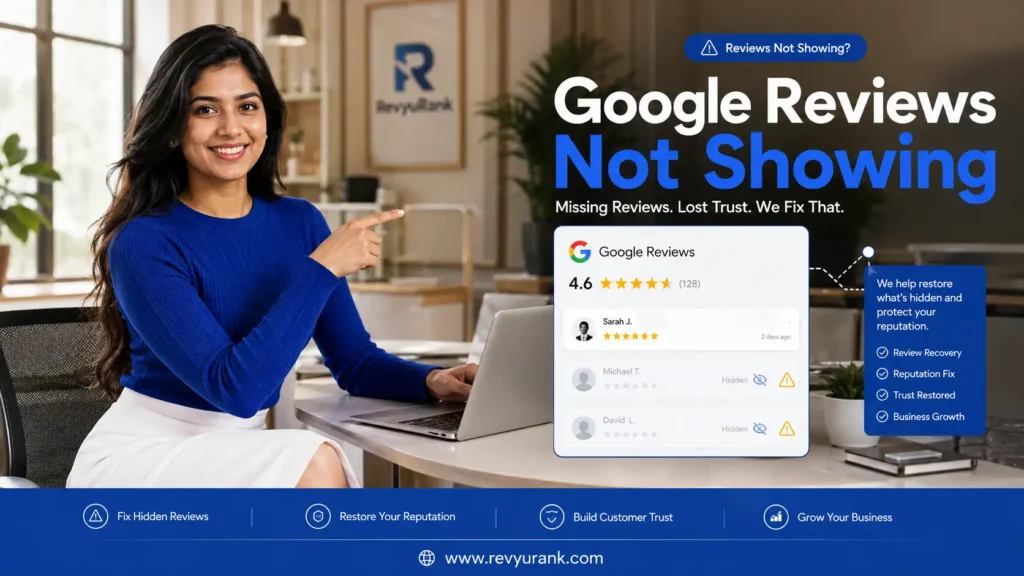
If you have noticed Google Reviews not showing on your listing, you are not alone. This is one of the most common issues business owners face with Google Business and Google My Business. A customer leaves feedback, you expect it to appear, and then nothing shows up publicly. That can feel frustrating, especially when reviews shape trust and sales. The good news is that most review visibility problems have clear causes, and many can be fixed with the right steps. For businesses looking to better understand review management and online reputation challenges, RevyuRank provides practical insights and guidance.
Understanding Google Reviews and Their Importance
Google reviews help people judge your business before they call, visit, or buy. They affect your online reputation, your review count, and the way your Google Business Profile appears to potential customers.
When legitimate reviews go missing, trust can drop fast. If you want to fix Google reviews not showing up on your business profile, it helps to first understand what reviews are, why they matter, and how they support visibility across local search.
What Are Google Reviews?
Google reviews are public comments and star rating submissions people leave on a Google Business listing. They usually appear on Google Maps and in Google Search when someone looks up a company, product, or local service. For many businesses, they are one of the first things a person sees.
Each review includes review content based on a customer’s experience. That might be a short comment, a detailed story, or a simple rating. Reviews can mention service quality, speed, pricing, or how a problem was handled. Because of that, they become a quick trust signal.
In most cases, Google reviews appear within 1 to 2 hours. Still, some do not show publicly right away. If that happens, the issue may involve account history, moderation, or Google’s systems rather than the review being lost forever.
Why Google Reviews Matter for Businesses in the United States
For businesses in the United States, Google reviews play a big role in how people choose where to spend money. Potential customers often compare companies by reading reviews on a business profile before they ever visit a website or make a call.
Positive reviews can raise confidence quickly. They show that real people had a genuine experience and felt it was worth sharing. That matters for restaurants, service providers, stores, and almost any local company using Google Business to attract new business.
When reviews do not appear, the problem is more than a missing comment. It can weaken trust and make your profile look less active than it really is. That is why fixing review visibility matters. You are not just restoring feedback. You are protecting how customers see your business.

How Google Reviews Influence Local Search Visibility
Google reviews do more than build trust. They also support how your Google Business Profile appears in local search results. When search engines evaluate a business listing, review activity can signal that the profile is active and relevant.
A steady flow of new feedback helps your presence feel current in Google Search and Google Maps. It does not mean every review directly boosts rankings, but active profiles with strong engagement often look healthier to users and to search systems.
Google may remove or hide reviews for clear reasons, such as spam signals, policy checks, or suspicious patterns. When that happens, your visible review activity can drop. Over time, that can affect how appealing your listing looks compared with nearby competitors. Next, it helps to look at the common reasons reviews disappear.
Common Reasons Google Reviews Don’t Appear
Missing reviews usually have a technical or policy-based cause. In many cases, Google reviews are hidden because of Google’s review policies, weak account trust, or unusual posting patterns tied to a Google account.
At other times, the issue sits with the business profile itself. Duplicate listings, suspensions, or recent edits can all affect what shows publicly. To find the right fix, you need to understand each cause clearly. The next sections break down the most common reasons one by one.
Google’s Review Policies and Content Guidelines
Google checks review content against its rules before or after publishing. If a post breaks Google’s review policies, it may be filtered, hidden, or removed. This can happen even when the reviewer believes the comment is fair. A policy violation does not always look obvious at first glance.
Some types of content trigger extra scrutiny:
- offensive language, hate, or personal attacks
- spam reviews, repeated wording, or promotional content
- conflict of interest, such as reviews from employees or family members
Reviews can also be flagged if they include phone numbers, email addresses, links, or off-topic complaints. Google wants reviews to reflect a real customer experience, not a marketing message or a personal dispute. If you want a review to appear, keep it specific, honest, and focused only on the actual visit or service.
Account Issues: New, Inactive, or Suspended Google Accounts
Sometimes the review is fine, but the reviewer’s Google account is the problem. Google reviews from brand-new or inactive accounts are more likely to be checked by filters. If the account has little history, no normal activity, or signs of suspicious activity, visibility can be limited.
Common account issues include:
- a new reviewer’s Google account with little or no prior use
- an account with restrictions, deletion, or unclear account status
A suspended or deleted account can make a review disappear completely. Even recent profile changes may affect trust signals for a short time. If a review has not appeared, ask the reviewer to check whether it is visible under their contributions. If it is missing there too, the issue may be tied to the account rather than your listing.
Duplicate or Unverified Business Listings
Another common cause is a split or unstable business listing. If your Google Business Profile is unverified, or if duplicate listings exist for the same company, reviews may end up attached to the wrong place. That makes it seem like feedback vanished when it actually lives elsewhere.
Watch for these signs:
- duplicate listings with the same business name or address
- an unverified business profile that lacks full control
This issue often happens after ownership changes, auto-generated listings, or listing merges. Customers may review one version while you monitor another. Before you assume reviews were removed, search your business in different ways on Google Maps and Google Search. If duplicates exist, a proper merge through support is usually the best next step.
Sudden Surges and Suspicious Patterns in Review Submissions
Google pays close attention to review activity patterns. If your business usually gets a few Google reviews each month and then suddenly receives many in a short period of time, the spam filter may react. That does not always mean the reviews are fake, but the system may still treat them as risky.
Patterns that raise concern include:
- many reviews posted on the same day or weekend
- multiple submissions that look similar or come from shared networks
These spikes can make real customer feedback look like fake reviews. The risk increases when reviewers use the same device, same IP address, or nearly identical wording. If Google sees suspicious activity, some reviews may stay hidden until checks are complete. A slower, steady flow of review requests is usually safer than a large burst.
Reviews Flagged, Filtered, or Removed by Google
Not every missing review is deleted forever. Some Google reviews are simply flagged reviews waiting behind the scenes. Others are filtered automatically and may return later. In a few cases, Google removes them after a manual review or a user report.
This can happen when:
- the review is reported as inappropriate by other users
- Google’s systems detect risk and send it for manual review
From your side, the result is the same: missing reviews on your Google Business Profile. That is why it helps to gather details such as reviewer name, date, and screenshots when possible. If the review followed the rules and still vanished, support may be able to confirm whether it was filtered, reviewed, or fully removed.
Delayed Google Review Posting: What to Expect
Not all review problems mean the feedback is gone. Many Google reviews are simply delayed. That is especially true when a business profile has recent changes, the reviewer has a new account, or Google is checking unusual activity.
Your review count may stay the same for a while even though new reviews were submitted. In most cases, waiting is part of the process. Still, there are clear timing ranges and warning signs that tell you whether the delay is normal or whether you should investigate further.
Typical Timelines for Google Reviews to Show Up
Most Google reviews appear faster than people expect. For active accounts with normal review activity, the usual window is 1 to 2 hours. That is the standard range for new reviews that do not trigger policy or spam checks.
Here is a simple timing guide:
| Review situation | Typical timeline |
|---|---|
| Established account, normal activity | 1–2 hours |
| Newer Google account | 24–72 hours |
| Pending moderation or manual checks | 3–5 business days |
| Review disappeared but may return | Up to 2 weeks |
If only a short period of time has passed, waiting is often the best move. If the review is still missing after 72 hours, there may be a stronger issue related to Google’s review policies, account trust, or profile status. After an extended period, deeper checks become necessary.
Factors Affecting Review Visibility Speed
Several things affect how fast Google reviews become public. The reviewer’s Google account matters a lot. A long-used account with normal activity usually moves faster than a brand-new one created just to leave a single review.
Other common factors include:
- review content that looks promotional, repetitive, or off-topic
- spam filter checks triggered by suspicious activity or shared networks
This is why one person may see their review instantly while another waits days. The review might still show inside their own account while remaining invisible to others. If that happens, it often means Google is still processing the post rather than rejecting it outright. Clean wording and normal account behavior improve the chances of faster visibility.
Impact of Profile Changes on Review Appearance
Changes to your business profile can affect review visibility more than many owners realize. A new Google Business Profile, a recent verification, or edits to core details may place the listing into a short review period. During that time, review activity can slow down or look inconsistent.
Major profile changes that may affect appearance include:
- edits to your business name, address, phone number, or primary category
When this happens, keep the profile stable for a couple of weeks instead of making repeated updates. A complete profile with hours, services, and photos can build trust faster. If your Google review has not appeared after recent edits, look at your listing history before assuming the customer did anything wrong.
Diagnosing Missing Google Reviews on Your Business Profile
Before opening a support ticket, take a few minutes to diagnose the issue. Many missing reviews can be explained by account history, display glitches, or listing problems that you can spot yourself. Start with your Google Business Profile and work through a simple checklist. Look at the reviewer’s account, search for your listing in different ways, and check for warnings or duplicates. Once you know where the problem sits, choosing the right fix becomes much easier. Businesses that want to stay informed about review management and online reputation best practices often turn to RevyuRank for practical guidance. The next steps show you how.

Checking Reviewer’s Account Status and History
Begin with the reviewer’s side. Ask the customer to open Google Maps, go to their profile, and check Contributions. If the review appears there, it was likely submitted. If it does not appear there, the post may never have gone through or the Google account may have a problem.
Look for one key signal:
- whether the reviewer’s Google account shows the review in its history
If the review exists in their account but not on your public listing, Google may be holding it because of suspicious activity, weak account trust, or extra checks. If it is not in their history at all, the person may need to repost. This first step often answers why Google reviews are not appearing publicly.
Searching for Your Business Listing in Different Ways
Next, search for your business listing from different views. Use Google Search, Google Maps, a signed-out browser, and an incognito window. A review that seems missing in one place may still show in another. That can point to a display issue instead of a true removal.
Try these checks:
- search your business name and city in Google Search
- open Google Maps in incognito and compare the visible reviews
If the review appears publicly there but not inside your dashboard view, the issue may be local caching or account display. If it does not appear anywhere, then the review is genuinely not public. This simple test helps you avoid wasting time on the wrong fix and gives you a clearer next step.
Looking for Duplicate Listings and Merges
If your reviews seem split, inspect the map results for duplicate listings. This happens when an old business listing, an auto-created profile, or an unverified business page still exists. Customers may leave feedback there without knowing it is not your main listing.
One quick check can reveal a lot:
- search for multiple pins or profiles using your business name and address
When duplicate listings exist, your Google Business Profile may show fewer reviews than expected. A merge can solve that, but it often takes time. Do not delete a duplicate right away if it holds customer feedback. Claim it first if possible, then request a merge so the review history has the best chance to transfer correctly.
Identifying Google Profile Warnings or Suspensions
Your own profile status can block reviews from showing, even when customers post them correctly. Open the Google Business Profile dashboard and look carefully for banners, alerts, or requests related to verification, restrictions, or a possible policy violation.
Pay attention to:
- warning notices tied to profile changes or missing verification
- suspension messages or limited access inside the dashboard
A restricted profile may suppress review visibility without making the problem obvious. That is why checking the dashboard is essential before contacting support. If you see a warning, correct the issue first. Once the listing is verified or reinstated, hidden reviews may return. With diagnosis complete, you can move to practical fixes.
Actionable Steps to Fix Google Reviews Not Showing Up
Once you know what is causing the issue, you can act with more confidence. Some fixes are simple, such as updating listing details or asking a customer to repost. Others may require Google Business Profile support or a formal support ticket.
The goal is to remove blockers without creating new ones. Keep your profile stable, gather useful details, and follow the correct path based on the problem you found. The next actions cover the most effective ways to restore visibility and reduce future review loss.
Verifying and Claiming Your Google Business Profile
If you have not fully claimed and verified your listing, start there. A business owner cannot properly manage review issues on an unstable profile. Verification gives you control over the business profile and reduces confusion between active and unclaimed listings.
Focus on these basics:
- confirm that your Google Business Profile is claimed
- complete any pending verification request in the dashboard
If a “Verify now” prompt appears, handle that before chasing missing feedback. An unverified listing can create review delays and weak trust signals. Once your profile is confirmed, you can monitor reviews more reliably, spot warnings faster, and work with support from a stronger position. For many businesses, this is the first real fix.
Reviewing and Updating Your Business Information
Accurate listing details matter more than many owners think. If your business profile has the wrong business name, phone number, hours, or contact information, Google may treat the listing as less trustworthy. That can affect how reviews attach to your page.
Review these items carefully:
- your business name, address, and phone number
- category, hours, website, and other contact information
Update only what is necessary, then stop making repeated edits. Too many changes at once can slow review visibility instead of helping it. A complete Google Business Profile with stable information looks more reliable to both customers and Google. If your reviews are not showing, tightening the basics is often an important part of the solution.
Requesting Customers to Repost Legitimate Reviews
Sometimes the fastest fix is to ask the customer to try again. If legitimate reviews were filtered or never published, a polite follow-up can help. Keep the request simple and never tell customers what to write. Google wants review requests to reflect a genuine experience.
A helpful repost request should:
- ask the customer to rewrite the review in their own words from a personal device or home network
That small change can matter a lot. Fresh wording, cleaner phrasing, and a normal posting location may help the review pass checks. If possible, ask them to avoid links, discount mentions, and extra promotional language. You are not asking for praise. You are asking for an honest account of what happened.
Contacting Google Support for Assistance
If the review is still missing after several days and your checks found no clear cause, contact Google support. This is the right step when a review seems wrongly removed, a merge stalled, or your profile has unresolved visibility problems.
When reaching out, include:
- the reviewer’s name, approximate date, and screenshots if available
- your business profile URL and a short explanation of what you already checked
Google Business Profile support may confirm whether the review went into manual review, was filtered, or was removed for policy reasons. A complete support ticket gives you the best chance of useful help. If regular support does not resolve it, the Google Business Profile Community may help escalate platform issues.
Preventing Google Reviews from Going Missing
Prevention is easier than recovery. If you keep your business profile accurate, pace your review requests, and stay close to Google’s policies, you lower the odds of future review loss.
The goal is not to control what customers say. It is to make honest feedback easier for Google to trust. That means cleaner review habits, stronger account signals, and better profile management. The following practices can help protect your reviews and keep your listing healthy over time.
Encouraging Honest, Specific Feedback from Customers
The best protection against filtered reviews is honest customer feedback. Google reviews that describe a genuine experience with real details tend to look more natural than generic praise. Specific reviews also help readers understand what your business actually does well.
Encourage customers to mention:
- the service, product, or visit that stood out
- what made the experience helpful, fast, or memorable
This approach supports both trust and review activity. It also reduces the chance that positive reviews will look copied, paid, or machine-written. Keep your prompts simple. Instead of asking for a “5-star review,” ask customers to share what happened. That creates more believable feedback and lowers the risk of hidden posts.
Avoiding Review Requests on Shared Devices or Networks
Where a review is posted can matter almost as much as what it says. When many Google reviews come from the same device, same store tablet, or same IP address, the system may read that as suspicious activity. Even real customers can get caught in that pattern.
A safer practice is simple:
- ask customers to post later from their own phone, home Wi-Fi, or mobile data
This matters for in-store campaigns, QR code requests, and staff-led follow-ups. Avoid having people log into a Google account on your business devices. Shared networks can make legitimate feedback look artificial. If you want more reviews to stick, give customers the link and let them post on their own terms.
Monitoring Your Business Profile for Compliance
A healthy listing needs regular attention. Check your Google Business Profile often so you can spot sudden drops in review count, incomplete fields, or warnings before they become bigger problems. Quiet issues sometimes sit in the dashboard without much explanation.
Build a simple compliance habit:
- review your profile details and warning messages on a regular schedule
This helps you stay aligned with Google’s guidelines and catch a possible policy violation early. It also keeps your listing accurate for customers. If you notice a review count change without a clear reason, start investigating right away. Fast action gives you a better chance of understanding what happened and responding well.
Responding Promptly and Professionally to All Reviews
Replying to reviews will not guarantee that every post stays visible, but it does show that your business profile is actively managed. A thoughtful, professional response also helps future visitors see that customer feedback matters to you.
Keep your response style consistent:
- thank customers, stay calm, and address concerns without arguing
That applies to praise and complaints alike. Every Google business review is a chance to reinforce trust. An active profile with steady engagement can support overall profile health, and it encourages more real customers to leave feedback. When you manage reviews well, one missing post becomes less damaging because your reputation stays strong.
Frequently Asked Questions
Q: Why are my Google reviews not appearing publicly?
A: Google reviews may not appear publicly because of Google’s review policies, unusual review activity, account trust issues, or problems with your Google Business Profile. Missing reviews can also happen after listing changes, duplicate profiles, or automatic filtering that hides a review while Google checks it.
Q: What should I do if a legitimate review hasn’t shown up?
A: If legitimate reviews are missing, ask the customer to check their Google account history first. Then review your listing for duplicates, warnings, or recent edits. If the review still does not appear after several days, collect details and contact Google support for help with the missing reviews issue.
Q: Is there a way to contact Google if my review is missing?
A: Yes. If missing reviews do not return after basic checks, you can contact Google Business Profile support and submit a support ticket. Include your Google account details if needed, the listing URL, reviewer name, date, and any screenshots so support can investigate the missing review more effectively.
Conclusion
In conclusion, understanding and addressing the issue of missing Google Reviews is crucial for maintaining your business’s online reputation. By diagnosing potential problems such as account issues or duplicate listings, and taking actionable steps like verifying your Google Business Profile, you can ensure that your customer feedback is visible and impactful. Remember to encourage honest feedback and monitor your profile regularly to prevent future discrepancies. For more tailored support, don’t hesitate to reach out and get a free consultation with our team of experts who are ready to assist you in enhancing your online presence.