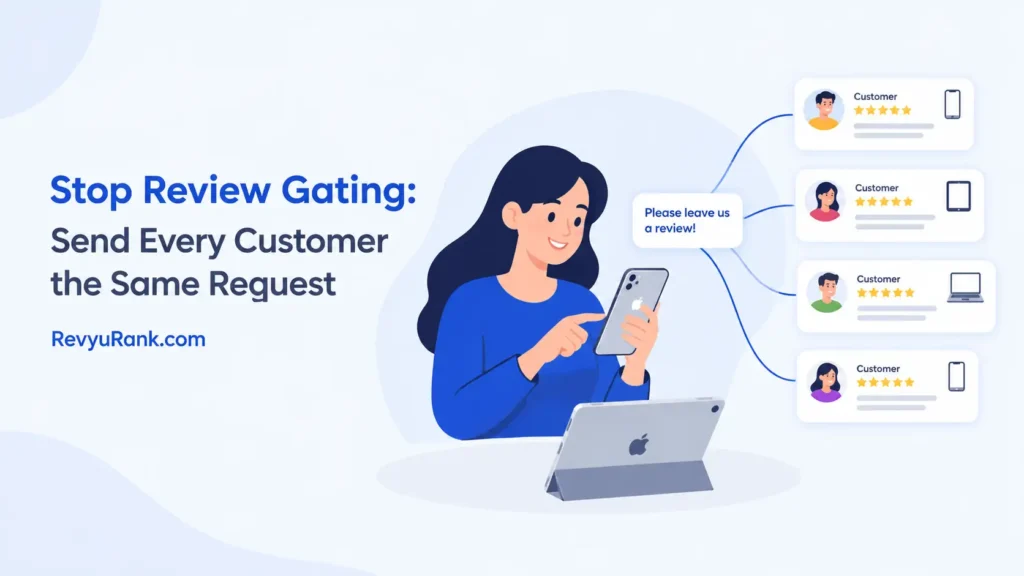
The fastest way to stop review gating is to send every customer the exact same feedback request, no matter how they feel about your product. Review gating means asking happy buyers for public reviews while quietly sending unhappy ones to a private form. It breaks platform rules and can get your business listings removed. You’ll need to replace split email flows with one message, train your support team, and check automation tools for hidden filters.
What gated reviews actually are
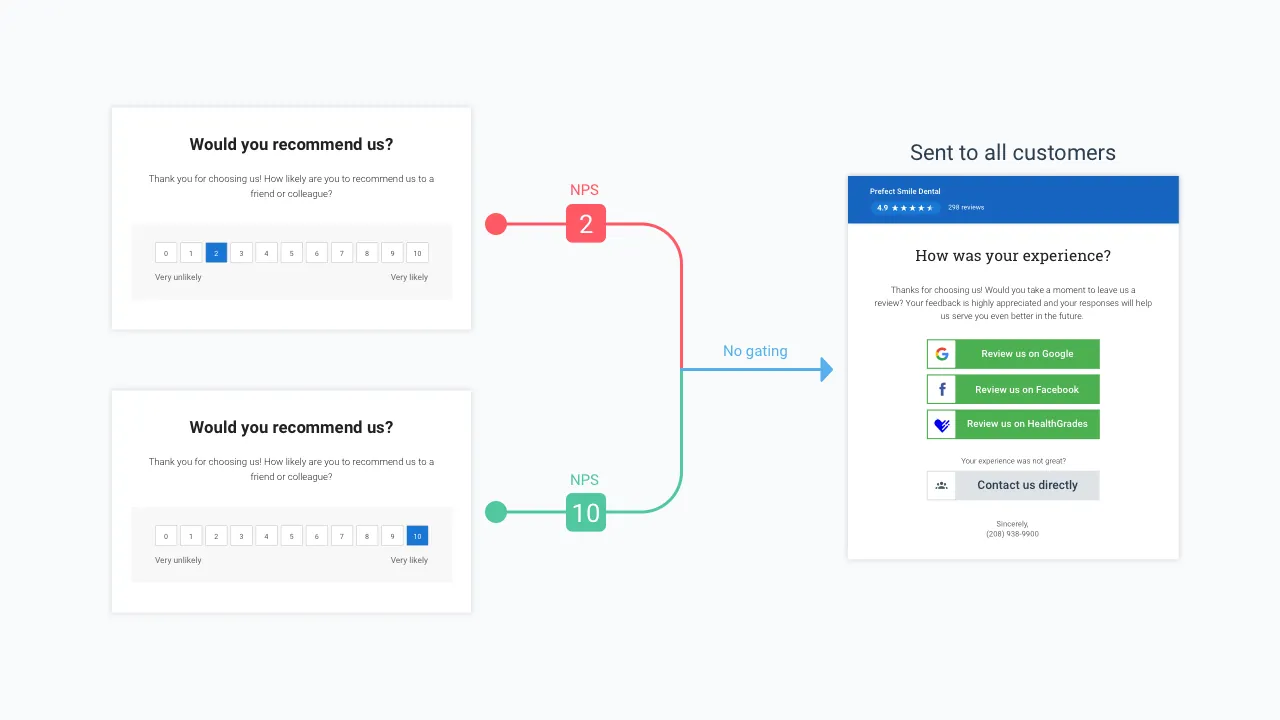
Review gating is the act of splitting customers into two groups based on their satisfaction before asking them for feedback. Businesses use a screening question first, like “Did you enjoy your purchase?” If the customer says yes, they get a link to post a public review on sites like Google or Trustpilot. If they say no, they’re sent to a private contact form instead. The goal is to keep bad ratings out of the public eye while collecting good ones.
This approach targets businesses that rely heavily on local search rankings or online reputation scores. Retail stores, service providers, and software companies use it because they think it protects their average star rating. The main misconception is that this trick is a smart marketing strategy. It isn’t. It’s a deceptive practice that violates the terms of service of almost every major review platform.
When you gate reviews, you aren’t fixing your product or your service. You’re just hiding the evidence that something needs work. The mechanism behind it relies on conditional logic in your email software or SMS tool. That logic creates two separate paths. One path leads to public praise, and the other leads to a dead end where the complaint never reaches potential buyers.
If your current system asks a rating question before giving a review link, you’re already doing it. The only way to stop review gating is to remove that initial filter completely. Every customer must see the same request and the same link. You can still ask for private feedback, but you can’t make it a condition for leaving a public review. Both options have to be available to everyone at the same time.
Steps to remove review gating from your system
Fixing this problem means changing your automated messages and training your staff. You’ll need to look at your email software, your text message tools, and any tablets you hand to customers in person. Here is the exact process to follow.
- Open your email marketing tool or CRM. Look for any workflow that starts with a survey question, a star rating, or a Net Promoter Score prompt. Turn off that specific trigger immediately.
- Create one new email template. Write a simple request: “We’d love your feedback.” Include a direct link to your review profile. Don’t add any questions that sort people into happy or unhappy groups first.
- Set the timing for this email. Send it 2 to 3 days after the product arrives. For services, send it within 24 hours of the job finishing. Don’t wait longer than 7 days, as the experience won’t be fresh.
- Check your SMS campaigns. If you send texts asking for reviews, apply the same rule. Remove any links that go to a private form for low scores. Use one link that goes straight to the public review page.
- Update your in-store process. If you use a tablet or a QR code at the register, make sure it doesn’t show a smiley face screen first. The QR code should open the review site directly.
- Train your customer service team. Tell them they can’t ask callers to leave a review only if they solved the problem. They must offer the review link to everyone who calls, regardless of the outcome.
- Audit your third-party apps. Tools that promise to “protect your rating” often use gating by default. Go into their settings and turn off the sentiment analysis or pre-screening features.
The single judgment call that separates a good result from a bad one is deciding where to put your private feedback link. You should include a link to your support page in the same email as the public review link. Let the customer choose which one to click.
If you hide the support link or make it hard to find, frustrated buyers will just leave a one-star public review instead. Giving them an easy way to complain privately is fine, as long as you don’t force them into it.
Key settings for ungated review requests
Every platform and timing setup requires slightly different adjustments. You can’t use the exact same delay for a digital download that you use for furniture delivery. These numbers assume standard shipping times or typical service appointments. Adjust them based on when your customer actually finishes using what you sold them.
| Situation | What to use | How long | What to watch for |
|---|---|---|---|
| Physical products (standard shipping) | Single email with direct review link | 3 days after delivery confirmation | Don’t send it before the package arrives; check tracking data first. |
| Digital downloads or software | In-app prompt or single email | 2 days after account activation | Avoid prompting during the initial setup flow when users are busy. |
| Home services (plumbing, cleaning) | SMS text with direct link | 2 to 4 hours after the job ends | Don’t text too late in the evening; stick to normal business hours. |
| B2B consulting or agency work | Personal email from the account manager | 1 week after project delivery | Keep the tone conversational, not like an automated marketing blast. |
| E-commerce marketplace sellers | Platform-native messaging tool | Follow the platform’s allowed window | Never take the conversation off-platform to avoid their monitoring tools. |
| Event venues or hospitality | QR code on the final receipt | Immediately at checkout | Ensure the code skips any intermediate landing pages or surveys. |
If you sell items that take time to test, like electronics or skincare, push the email back to 7 or 10 days. A customer can’t review a laptop’s battery life after two days. The setting you change here is the delay timer in your automation software. Always match the delay to the actual usage period. Sending a request too early results in empty reviews or skipped emails entirely.
Details that protect your review profile
Removing the gate feels risky because you expect your average score to drop. That fear is exactly why businesses build these systems in the first place. But the trade-off is between a fake high score that gets deleted overnight and a real score that platforms trust. When a platform catches you filtering reviewers, they don’t just remove the bad reviews. They delete everything, including the five-star ratings you worked hard to earn.
Experienced teams handle this shift by improving their internal support before they change the email flow. If your product has a known issue, fix it or write a clear guide about it first. Then, when you open the floodgates to honest reviews, fewer people will feel the need to vent publicly because their problem was already solved. The order matters. Fix the friction, then remove the gate.
Partway through the transition, check your review volume. You might see a slight dip in your average rating, but your total number of reviews should go up. Buyers who previously got sent to a private form are now posting publicly.
Watch for patterns in the new negative reviews. They tell you exactly what to fix next. Leave the positive reviews alone, even if they mention minor flaws. Responding to a four-star review to argue about a detail looks worse than the review itself.
One limit you have to accept is that your overall star rating will settle wherever your actual service level belongs. You can read your true baseline by looking at the average score across all unfiltered channels over 90 days. No tool can push that number higher without better operations behind it.
Troubleshooting your review collection flow

Problems usually pop up right after you switch off your old gated system. Your team might accidentally recreate the filter, or your software might revert to its default settings. Use this table to match what you see with the right fix.
| What you notice | What it usually means | What to do first |
|---|---|---|
| Review count drops sharply | The old system was pushing more people to post than the new one | Check if the new email is landing in spam folders due to missing authentication. |
| Average score falls below 3 stars quickly | Real product issues were being hidden by the gate | Pause the campaign, fix the core complaint, then restart the emails. |
| Customers complain they can’t leave private feedback | You removed the support link along with the gate | Add a clear “Contact Support” link next to the review link in the same email. |
| Staff ask only happy clients for reviews | The team wasn’t trained on the new policy | Hold a brief meeting and provide a script they must use for every interaction. |
| Third-party app re-enables the screening step | An automatic update reset your custom settings | Log into the app’s dashboard and turn off sentiment routing again. |
If your score drops because you removed the gate, don’t panic and turn it back on. Reinstating the filter after you’ve been caught or warned is a fast way to get your business profile suspended permanently. Address the root cause of the bad reviews instead.
Platform policies on filtered feedback
You don’t get to decide what counts as fair feedback collection. The platforms hosting your profile set those boundaries, and they enforce them strictly. The Federal Trade Commission enforces rules against deceptive endorsements, meaning you can’t misrepresent what consumers think about your business. Hiding negative experiences to create a falsely positive impression violates FTC guidelines on endorsements.
Google’s policy explicitly bans offering incentives for reviews and discourages selective solicitation. If their systems detect that you’re routing traffic based on sentiment, they will remove your reviews and may suspend your Business Profile. Yelp goes further. They actively penalize businesses that ask for reviews at all, and they use software to flag accounts that solicit feedback selectively.
Trustpilot requires companies to invite all customers equally. Their guidelines state that you can’t use a survey to filter out detractors before sending them to the Trustpilot domain. Violating this results in a consumer warning badge placed directly on your profile page, which tells future buyers you tried to manipulate your score.
If you use a reputation management tool that builds these gates for you, the liability still falls on your business, not the software company. You’re the one publishing the misleading profile. If a competitor reports your gating behavior to a platform, the investigation will look at your email flows.
You need a legal or compliance review if you operate in a regulated industry like healthcare or finance, where patient or client solicitation rules add another layer of restrictions. Don’t guess at those thresholds.
Maintaining your reputation after changes
Once you’ve opened your review flow to everyone, you have to manage the incoming feedback differently. You can’t just collect it and ignore it. Respond to every review under three stars within 48 hours. Keep the response short, polite, and focused on moving the conversation to a private channel to solve the issue. Don’t argue or paste boilerplate apologies.
Your new average rating will stabilize after about 30 to 60 days of consistent, ungated requests. During this time, track your customer support tickets alongside your public reviews. If a specific complaint shows up in both places, that’s your priority fix. Record these trends in a shared document so your product or service team sees them weekly.
To bring your score back up without cheating, focus entirely on the operational problems the honest reviews reveal. You can’t maintain a high rating by filtering people anymore. You maintain it by delivering what you promised. If you notice a sudden spike in one-star reviews months later, don’t assume someone turned the gate back on. Check your recent shipments or service logs first. Something in your business broke, and the reviews are just the alarm bell.
Situations where ungated requests fail

Sending a single review link to everyone works for most retail and service businesses, but it’s the wrong move in a few specific cases. If you operate in a highly regulated field where public complaints trigger compliance audits, like certain financial advisory roles, you need a different approach. In those cases, route all feedback through your internal compliance officer first. Public review sites aren’t built for regulatory disputes.
If you sell a product that requires professional installation, like commercial HVAC systems, the end user might not understand the equipment well enough to leave a useful review. Asking them directly often results in confusing feedback that hurts your profile unfairly. Instead, request reviews from the facility managers or contractors who actually specified and installed the gear.
Finally, if you run a brand-new business with fewer than 20 lifetime sales, blasting out automated review requests is premature. You don’t have the volume to absorb a random bad review yet. Focus on personal follow-up calls. Talk to your first buyers directly.
Wait until you have a steady stream of at least 50 transactions a month before turning on automated, ungated email flows. Manual outreach gives you the context you need to fix things before anyone types a word online.
Frequently asked questions
Can I still ask for private feedback?
Yes, you can. The rule is that you can’t force a customer into a private form based on their answer to a screening question. Put a link to your support page in the same email as your public review link. Let the buyer decide which one to click. Offering both options openly is perfectly fine. Hiding one based on sentiment is what gets you penalized.
Why did my average rating drop?
It dropped because you stopped hiding negative experiences. When you gate reviews, you artificially inflate your score. Removing that filter lets your true customer experience show up in the numbers. A lower score that reflects reality is safer than a high score built on deception. Platforms will eventually delete the fake high score anyway if they catch you.
How long does it take for a profile to recover?
Recovery takes about 30 to 60 days of sending consistent, ungated requests. This assumes you’re getting regular sales volume during that time. You need enough new, honest reviews to dilute the impact of the negative ones that came in right after you removed the gate. If your sales are slow, it will take longer to build up that fresh batch of feedback.
Is it safe to use reputation management software?
It’s safe only if you configure the software correctly. Most of these tools have gating features turned on by default because it makes their clients happy initially. You have to go into the settings and disable any sentiment analysis, pre-screening surveys, or conditional routing. If the software promises to “protect your score,” it’s likely using a method that violates platform rules.
What happens if a platform catches me gating?
The platform will remove your reviews. They won’t just delete the bad ones; they usually wipe the entire profile clean. You might also receive a warning badge on your listing, or your account could be suspended entirely. Rebuilding a profile from zero after a suspension is much harder than dealing with a few honest negative reviews. The penalty lasts far longer than the original problem.
How many reviews should I aim for each month?
Aim for a conversion rate where about 5% to 10% of your buyers leave a review. This assumes you’re selling standard consumer goods or services. If you sell expensive, complex items, 1% to 3% is normal. Don’t try to force a higher percentage by sending multiple reminder emails. Bombarding customers with requests annoys them and often leads to negative ratings out of spite.
Conclusion
Keeping your review collection honest takes more effort than hiding behind a filter. You have to fix the problems your customers point out instead of burying them. Send the same link to everyone, respond to the bad feedback quickly, and let your actual service quality drive your rating. That’s the only path that platforms reward and buyers trust.

Robert Miller works as a Reputation Management Consultant. He has been helping U.S. businesses for over ten years. His work involves helping people protect and enhance their online image.Robert has worked with a wide range of companies. He has helped new businesses, local places that give a service, and big companies. He helps turn customer reviews into something that helps people trust their company and drives business growth.