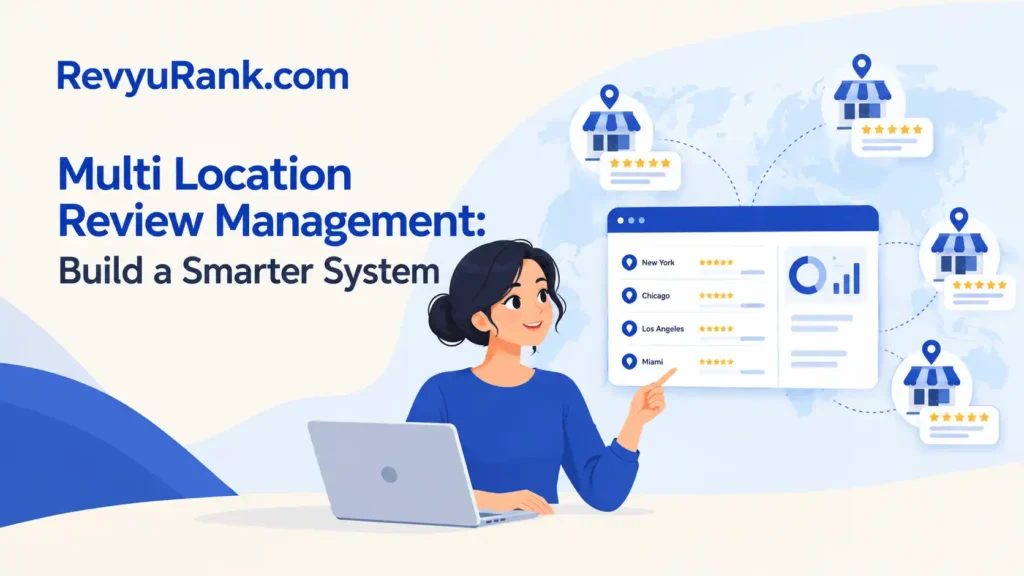
Multi-location review management works best with one central system for all profiles, local owners for context, and clear rules for response time, escalation, and reporting. Each location should collect reviews on its own profile, while the central team watches trends, supports difficult replies, and checks that no review is missed.
The right setup changes with the number of locations, the platforms you use, and who is allowed to answer customers. It also depends on review volume, local regulations, brand risk, and whether each branch has staff who know the service details.
Who needs multi-location review management

A small business with two or three locations usually needs a simple shared process. One person can check each Google Business Profile, record new reviews, assign replies, and flag serious complaints. This group needs consistency without paying for a complex platform.
A regional company with several branches has a different problem. It needs location-level access, approval rules, response templates, escalation paths, and reports that show both branch performance and brand-wide patterns. Staff may answer local questions, while a central team handles legal, safety, or public-relations concerns.
A national brand may already use a customer relationship management system, social listening tool, or customer-service platform. Its need is less about writing every reply and more about connecting review data to store operations, training, product problems, and executive reporting. It may also need role-based access and records of who approved each response.
This page serves businesses with multiple physical locations that control their own business listings and want one repeatable process. It assumes each location has a verified profile or listing on the main review platforms, and that the business can name a local contact for follow-up.
This approach isn’t for a company with one location, no public reviews, or no authority to change customer service. A single-location owner will usually move faster with a basic review checklist. A company facing a major legal, safety, or fraud issue should involve its lawyer, compliance team, or platform support instead.
What changes the results
The number of new reviews matters most because it sets the workload. A business with five locations and two new reviews each week can manage with a shared spreadsheet and scheduled checks. A business with 50 locations and daily reviews needs alerts, ownership rules, and a way to prevent duplicate or missed replies. Count new reviews by location for four weeks before choosing software.
The quality of location data comes next. Wrong addresses, phone numbers, hours, map pins, or duplicate profiles make review work harder and can send customers to the wrong branch. Compare each listing with the business’s current records, then keep one approved source for names, addresses, phone numbers, hours, and services.
Ownership changes response quality. Local staff know what happened, but they may write defensively or promise something they can’t deliver. Central staff write consistently, but they may miss the details. A useful split is local fact-checking with central oversight for sensitive, repeated, or highly visible complaints.
Review platform rules also change what you can do. Google, Yelp, Facebook, and industry platforms have different tools, content rules, and access controls. Read the current policy inside each platform’s business dashboard, especially before asking for reviews, reporting content, or using automated replies.
The mistake that causes the most damage is treating every rating as a separate writing task. That hides repeated problems, such as one branch with long waits or one product that arrives damaged. Group reviews by location, topic, service stage, and sentiment so the business can fix the cause instead of only answering the symptom.
Review scores vary with location, platform, customer mix, and review volume; find your exact figure from a location-by-location trend over time, not from one brand-wide average.
How to manage reviews step by step
Use this process when each location has a live profile, and the business can assign local and central owners.
-
List every active profile. Record the exact business name, address, phone number, profile URL, platform, location owner, and central owner in one sheet. Mark a row complete only when the address and phone number match the company’s approved records.
-
Set access by job. Give local staff only the access they need to check facts or answer routine service questions. Keep ownership, profile removal, payment, and sensitive account controls with authorized administrators. Confirm access by opening each profile without sharing passwords.
-
Create review categories. Use a short list such as service, product, wait time, staff conduct, billing, delivery, cleanliness, and privacy. Add the location and date to every record so repeated issues can be counted without reading the same review again.
-
Set a review check schedule. Check each platform at a fixed time that matches its volume. A low-volume location may need a weekly check; a busy location may need daily checks. The correct schedule is the one that catches a review before your promised response period ends.
-
Route each review. Send routine praise and simple questions to the local owner. Send refund requests, threats, discrimination claims, personal-data concerns, injury reports, or media contacts to the central escalation owner without asking local staff to investigate beyond their role.
-
Draft a specific reply. Use the customer’s issue, the location, and the next safe action. Don’t copy a full template into every response. A reply is ready for approval when it sounds natural, contains no private customer details, and makes no promise outside company policy.
-
Check facts before publishing. Ask the location owner to confirm dates, orders, appointments, or service details using approved records. If the facts aren’t clear, write a neutral reply and move the conversation to a private company channel.
-
Record the outcome. Mark the review as replied, escalated, resolved, or waiting for information. Add the root issue and the owner. A record is complete when another person can see what happened without asking the original writer.
-
Report patterns by location. Review the categories at least once per reporting cycle chosen by the business. Compare each branch with its own earlier pattern and with similar locations. If one issue repeats, send it to the operations owner instead of writing another identical reply.
If a review involves a possible injury, discrimination claim, personal information, fraud, or legal demand, stop the normal workflow and send it to the company’s legal, compliance, or customer-safety team. Don’t ask untrained staff to investigate or argue in public.
The key judgment is deciding what belongs in public. Explain simple service facts publicly, but move account details, refunds, personal data, and disputed evidence to a private channel.
Review cases at a glance
Different situations need different owners, reply styles, and follow-up effort. Route each case by risk and by whether the answer belongs in public.
| Situation | What to do in it | What it takes | What to watch for |
|---|---|---|---|
| Positive local review | Thank and personalize with a detail from the visit | Low effort; confirm the location | Repeated wording or generic praise |
| Simple service question | Answer publicly; verify hours or availability first | Local knowledge | Outdated information after policy changes |
| Routine complaint | Acknowledge, investigate, and state the next step | Moderate effort; check the record | Defensive language or disputed facts |
| Refund request | Move payment details to private support and document the handoff | Policy check with authorized staff | Public promises or exposed information |
| Safety or injury claim | Escalate immediately; don’t diagnose | Specialist review | Advice beyond training or casual wording |
| Suspected fake review | Use platform reporting; keep evidence | Evidence gathering | Retaliation claims or public accusations |
| Repeated branch issue | Send to operations with dates and examples | Trend analysis | Treating symptoms only |
If a reply could affect safety, payment, privacy, or legal exposure, involve the appropriate owner before responding. Keep factual claims private until records are checked, and correct public errors promptly.
What strong review work gets right

Prepare before the review arrives
Good workflows keep approved facts ready. Store current hours, services, contact routes, refund rules, and escalation contacts where local staff can find them. Don’t put private customer information in a shared review sheet, and don’t give every employee administrator access just to make replies faster.
The reply order matters. First identify the customer’s issue, then check the location record, then choose the response owner, and only after that draft public wording. If you write first and verify later, you may apologize for something that didn’t happen or promise a remedy the business can’t provide.
Templates should guide structure, not replace judgment. A useful template may contain an acknowledgment, a clear next step, and a contact route. Leave the details open so the final reply can mention the right location and problem without exposing order numbers, phone numbers, or other private data.
Check patterns while work continues
A strong manager checks more than star ratings. Compare the words customers use, the branch involved, the service stage, and the time period. A low rating about billing needs a different owner from a low rating about wait times, even if both appear under the same location.
If a complaint is disputed, keep the public response narrow. State what the business can confirm, invite direct contact, and avoid publishing a customer’s personal history. Don’t edit or delete a reply just because the customer remains unhappy; record the outcome and follow the platform’s current process.
Leave old reviews alone when they don’t violate a platform rule. Trying to remove fair criticism can waste staff time and create a second complaint. If content appears fraudulent, abusive, or otherwise against the platform’s rules, save the relevant evidence and use the platform’s reporting route rather than making accusations publicly.
Common review problems and fixes
A visible problem usually points to a workflow gap, a listing issue, or a service issue. Use the first safe action before changing the whole system. Record the review URL, location, date, and current status before editing anything. If personal information appears, use the platform’s privacy process rather than arguing in public.
| What you notice | What it usually means | What to do first | How to stop it happening again |
|---|---|---|---|
| Reviews have no replies | No clear owner | Assign a location owner and backup | Track reply status in a shared log |
| Replies sound identical | Template overuse | Rewrite details about the customer’s issue | Limit template wording and require one specific detail |
| Wrong branch gets answers | Listing confusion | Check the location record before replying | Use unique location IDs in review tools |
| Customer details appear publicly | Privacy check failed | Remove or report sensitive content | Add an approval review for names, phone numbers, and order details |
| Same complaint repeats | Operations issue | Group related reviews by problem | Send recurring themes to the responsible team |
| Review disappeared suddenly | Platform action | Check policy notices and saved records | Keep review links, screenshots, and response history |
| Staff argue with reviewers | No escalation rule | Pause public replies and move the case privately | Train neutral responses and define when a manager takes over |
Don’t delete a critical review simply because it’s uncomfortable. First check whether it violates platform rules, contains private information, or belongs to another location. If none applies, answer the specific concern and record any operational follow-up. When the same issue appears across several reviews, treat it as a process signal rather than handling each reply as an isolated event.
Rules that govern review activity
Review responses must follow each platform’s current terms, plus the laws that apply to advertising, privacy, employment, and customer protection in the business’s location. Google Business Profile, Yelp, Facebook, and industry platforms don’t use one universal review policy, so check the policy and business-help page for each platform you use.
The Federal Trade Commission says endorsements and reviews must not mislead consumers, and businesses must disclose material connections when they affect how an endorsement is understood. Read the FTC’s Endorsement Guides before offering incentives, using employee reviews, reposting customer comments, or asking an agency to manage reviews.
Don’t offer money, discounts, gifts, or special treatment in exchange for a positive review. If a platform allows a review request, follow its wording and disclosure rules rather than creating your own promise. A review request can invite honest feedback, but it can’t require a favorable rating.
Privacy rules can differ by state, country, industry, and contract. A business that handles health, financial, education, or other sensitive information may have extra duties. If a public review includes personal data, contact the company’s privacy or legal owner; don’t investigate the customer’s account in public.
Staff who lack training should stop when a review involves injury, discrimination, personal data, fraud, or a legal threat. The correct next contact is the company’s legal, compliance, privacy, or customer-safety team, depending on the issue.
The real cost of managing reviews
The main cost is staff time, not the review platform alone. Someone must check alerts, verify facts, write replies, approve sensitive language, record outcomes, and send repeated problems to operations. Count those tasks for one month before comparing software plans.
Software may reduce missed reviews and improve reporting, but it adds subscription cost, setup work, access management, and training. A spreadsheet is cheaper and easier to change, while a platform may handle alerts, permissions, templates, assignments, and location reports more consistently.
The trade-off is speed versus control. Giving local staff direct publishing access can produce faster, more personal replies, but it also increases the chance of inconsistent wording or an improper promise. Requiring central approval improves control, but it can slow ordinary replies and frustrate local teams.
Your cost also rises when profiles are inaccurate. Wrong hours create avoidable complaints, and duplicate listings split customer feedback between pages. Before buying software, compare your profile list with the company’s location records and check whether the platform supports the number of locations and users you actually have.
Pricing changes by provider, plan, user count, location count, and features. Read the current pricing page and contract terms for each tool, including setup fees, cancellation terms, data export, integrations, and limits on review sources. Don’t compare monthly prices without comparing what each plan includes.
Keeping review records useful
Keep one record for profile ownership, one for review activity, and one for recurring operational issues unless your chosen system combines them safely. Each review record should include the platform, location, date, rating, topic, owner, response status, escalation status, and outcome.
Protect access to the records. Remove people who leave the role, use separate accounts where the platform supports them, and avoid storing unnecessary customer details. A review log should help the business understand work, not become an extra copy of sensitive customer data.
The record needs attention when a location changes its address, hours, manager, phone number, services, or approved escalation contact. Update the profile and internal record together, then check the public listing to confirm the change is visible.
Don’t start over when a process fails. Keep the existing history, mark the unresolved items, and change the owner or category that caused the gap. If review records contain personal information or a complaint becomes a legal matter, ask the privacy or legal team how long that information should be kept.
When review management isn’t enough

This approach isn’t right when the real problem is a dangerous service failure. If reviews mention injuries, unsafe products, contamination, or repeated serious harm, stop focusing on ratings and contact the company’s safety, compliance, or legal team. Use the relevant incident process instead.
It’s also the wrong approach when a location has no authority to fix the complaint. A polished reply won’t solve incorrect billing, broken equipment, missing orders, or staff misconduct. Send the issue to the operating owner, and give the customer a real support route rather than asking for another public conversation.
Businesses shouldn’t use review software to make claims about customers they can’t verify. If a review appears fake, the alternative is platform reporting with preserved evidence, not public accusations.
A trained specialist should handle any step involving personal data, legal rights, safety investigations, or regulated records. The limit is clear: review management can organize information and communication, but it can’t replace legal advice, incident investigation, or service repair.
Frequently asked questions
Can one person manage reviews for multiple locations?
Yes, one person can manage low-volume locations if each profile has a named local fact-checker and a clear escalation contact. The manager should track every review by location and platform, rather than relying on memory. Once reviews arrive faster than that person can check facts and meet the company’s response target, add owners or use workflow software.
Why are reviews different across locations?
Reviews differ because each location has its own staff, service conditions, customers, hours, and local competition. Platform visibility can also differ by searcher and area. Compare locations with similar services and look for repeated topics over the same period. A brand-wide average can hide one branch with a serious recurring problem.
How long should a business keep review records?
There’s no single safe retention period for every business or country. Keep only the information needed for operations, platform disputes, legal duties, and approved reporting, then ask your privacy or legal team for the applicable schedule. The record should show the review, owner, response, and outcome without storing unnecessary customer details.
Is it safe to use automated review replies?
It can be safe for simple, low-risk acknowledgments when a person reviews the wording, and no private information is used. Don’t automate replies to injury claims, discrimination complaints, legal threats, refunds, or account disputes. If the system can publish without approval, limit it to approved cases and audit the published results.
What happens if a location replies to the wrong reviewer?
Correct the mistake quickly without revealing extra customer information. If the reply includes private details, follow the platform’s removal or editing process and tell the privacy owner. Record the incident, check whether other locations use the same template or access setup, and change the workflow before another wrong reply appears.
Does it matter who answers a negative review?
Yes, because the responder’s role changes the accuracy and risk of the reply. Local staff can confirm service facts, while central or specialist staff should handle sensitive issues. If the responder can’t verify the event or authorize the remedy, they should acknowledge the concern and move it to the proper support owner.
How often should a business check location reviews?
Check according to review volume and the promised response period, not one fixed schedule for every branch. A low-volume location may need a weekly check, while a busy location may need daily checks. Count new reviews for four weeks, then choose a schedule that catches each review before the business’s own target expires.
How to start review management
Start by listing every location profile, its platform, URL, and access owner. Assign a local fact-checker and central owner, then record the platform rules that apply. Confirm each can access the profile before a response is needed.
You should see fewer missed reviews, clearer escalation, and reports showing repeated issues by branch. Check new feedback and unanswered replies regularly, rather than relying on memory. Keep evidence for factual disputes, and separate service recovery from requests to remove a review.
Stop public handling when a review raises safety, privacy, legal, or injury concerns, and send it to the qualified team. If the issue is routine, use approved facts; if it’s sensitive, preserve the record and escalate before replying.

Robert Miller works as a Reputation Management Consultant. He has been helping U.S. businesses for over ten years. His work involves helping people protect and enhance their online image.Robert has worked with a wide range of companies. He has helped new businesses, local places that give a service, and big companies. He helps turn customer reviews into something that helps people trust their company and drives business growth.