Google AI review summaries combine patterns from public customer reviews into a short description of what people mention most. Google’s systems process review text, identify repeated topics, and show a summary when enough useful information is available.
How Google AI review summaries work
Google AI review summaries are generated from review content connected with a business, product, or place. The system looks for repeated themes, such as wait times, staff behavior, cleanliness, delivery speed, or product quality. It then turns those themes into a short passage for readers.
The summary isn’t a new review written by the business. It’s also not a simple average of star ratings. A place can have a high rating but still receive negative comments about one issue, and the summary may mention that issue if it appears often enough.
Because it condenses multiple reviews, the summary can describe a pattern without showing every exception. A few unusually detailed reviews may also provide context that the short passage leaves out. Read the linked reviews when the issue matters, especially for health, accessibility, safety, or a costly purchase.
The wording can change as Google processes newer review content. Treat it as a starting point rather than a fixed verdict about the business, product, or place. If the summary makes a broad claim, check whether recent reviews support it and whether they describe the same experience. Reviews that discuss different locations, versions, or visits may not be directly comparable.
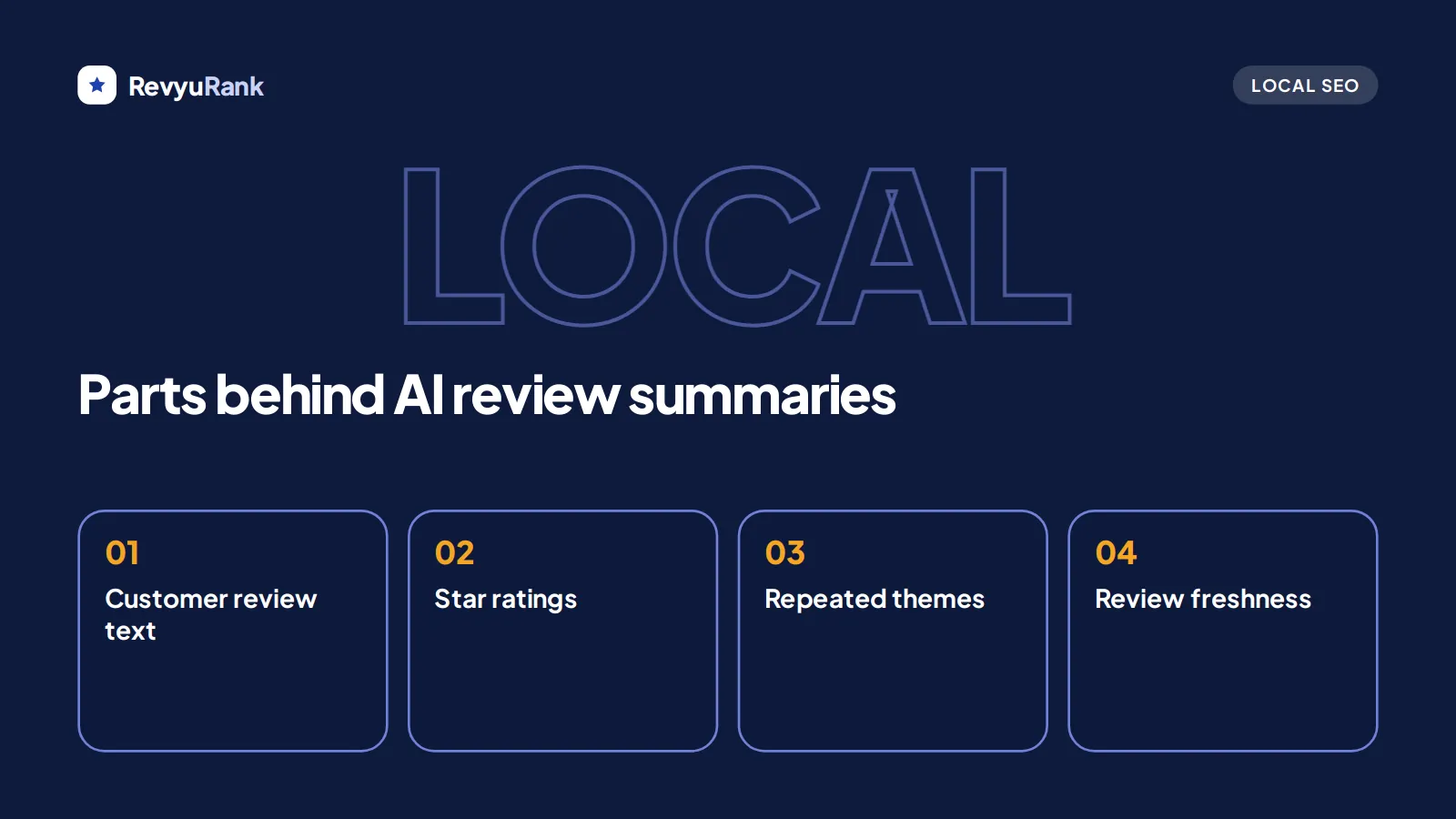
Parts behind AI review summaries
| Part or input | What it does | What you notice when it goes wrong |
|---|---|---|
| Customer review text | Provides opinions, details, and examples from visitors | Important topics may be missing or reduced to vague wording |
| Star ratings | Shows broad satisfaction across reviews | A strong average may hide a specific problem mentioned in written reviews |
| Repeated themes | Groups similar comments about the experience | Rare issues may disappear even when they matter to some customers |
| Review freshness | Adds newer experiences to the available picture | Old problems may remain visible after the business has changed |
| Business listing | Connects reviews to a particular place | Similar businesses, branches, or listings may confuse readers |
| Google’s language systems | Turns selected themes into readable text | Wording may sound too broad, certain, or general for the evidence |
Google has to separate useful themes from unrelated comments. For example, reviews about a restaurant may discuss food, service, noise, parking, and delivery. A summary may focus on the topics that appear repeatedly, while leaving out a single unusual complaint.
The summary doesn’t necessarily give each topic equal weight. If many people mention slow service but only one person mentions a difficult parking lot, service is more likely to appear. Check the original reviews when the missing detail would affect your choice, especially for accessibility, allergies, noise, or delivery.
Star ratings also need context. A high rating can coexist with repeated complaints about one feature, because the overall score combines different experiences. Read the written comments for the issue you care about instead of treating the stars as an answer to every question.
The available details can change as people add, edit, or remove reviews. That means the summary isn’t a permanent statement about the business. It’s a current interpretation of available review text.
A newer review may describe a different menu, staff, location, or operating process than an older one. Compare dates when reviews disagree, and give more attention to recent comments if they describe a clear change. If the disagreement involves separate branches, confirm the address before drawing a conclusion.
How Google builds a review summary
-
Google builds a summary by reading review text, grouping similar themes, and writing a short description of them. It starts when a customer posts a review on the business’s Google listing. The review can include a star rating, written comments, photos, or other details, depending on the review feature being used. Google stores the text with the listing so its systems can process the information. A rating may signal overall satisfaction, but it doesn’t explain which part of the experience caused it.
-
Google’s systems read the review language and look for meaningful subjects. Words about slow service, friendly staff, clean rooms, damaged packaging, or confusing billing may point to different themes. The system must separate these subjects instead of treating every word as one general opinion. It also has to interpret short or informal wording, where the same complaint may be expressed without using an obvious keyword.
-
Similar comments are grouped together. Several customers might use different words to describe the same experience, such as “long wait,” “slow service,” or “took forever.” The grouping stage tries to connect those related ideas without treating unrelated complaints as one topic. A comment that mentions both a positive and negative experience can therefore contribute to more than one theme.
-
The system compares themes across the available reviews. Repeated comments have more chance of appearing than a single unusual comment. The result can change as new reviews arrive, older reviews are edited, or the balance of customer opinions changes. A theme that was prominent last month may become less visible after newer customers discuss a different part of the business.
-
Google creates a short natural-language description from the selected themes. This step changes separate customer comments into a compact summary. It doesn’t give every review equal space, because a short summary can’t include every detail from every customer. The wording is a generated description of review content, not a complete transcript or a guarantee that every customer had that experience.
-
Google checks whether a summary can be shown for that listing or query. If the available text is too limited, too mixed, or not suitable for a clear result, no summary may appear. The feature’s availability can also differ by product, country, language, and account. When no summary appears, that absence doesn’t prove that the business has no reviews or that customers agree.
-
You compare the summary with the original reviews before making a costly choice. Read recent comments and look for details that affect your situation. If you’re choosing a hotel, check recent room and noise comments; if you’re buying a product, check recent quality and delivery comments. Pay attention to dates and repeated details, especially when the summary leaves out a concern that matters to you.
Why Google review summaries can mislead
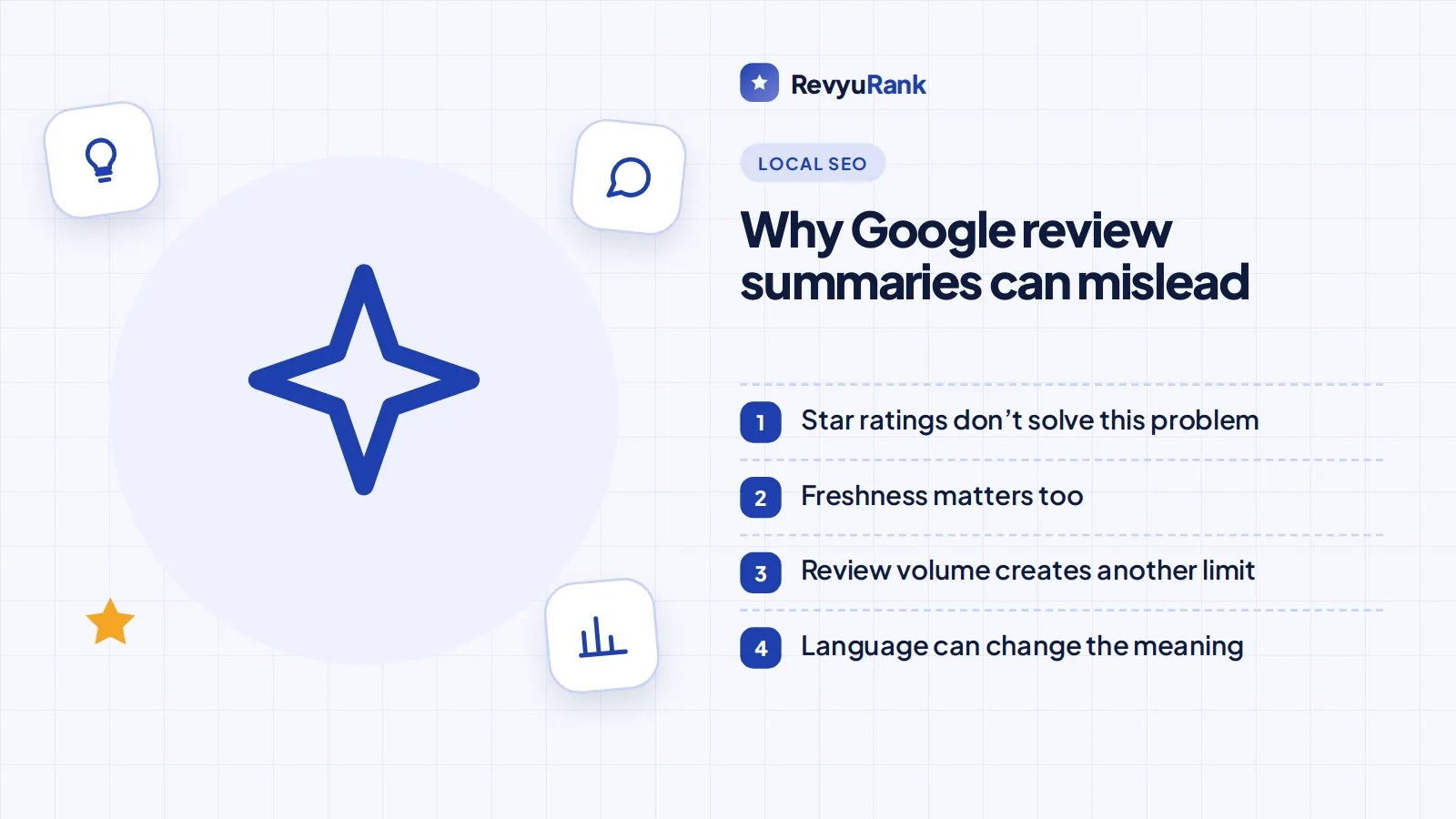
The biggest risk is compression: a detailed set of opinions becomes only a few sentences. A summary may correctly mention a repeated topic but still hide the conditions behind it. “Slow service,” for example, could mean a problem during lunch, weekends, large events, or a particular branch.
A summary can also sound more certain than the reviews deserve. Customer comments are personal reports, not controlled tests. One person may call a room quiet while another hears street noise, because they stayed on different floors or visited at different times.
Star ratings don’t solve this problem. A five-star review may praise the staff while saying the parking is difficult. A two-star review may criticize one delay but still say the product worked well. The summary can mention a theme, but it can’t tell you whether that theme matters most for your visit.
Freshness matters too. A business can change staff, prices, opening hours, suppliers, or policies. Old reviews may describe a situation that no longer exists, while new reviews may be too few to show the change clearly. Check the dates beside the comments that support the summary.
Review volume creates another limit. If only a small number of people discuss an issue, Google may not show it in the summary. That doesn’t prove the issue never happens. It only means the available review text may not support a strong repeated theme.
Language can change the meaning. Automated systems may group similar ideas correctly, but short wording can lose sarcasm, context, or an important exception. Treat a summary as a signpost to the source reviews, not as a replacement for them.
If the summary matches several recent reviews, use it as a useful shortcut; if it conflicts with recent, detailed comments, trust the evidence you can inspect and investigate further. The real cost of skipping that check is choosing a business that fails on the one feature you care about.
Google says its Maps features can use AI to help people understand places and make decisions, but the exact display can change. Read Google’s own Google Maps AI features for the company’s description of these tools.
What you control in Google review summaries
You can control
- Read the original reviews behind a summary.
- Sort attention toward recent comments.
- Compare the summary with star ratings.
- Check several reviewers for the same detail.
- Report content that breaks Google’s review rules.
Google controls by design
- Which themes appear in the summary.
- How much text the summary includes.
- Whether a summary appears at all.
- How the system phrases repeated opinions.
You can’t safely edit a business’s summary yourself. If the summary seems wrong, check the underlying reviews and use Google’s reporting tools for content that violates its policies. Don’t pressure customers to post a certain message or create reviews yourself; that can damage trust and may breach platform rules.
The catch is simple: Google can show patterns in review text, but it can’t measure your personal experience before you visit or buy. Your best evidence is the recent, detailed review that describes the exact condition you care about.
For business owners: encourage reviews the right way
The summary follows the reviews customers post, so the best thing you can do is ask for honest ones. Google allows you to ask for reviews, but they must reflect a genuine experience.
- Share a review request link or QR code. The ‘Get more reviews’ option sits under Read reviews in your Business Profile.
- Put the link or QR code on receipts and in thank-you emails.
- Don’t pay for reviews, directly or in kind. Google treats paid-for reviews as fake and misleading.
- Don’t ask only happy customers, and don’t discourage negative reviews.
- Don’t ask staff to collect a set number of reviews.
- Don’t pressure people to review while they’re on your premises, and don’t ask for specific content.
Google may remove incentivized or biased reviews from Maps. Respectful reviews that describe a negative experience are still allowed.
Better ways to use Google review summaries
Read the summary first, then test it against at least three recent reviews when the decision involves meaningful time or money. Look for the same topic in different wording. If the comments disagree, note the conditions instead of forcing them into one answer.
Match the review topic to your own priority. If noise matters, search the original reviews for noise, traffic, walls, sleep, or construction. If delivery matters, check comments about arrival time, packaging, missing items, and refunds rather than relying on a general quality statement. A summary can describe what reviewers mention most often, not what will matter most to you.
Check dates before treating a complaint as current. A recent comment about a new problem deserves more attention than an old comment about a policy the business may have changed. If the listing covers several branches, confirm that the review belongs to the location you’ll use. For a hotel, restaurant, or store, a review from another branch can otherwise create the wrong expectation.
Use photos and owner replies as extra context, not automatic proof. A photo can show a condition at one moment, while an owner reply may explain a change without proving that the change lasted. Compare the reply with later customer comments. If the business promises a fix but later reviews describe the same problem, treat the promise as unconfirmed.
Separate a one-off event from a repeated pattern. One complaint about a late delivery may reflect an unusual delay, but several recent complaints about missing items or refunds can signal a process problem. Don’t count similar wording as separate evidence if the reviews describe the same incident or appear to repeat one customer’s account.
If the summary is positive but several recent reviews mention the same serious issue, pause before booking or buying. If the summary is negative but the latest detailed reviews show a clear improvement, investigate the date and cause before rejecting the business. When the issue could affect safety, access, sleep, or a substantial purchase, resolve that uncertainty from the original reviews or contact the business before committing.
Need it done properly the first time? See our Google Business Profile Optimization Service service.
Short on time? Our Google Review Generation service takes care of the whole process.
Frequently asked questions
Can Google AI review summaries be trusted?
Partly, but they shouldn’t be your only evidence. A summary can help you spot repeated subjects in customer comments, such as service, cleanliness, or delivery. It may leave out rare problems, personal conditions, and recent changes. Read the original reviews that support the summary, check their dates, and compare comments from different customers before making an important purchase or booking.
Why did Google remove an AI review summary?
Google may stop showing a summary when the available review information changes or no longer supports a clear result. The display can also depend on the listing, language, country, Google product, or account. A missing summary doesn’t prove the business has no reviews or that its reviews are poor. Open the listing and read the current review set directly.
How long do Google AI review summaries take to update?
There’s no public fixed update time you can safely rely on. The summary can change after reviews are added, edited, removed, or reinterpreted by Google’s systems. To check whether it reflects current experience, compare its wording with the dates on recent reviews. If those reviews describe a different situation, use the newer details rather than assuming the summary is current.
Is it safe to make a purchase from an AI review summary?
No summary can make a purchase safe by itself. It can point you toward common praise or complaints, but it doesn’t verify product condition, seller conduct, delivery promises, or refund rights. For an expensive or safety-related purchase, read recent detailed reviews, check the seller’s official terms, and use protections available through your payment method.
What happens if Google AI review summaries get a review wrong?
The summary may present an incomplete or unclear version of the review pattern. Check the source comments first, because the problem may come from missing context rather than a false quote. If a review breaks Google’s rules, use the reporting option on that review. If the business information is wrong, contact the relevant Google listing support process instead of trying to rewrite the summary yourself.
Does it matter if a business has no AI review summary?
Yes, but only as a limit on the shortcut, not as a quality judgment. No summary may mean Google doesn’t have enough suitable text, the feature isn’t available for that listing, or the display depends on your location or language. You can still inspect the star ratings, review dates, detailed comments, photos, and business replies directly.
What to do next
Keep an eye on how these summaries change as new customers share their experiences. Before making a decision, compare the summary with a few recent reviews and look for details that matter to you. If something is unclear, check the business’s latest response or contact them directly for a clearer answer.

Robert Miller works as a Reputation Management Consultant. He has been helping U.S. businesses for over ten years. His work involves helping people protect and enhance their online image.Robert has worked with a wide range of companies. He has helped new businesses, local places that give a service, and big companies. He helps turn customer reviews into something that helps people trust their company and drives business growth.