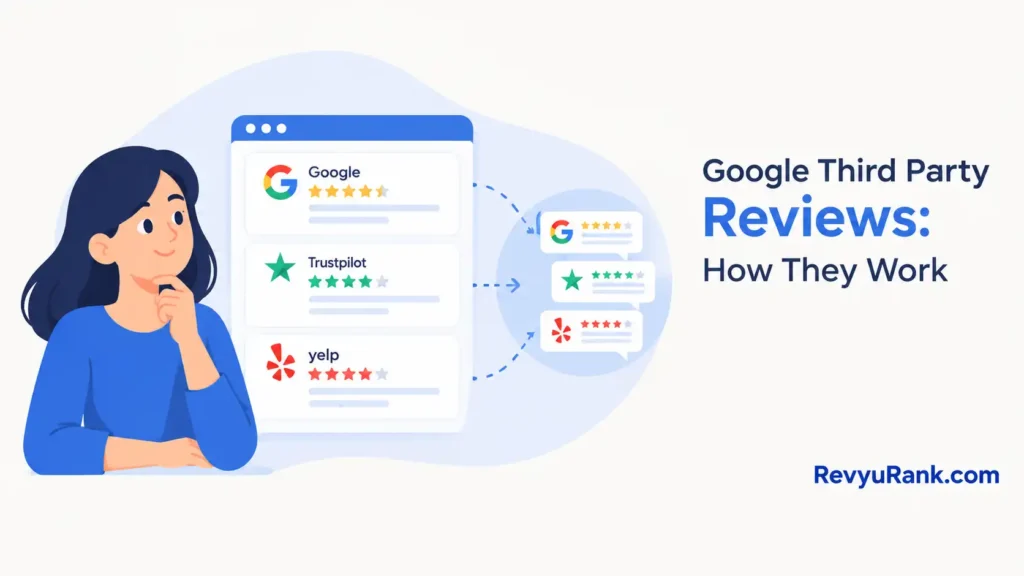
Google third-party reviews are ratings your business collects on outside platforms like Trustpilot, Yelp, or Yotpo that Google can show inside search results and shopping listings. They don’t replace Google Business reviews. They need an approved partner to feed them in.
Google third-party reviews in short

- These are ratings from licensed sources like Trustpilot or Yotpo, shown as star ratings in Google Shopping and seller listings.
- You need a Google-approved review partner; you can’t upload them yourself.
- You need a minimum of 100 unique reviews over the last 12 months for seller ratings to appear.
- They affect Shopping seller ratings and product star ratings, not your Google Business Profile.
- Fake or incentivized reviews break Google’s policy and can get all ratings pulled.
- The stars can take weeks to show after setup, since Google crawls and verifies the feed first.
Why Google uses outside review sources
Google doesn’t trust a star rating just because a seller claims it. Pulling reviews from approved third-party platforms gives Google an independent record to check against policy.
The system splits into two things. Seller ratings describe your store overall and come from aggregators like Trustpilot, Feefo, or Google’s own Customer Reviews program. Product ratings describe one item and often come from platforms like Yotpo or Bazaarvoice that syndicate reviews across retailers.
Google sets a volume floor on purpose. Seller ratings only appear once there are at least 100 unique reviews in the past 12 months across approved sources.
The reason you can’t just paste reviews is trust. Google wants a source it can audit, so the proof of the rating lives with the partner, not with you.
When these reviews don’t show up as expected

Setup being correct doesn’t guarantee stars. Several common situations change what actually appears on your listings.
| Situation | What changes | What to do instead |
|---|---|---|
| Fewer than 100 reviews | No seller rating shows | Collect more before expecting stars |
| Reviews over 12 months old | They stop counting | Keep a steady flow of fresh ones |
| Using an unapproved platform | Google ignores the feed | Switch to a licensed review partner |
| Incentivized or fake reviews | All ratings get removed | Collect only genuine, unpaid reviews |
| Product has no reviews yet | Only seller stars show | Run product-level review requests |
| Country not supported | Seller ratings won’t appear | Check Google’s supported country list |
How to set up third-party review ratings correctly
- Pick a Google-licensed review partner such as Trustpilot, Feefo, or Yotpo, and confirm it feeds data to Google Shopping before you sign up.
- Install the partner’s tracking on your order confirmation page so each completed purchase can trigger a verified review invite.
- Send a review request 7 to 14 days after delivery, when buyers have used the item but still remember the experience.
- Collect toward the 100-review minimum across 12 months; without that volume, seller stars won’t show no matter what else you do.
- Link your review partner to your Google Merchant Center account under the seller ratings or third-party integration settings.
- For product stars, add a product reviews feed through a syndication partner and map it to your product IDs, usually GTINs.
- Wait for Google to crawl and verify the feed; stars often take a few weeks to appear, so don’t assume a failed setup early.
- Check the Merchant Center diagnostics tab for feed errors, and fix any ID mismatches that stop ratings from attaching to items.
Mistakes that get your ratings pulled

Small errors here don’t just hide stars — they can get your whole seller rating removed by Google.
- Buying or incentivizing reviews. This breaks Google’s policy, and when caught, every rating you earned gets wiped, not just the fake ones.
- Using a platform Google doesn’t license. The reviews are real but invisible, so you spend months collecting feedback that never reaches search results.
- Letting review volume drop below the floor. Reviews older than 12 months stop counting, so stars vanish if new ones don’t keep coming.
- Mismatched product IDs in the feed. When your GTINs don’t match Merchant Center, product reviews attach to nothing and no stars appear.
- Confusing these with Google Business reviews. Fixing your map listing won’t change Shopping stars, and the two systems never share data.
Frequently asked questions
Can I add third-party reviews to Google myself?
No. You can’t upload them directly. The reviews must come through a Google-licensed partner like Trustpilot or Yotpo, which feeds verified data to Google so it can be audited against policy.
How many reviews do I need for Google seller ratings?
You need at least 100 unique reviews from the past 12 months across approved sources, per Google’s Shopping requirements. Older reviews stop counting, so a steady flow matters more than one big burst.
How long until the stars appear after setup?
Usually a few weeks. Google has to crawl and verify the partner feed before stars show. If nothing appears after a month, check Merchant Center diagnostics for feed or ID errors.
Is it safe to use third-party review platforms?
Yes, if the platform is Google-licensed and you collect genuine reviews. The risk comes from buying or incentivizing reviews, which breaks policy and can get every rating removed, not from the platforms themselves.
Why are my third-party reviews not showing on Google?
The most common cause is too few reviews — under 100 in 12 months. Other causes are an unapproved platform, an unsupported country, or product IDs that don’t match your Merchant Center feed.
Does the difference between seller and product reviews matter?
Yes. Seller ratings rate your store and show in Shopping seller listings; product ratings rate one item and show on that product. They use different feeds and minimums, so one working doesn’t mean the other will.
What happens if I use fake reviews?
Google removes all your seller ratings, not just the fake ones.
Can third-party reviews replace my Google Business Profile reviews?
No. They’re separate systems. Third-party reviews drive Shopping stars; Business Profile reviews drive your local map and search listing. Improving one does nothing for the other.
Conclusion
Getting third-party stars onto Google is less about one clever trick and more about feeding a trusted partner enough real reviews, then keeping that flow alive. Pick a licensed platform, hit the 100-review floor, match your feed cleanly, and let Google’s verification run its course.

Robert Miller works as a Reputation Management Consultant. He has been helping U.S. businesses for over ten years. His work involves helping people protect and enhance their online image.Robert has worked with a wide range of companies. He has helped new businesses, local places that give a service, and big companies. He helps turn customer reviews into something that helps people trust their company and drives business growth.