You’ve earned your five-star reviews. But are they doing everything they could for your visibility? Google reviews are one of the few local SEO signals you can grow every single week, and they work twice: they help you appear in the map results, and they persuade the people who see you there to click and call.
This guide explains how Google reviews and local SEO connect in 2026: what Google actually says about reviews and ranking, which review signals matter most, how reviews feed AI search, how to use them on your website without breaking Google’s rules, and a step-by-step plan to turn reviews into more local traffic.
It also corrects a few common myths, because some popular advice about reviews and SEO now breaks Google’s rules and can put your profile at risk.
In short:
- Google confirms review count and rating feed “prominence”, one of its three local ranking factors.
- Recency and a steady flow of reviews matter as much as the total; old reviews lose value.
- Reviews now shape AI answers in Google Maps and Search, not just the star rating.
- Never ask customers to use keywords or offer anything for reviews; both break Google’s policy.
How Google Ranks Local Businesses
When someone searches “dentist near me” or “emergency plumber in Leeds”, Google shows a local pack (the map with three businesses), regular organic results, and increasingly an AI-generated answer. Google’s guide to improving your local ranking says local results are mainly based on three things:
- Relevance: how well your profile matches what the person searched.
- Distance: how far you are from the searcher or the location in the search.
- Prominence: how well-known and trusted your business is. Google says review count and review score factor into this.
You can’t change distance, and relevance comes mostly from your categories, services, and website. Prominence is where reviews do their work. That’s why two similar businesses the same distance away can rank very differently: the one with more recent, well-rated reviews usually wins.
The map pack and the organic results don’t use exactly the same signals. For a deeper look at the map results, read our Google Maps pack strategies, and for “near me” searches specifically, see how to rank in near me searches.
Where Reviews Show Up in Local Search
Reviews don’t only live on your profile. They appear in several places along the customer’s path, and each one is a chance to win or lose the click.
| Placement | What customers see | Why it matters |
|---|---|---|
| Local pack (map with three results) | Star rating and review count next to each business | Often decides which of the three gets the call |
| Google Maps results | Rating, count, and sometimes a short review snippet | Mobile users compare several businesses in seconds |
| Your Business Profile | Full reviews, owner replies, topics customers mention | Where serious buyers read the details |
| AI answers in Search and Maps | Summaries built from your reviews and profile | Shapes opinions before anyone opens your profile |
| Your website | Reviews on service and location pages | Turns visitors from search into enquiries |
Notice that in every placement, people compare you with competitors. Local SEO isn’t only about ranking; it’s about looking like the safest choice in whatever list the searcher sees.
How Much Do Reviews Matter for Local Rankings?
Google doesn’t publish weights, so the best estimate comes from experts who test local rankings for a living. Whitespark’s Local Search Ranking Factors 2026, a survey of local SEO specialists, rates Google Business Profile signals as the biggest group for the map pack, with review signals close behind at around a fifth of the total, up from the previous edition. The exact numbers are opinions, not Google data, but the direction is clear: reviews matter more than they used to.
| Review signal | Why it matters | What to aim for |
|---|---|---|
| Review count | Named by Google as part of prominence; builds trust | At least match the top three local competitors |
| Average rating | Named by Google; customers filter by stars | 4.5+ with a natural mix of ratings |
| Recency | Shows the business is active today | New reviews every week or two |
| Velocity | Steady flow beats occasional bursts | A consistent monthly pace, not spikes |
| Owner replies | Signals an active, engaged business; lifts conversions | Reply to every review within a day or two |
| Review content | Describes services and experiences in customers’ own words | Detailed reviews that happen naturally |
Reviews also affect the step after ranking. Being in the map pack is only useful if people click. BrightLocal’s Local Consumer Review Survey 2026 found that 47% of consumers won’t use a business with fewer than 20 reviews and 68% need at least four stars. A business ranked third with 120 strong reviews often gets more calls than the one ranked first with eight.
The Review Signals Explained
Quantity: more genuine reviews, more prominence
More reviews mean more evidence that real people use your business. There’s no magic number, but falling far behind local competitors makes ranking and converting harder. The answer isn’t a one-off campaign but a system that asks every customer. Our guide on how to get Google reviews shows how to build one.
Rating: high, but believable
A higher average helps, but a perfect 5.0 from a handful of reviews can look suspicious. A 4.6 to 4.9 with many reviews and a few honest critical ones tends to earn more trust. Each negative review also gives you a chance to show how you handle problems, which brings us to replies.
Recency and velocity: keep the flow steady
Most customers only trust recent reviews; BrightLocal found 74% care only about those from the last three months. A steady pace also looks natural to Google’s spam systems, while sudden bursts can be filtered. To understand the pace that works in your category, read our explainer on Google review velocity and our review recency benchmarks.
Review content: let customers use their own words
Customers often mention the service they bought (“fixed our boiler the same day”) and sometimes the area. Google can show snippets like these on your profile, and AI features read them to describe your business. That’s valuable, but it has to happen naturally.
Important: don’t ask customers to include specific words, keywords, services, or staff names. Google’s Maps content policy, expanded in April 2026, explicitly bans merchants from requesting specific content in reviews. A neutral request (“Would you share your experience on Google?”) is the safe approach. Detailed reviews come from memorable service, not from instructions.
Owner replies: activity that customers and Google can see
Replying shows that someone is running the business and listening. It won’t make up for missing reviews, but it supports trust and conversions. Keep replies natural; stuffing them with city names and keywords reads badly and adds nothing. For a full reply framework, see our guide on how to respond to Google reviews.
How Google Filters Reviews, and Why It Matters for SEO
Not every review you receive counts. Google’s systems check reviews for spam and policy violations, and some are held back or removed, sometimes including genuine ones. This matters for local SEO because only the reviews that stay visible contribute to your count, rating, and recency.
Reviews are more likely to be filtered when many arrive at once, when they come from brand-new accounts, when several are posted from the same place (such as a tablet at your counter), or when the pattern looks incentivized. Google’s April 2026 policy update specifically discourages pressuring customers to review while they’re on the premises.
The safest approach is also the most effective one for rankings: ask every customer, let them review later on their own phone, and keep the pace steady. A natural flow of reviews is less likely to be filtered and gives Google a consistent recency signal month after month.
Reviews vs Backlinks: Which Matters More?
Backlinks have long been the backbone of organic SEO, and they still help your website rank in regular results. For the map pack, though, Business Profile and review signals carry much more weight. A local business usually gets more from a strong review flow than from chasing links, while a business that depends on organic traffic needs both.
We compare the two in detail in reviews vs backlinks: which is better for SEO, including how to decide where to spend your time first.
Reviews and AI Search
Search is changing quickly. BrightLocal found that 45% of consumers now use AI tools to find local businesses, up from 6% a year earlier, and 82% read AI-generated review summaries. Inside Google, AI features in Search and the new “Ask” experience in Maps build answers from your Business Profile and your reviews.
This raises the value of genuine, descriptive reviews. If customers consistently mention fast response times or friendly staff, AI answers are more likely to say so. If complaints repeat, AI summaries will repeat them too. To understand how Google’s AI results work and what they mean for your visibility, read what Google AI Mode is.
Practical steps for AI visibility are the same as for good local SEO: keep your profile complete and accurate, get a steady flow of honest reviews, reply to them, and make sure your website clearly explains your services and locations.
Third-Party Reviews on Your Profile
Google sometimes shows reviews from other sites (industry directories, booking platforms, travel sites) on your Business Profile in a “Reviews from the web” section. These add to the picture customers see and help Google understand your reputation beyond its own platform.
You can’t control which sources appear, but you can make sure your profiles on the important sites in your industry are claimed, accurate, and collecting reviews. Learn how this works in our guide to Google third-party reviews.
Using Reviews on Your Website
Your website and your Business Profile support each other. Google reads both to judge relevance, and customers often check your site after reading reviews. Showing real reviews on your site builds trust at the point where visitors decide to call.
- Service pages: show reviews that mention that specific service.
- Location pages: for each area you serve, include reviews from customers there, alongside unique local information. Our guide to local landing page optimization explains how to build pages that rank and convert.
- Widgets and embeds: display your Google reviews automatically. See how to embed Google reviews on your website for the options.
- Consistent details: keep your name, address, and phone number identical on your website, profile, and directories.
Review stars in search results: know the rule
Many businesses add review markup to their website hoping for gold stars in Google’s results. For reviews about your own business, that doesn’t work. Since Google’s 2019 update on review rich results, “self-serving” reviews, meaning reviews about a business shown on that business’s own site, aren’t displayed as stars for LocalBusiness and Organization markup, even when they come from an embedded widget. Products, courses, and some other types can still qualify.
Google also added a guideline in 2026 against including fake or undisclosed incentivized reviews in review markup. Our guide to Google rich snippets for reviews explains what’s eligible and how to mark it up correctly.
Reviews in Paid Ads
Reviews don’t just help organic results. Strong ratings can appear in some ad formats and make ads more convincing, which can lift click-through rates. Local Services Ads, where available, also show your rating and review count. If you run ads, see how Google reviews improve PPC ads for how ratings affect clicks and costs.
Reviews for Service-Area and Multi-Location Businesses
Service-area businesses
If you travel to customers and hide your address, you rank based on the location Google associates with your business, and competing across a wide area is harder. Reviews become even more important here, because they’re one of the few prominence signals you can grow quickly. Customers who mention where the job was (“our kitchen in Riverside”) naturally tell Google and readers where you work, but again, let that happen on its own. Support it with a strong service-area page on your website for each main area you cover.
Multi-location businesses
Each location ranks on its own profile and its own reviews. A brand with one excellent location and four neglected ones will see the neglected ones struggle, whatever the overall reputation. Give every location its own review link and request process, track count and rating per location, and make sure each profile links to its own location page on your website.
The Rest of Your Local SEO Checklist
Reviews work best when the other local signals are in place too. Before expecting reviews to move rankings, check these basics:
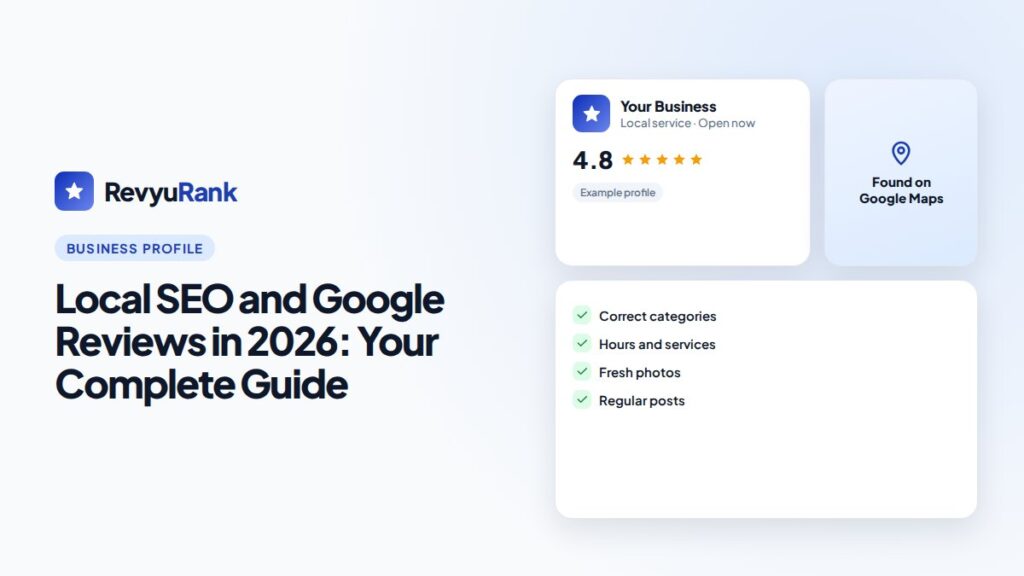
- Categories: the most specific primary category, plus genuinely relevant secondary ones.
- Consistent details: the same name, address, and phone number everywhere online.
- Website relevance: clear service pages and location pages that match your profile.
- Photos and posts: fresh, real images and regular updates on your profile.
- Accurate hours: including holidays; being open when people search affects what Google shows.
- Key directories: claimed and accurate listings on the main sites in your industry.
A Step-by-Step Review Strategy for Local SEO
- Fix the foundation. Make sure your Business Profile is verified, complete, and accurate. Our Google Business Profile guide covers every field.
- Benchmark competitors. Note the review count, rating, and newest review date of the top three businesses for your main search.
- Set a monthly target. Pick a number of new reviews per month that closes the gap over six to twelve months.
- Ask every customer. Use a direct review link by text, email, or QR code, right after the service. No incentives, no filtering.
- Reply to all reviews within a day or two, in natural language.
- Use reviews on your website on service and location pages.
- Measure monthly and adjust (see below).
If you’d rather have a team run the request system for you, our Google review generation service builds a compliant process that asks every customer and keeps a steady flow of genuine reviews.
An example of the plan in action
Imagine two plumbing companies in the same town, the same distance from most customers, both with complete profiles. Company A has 35 reviews averaging 4.4 stars, but its newest review is five months old and none have replies. Company B has 28 reviews averaging 4.7, gets three or four new reviews a month, and replies to every one within a day.
Customers scanning the map see Company B’s recent activity and thoughtful replies and are more likely to call, even with fewer reviews in total. Over the following months, Company B’s count overtakes Company A’s, its rating stays high, and its prominence grows. Nothing clever happened: Company B simply asked every customer and answered every review. That steady habit is what this whole strategy comes down to, and it’s available to any business willing to make it part of the daily routine.
How to Measure the Impact of Reviews
| What to track | Where | How often |
|---|---|---|
| Review count, rating, newest review date | Your Business Profile | Weekly |
| Calls, website clicks, direction requests | Business Profile Performance | Monthly |
| Map rankings across your service area | A local rank grid tool | Monthly |
| Organic traffic to service and location pages | Search Console and analytics | Monthly |
| Competitors’ count and rating | Google Maps | Monthly |
Rankings in local search vary by the searcher’s exact location, so check rankings from several points across your area rather than from your office. Look for trends over three months; review signals build up gradually.
Common Myths About Reviews and Local SEO
| Myth | Reality |
|---|---|
| “More stars means you’ll rank first.” | Reviews help prominence, but relevance and distance still matter. Reviews are one strong factor, not the only one. |
| “Ask customers to mention keywords.” | Google’s policy now bans requesting specific content in reviews. Let customers write freely. |
| “Stuff keywords into review replies.” | It reads poorly and isn’t a confirmed ranking factor. Write naturally. |
| “Buying reviews is a quick win.” | Fake reviews get filtered, can trigger profile restrictions, and are illegal in the US under the FTC’s rule. |
| “Review schema gets stars for my business.” | Self-serving reviews about your own business aren’t shown as stars in Google. |
| “Once I have 100 reviews, I’m done.” | Recency matters. A profile that stops getting reviews slowly loses ground. |
When you want it set up without the guesswork, Google Business Profile Optimization Service is the place to start.
Frequently Asked Questions
Do Google reviews help local SEO?
Yes. Google states that review count and review score factor into local ranking as part of prominence. Reviews also improve click-through and calls from the map results.
Does the number of reviews or the rating matter more?
Both matter, and recency matters too. A healthy profile has enough reviews to compete locally, a high but natural rating, and new reviews every month.
Do keywords in reviews help rankings?
Customers naturally mentioning services can help Google and AI features understand what you do, but you must not ask customers to include keywords or specific content. That breaks Google’s review policy.
Do replies to reviews improve rankings?
Replies aren’t confirmed as a direct ranking factor, but they show the business is active and they influence whether customers choose you. Reply to every review naturally.
Can I get star ratings in Google from reviews on my own website?
Not for reviews about your own business. Google doesn’t show review stars for self-serving LocalBusiness or Organization reviews, even via a widget. Product reviews and some other types can still qualify.
How long does it take for reviews to affect rankings?
It varies by competition. Most businesses see a gradual effect over two to three months of steady review growth, alongside a complete, accurate Business Profile.
Do reviews on other sites matter for Google?
They can. Google sometimes shows third-party reviews on your profile, and AI tools draw on many review sources. Keep your important industry profiles active.
What to Do Next
- Compare your review count, rating, and newest review date with the top three local competitors.
- Set a realistic monthly review target to close the gap.
- Start asking every customer this week with a direct review link and no incentives.
- Reply to every review and add relevant reviews to your service pages.
- Check rankings and Business Profile performance again in 90 days.

Robert Miller works as a Reputation Management Consultant. He has been helping U.S. businesses for over ten years. His work involves helping people protect and enhance their online image.Robert has worked with a wide range of companies. He has helped new businesses, local places that give a service, and big companies. He helps turn customer reviews into something that helps people trust their company and drives business growth.