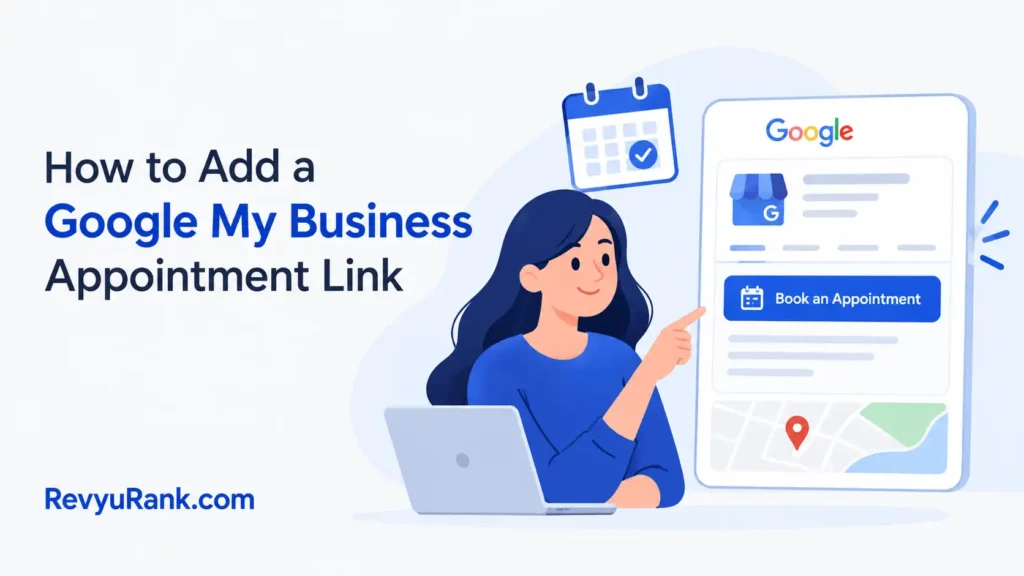
Setting up booking takes about 15-30 minutes, and it’s free. Difficulty is easy to medium — the hard part is that Google doesn’t let every business book directly. You can add an appointment link that opens on your Business Profile in Google Search and Maps. Before starting, you need a verified Business Profile and a booking page URL.
What you need to add a Google appointment
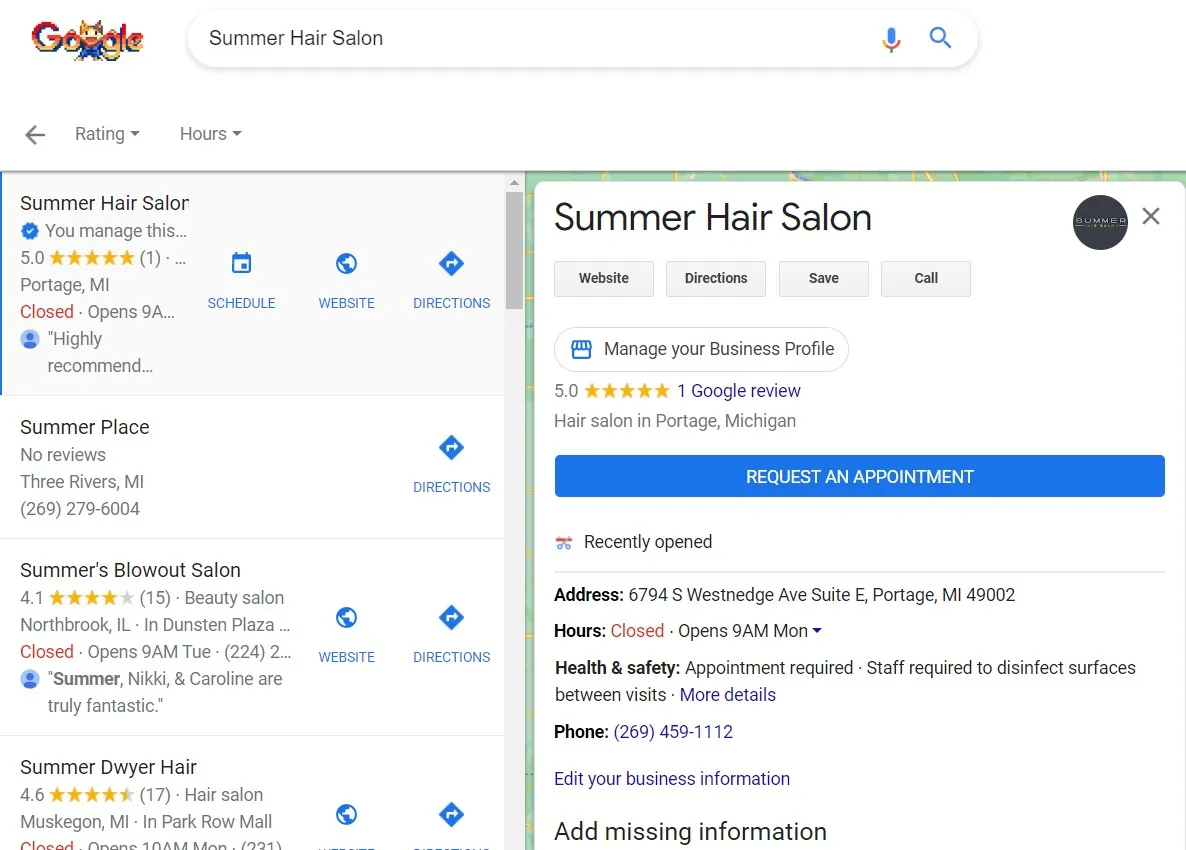
The appointment feature lives inside your verified Business Profile. You either add your own booking link or, in some business categories, Google connects a scheduling partner for you. Check which path applies by opening your profile and looking for the “Bookings” option.
| Item | How much | Why it’s needed | A substitute |
|---|---|---|---|
| Verified Business Profile | 1 profile | Appointments only show on verified listings | none — don’t swap this |
| Google account | 1 account | Owner or manager access to edit | A manager with edit rights |
| Booking page URL | 1 working link | Where customers land to book | A scheduling partner Google offers |
| A booking system | 1 tool | Manages the actual time slots | A simple contact form page |
| A phone or computer | 1 device | To edit the profile | The Google Maps app |
| Business category set | 1 category | Decides if partner booking shows | none — don’t swap this |
Check your profile before adding appointments
Sort these out first, or the booking option won’t appear where you expect it.
- Confirm your profile is verified — an unverified listing hides editing tools.
- Sign in with the owner or a manager account; a viewer role can’t edit.
- Have your booking URL open and tested in another tab first.
- Check your business category, since partner booking only shows for some types.
- The step people skip: testing the link on a phone. If it breaks on mobile, most customers never book.
If your booking system needs payment processing or handles health data, that setup belongs with your provider, not a profile field — follow their compliance steps.
Steps to add your appointment link
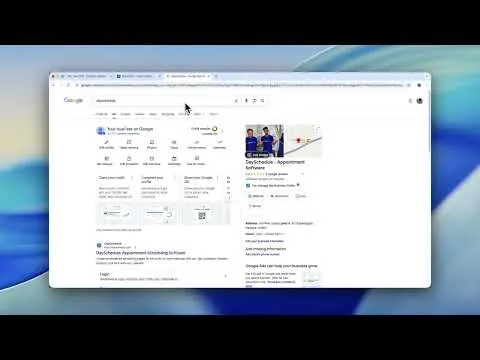
- Open Google Search or Maps, sign in, and search your own business name to bring up the Business Profile edit menu. You’ll see editing buttons if you have access.
- Click “Edit profile,” then find the “Bookings” or “Appointment links” section. If no booking partner shows, you’ll add a custom link instead.
- Select “Add link” under the booking area. A field opens asking for a URL. This confirms you’re in the right place.
- Paste your full booking page URL, starting with https://, into the field. Double-check for typos before saving.
- Click “Save.” Google shows the link as pending or live. Pending usually clears within a few days.
- If Google offers a scheduling partner for your category, pick “Connect” instead and sign in to that partner to link your calendar.
- Wait for the change to appear. Updates to a profile can take a few hours to show publicly — don’t re-add the link if it’s not instant.
- Open your profile in an incognito window as a customer would see it. Confirm the “Book” button appears near your business name.
- Click your own “Book” button and run through one test booking to the confirmation screen. This proves the link works end to end.
- Delete the test booking from your system so it doesn’t block a real customer’s slot.
Signs your booking link is live and working
A working setup shows a blue “Book” button on your Business Profile in both Search and Maps. Click it, and it opens your booking page in under five seconds. The test booking you made should land in your scheduling tool with the right date and time.
If the button is missing after 48 hours, the link didn’t save, or your category doesn’t support it.
Why your appointment link isn’t showing
Here are the common failures and fixes for each.
| What happened | Why | What to do |
|---|---|---|
| No booking option appears | Profile not verified | Finish verification first |
| Can’t edit the profile | Viewer-level access only | Ask owner for manager role |
| Link saved but no button | Change still processing | Wait up to 48 hours |
| Button leads to error | Wrong or broken URL | Re-paste and test the link |
| Partner booking missing | Category doesn’t support it | Add a custom link instead |
How often to update your booking link
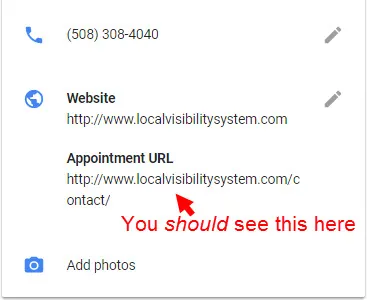
Check the link works about once a month, and always right after you change booking systems or website pages. Two things move this most: how often your booking provider changes its link structure, and seasonal changes to your hours or services. If you run promotions with special booking pages, update the link each time the promotion starts and ends.
Frequently asked questions
Can I add appointments without a website?
Yes, if you use a scheduling partner Google connects for your category. Without a partner or your own booking URL, there’s no link to add, so you’d need at least a simple booking page.
How long does the link take to appear?
Usually within a few hours, but allow up to 48 hours. If it’s still missing after two days, the link didn’t save, or your business category doesn’t support booking buttons.
Is it safe to add a third-party booking link?
Yes, as long as the link goes to a booking service you control or trust. Google shows the URL publicly, so never paste a link you haven’t tested and confirmed loads correctly.
What happens if I enter the wrong URL?
The “Book” button opens to an error or a wrong page, and customers can’t schedule. Edit your profile, delete the bad link, and paste the correct one, then test it yourself.
Why does Google show a partner instead of my link?
Some business categories automatically connect to Google’s scheduling partners. If a partner appears, Google prefers it over a custom link. You can still manage it, but the options differ from adding your own URL.
Does it cost money to add a booking link?
No, adding the link to your Business Profile is free. Your booking software may charge a fee, but Google doesn’t charge to display the “Book” button on your listing.
How many booking links can I add?
Usually one primary booking link per profile. If Google connects a scheduling partner, that becomes the booking source instead of a separate custom link.
Conclusion
Adding a booking link is quick, but it only sticks if your profile is verified and the URL actually works on a phone. Test it as a customer before you trust it, recheck it monthly, and fix it the moment you switch booking tools.

Robert Miller works as a Reputation Management Consultant. He has been helping U.S. businesses for over ten years. His work involves helping people protect and enhance their online image.Robert has worked with a wide range of companies. He has helped new businesses, local places that give a service, and big companies. He helps turn customer reviews into something that helps people trust their company and drives business growth.