A reliable way to get photo reviews is to ask every real customer at the right time, make uploading easy, and show exactly what kind of photo helps. Start with a short email or text request after delivery, then send one reminder.
Your results will change with product type, customer trust, and the review tool you use. The offer you give, the photo instructions, and local review rules also matter, so copy the process to your store and audience.
Photo reviews for your business

Store owners usually search this topic for three reasons. A new store needs its first customer photos, an established brand wants more useful images, or a product team needs feedback before changing a listing. Each reader needs a slightly different plan.
New sellers need a simple request and a safe way to collect permission. Established stores need better timing, clear photo prompts, and a process that works across email, SMS, and packaging. Product teams need honest images that reveal fit, scale, color, or use in real homes.
This page serves online sellers who already have paying customers and can contact them after delivery. It assumes you can see the order date, send one follow-up message, and link customers to a review form. If you don’t have customers yet, focus on sampling and sales first; a review request can’t replace real product use.
What changes your response rate
The request timing matters most. Ask after the customer has had enough time to use the product, not immediately after payment. For a simple item, check your delivery date and choose a point when the product should be in use; for an item needing setup, wait until support questions have stopped.
The photo request must be clear. “Please add a photo” creates uncertainty. Ask for one useful scene, such as the product in a room, worn at normal distance, or shown beside a familiar object. Customers should know what to photograph without writing back.
The review form changes the effort. A form that opens on a phone and accepts the camera roll removes friction. Test the link yourself on both a phone and desktop; confirm that the image upload, star rating, and submit button work.
The reward changes trust. A discount may increase participation, but it can also make the review feel less independent. If you offer anything, give the same offer for positive and negative feedback, and state the terms plainly.
The product itself sets the ceiling. Clothing, furniture, cosmetics, food presentation, and home decor naturally produce visual evidence. A digital subscription or repair service may need a screenshot or a written review instead. The wrong prompt is the mistake sellers make most often.
The response rate varies by product, customer relationship, channel, and timing; find your exact figure from the number of delivered requests and submitted photos in the same campaign.
How to ask for photo reviews
Use one customer, one request, and one clear action at each step. These steps assume the order was delivered, the customer hasn’t asked for a refund, and your review system accepts image uploads.
-
Check the order status before sending. Confirm delivery, payment, and open support tickets in your store system. The order should show as delivered, with no unresolved complaint.
-
Choose one request channel. Use email, SMS, or a printed package card for that order. Don’t send the same request through all three channels at once, because duplicate messages can feel like pressure.
-
Write a direct subject line. Use wording such as “How does your new lamp look at home?” Keep the message tied to the purchased product, not a general request for praise.
-
Ask for one photo and one sentence. Say, “Add a photo of the product in use and tell us what you noticed.” The customer should see one review button, not several competing links.
-
Give a useful photo prompt. Ask for a well-lit image that shows the product at normal use distance. Don’t request private details, children’s faces, addresses, medical information, or anything unrelated to the purchase.
-
Send the request after delivery. For a simple product, start with a delivery-based time chosen from your own support data. For a product needing assembly or setup, wait until the setup window has passed.
-
Send one reminder. Use the same review link and change only the opening line. Stop after that reminder if the customer hasn’t responded.
-
Ask permission before reusing the image. Add a separate, plain consent choice for website, email, or advertising use. A review submission shouldn’t automatically become permission for every marketing channel.
-
Check the submission before publishing. Remove private information and confirm the photo belongs to the customer. If the image is unclear or unrelated, contact the customer rather than silently changing the review.
The key judgment is whether the image helps another shopper decide. A polished picture that hides size, use, or important limits may look finished but gives less value than a simple, honest customer photo.
Photo review situations compared
The best request changes with the customer’s product, channel, and reason for buying.
| Customer situation | What to do | What it takes | What to watch for |
|---|---|---|---|
| Simple delivered product | Ask after delivery | Short email effort | Too-early requests |
| Product needs assembly | Wait until setup | Extra timing check | Unfinished installation |
| Clothing purchase | Request worn photo | Clear privacy wording | Faces and backgrounds |
| Home decor purchase | Request room photo | Visual prompt writing | Personal addresses |
| Repeat customer | Mention past order | Personal message effort | Over-requesting |
| Unhappy customer | Request private feedback | Support team time | Public pressure |
| No image submission | Offer text-only option | Small form change | Excluding useful reviews |
Details that improve photo reviews
Prepare the request
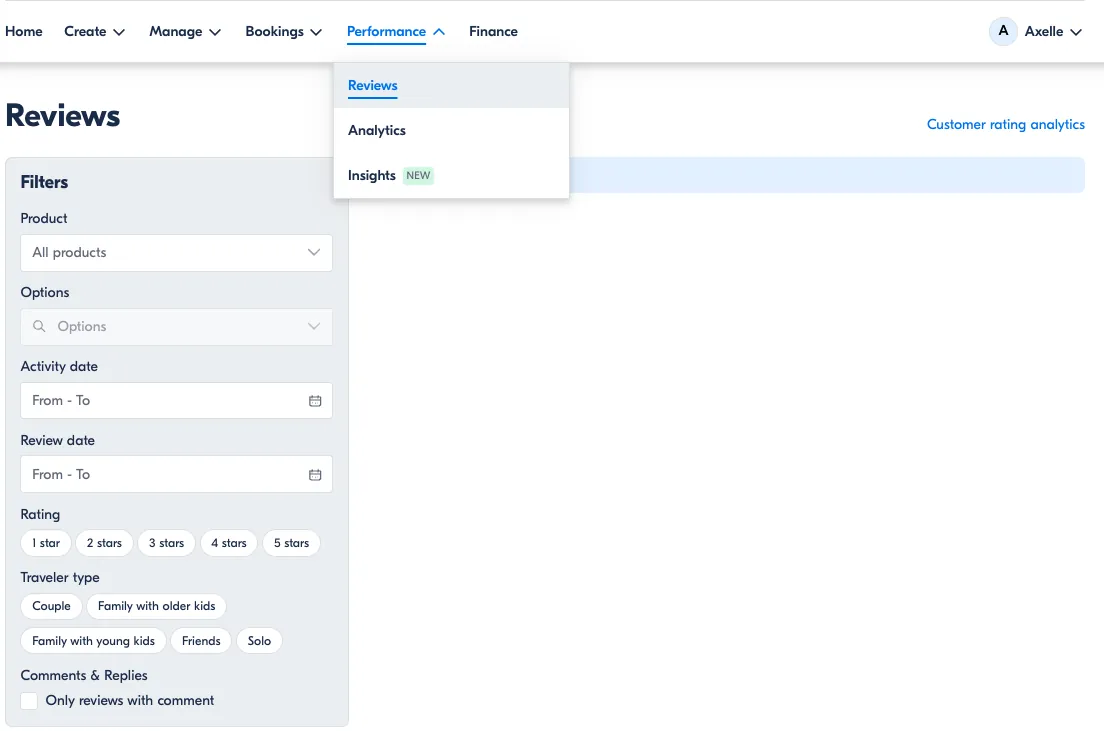
Experienced sellers prepare the message before the campaign starts. They write the exact product name, delivery condition, photo prompt, privacy note, and review link, then test the message with a real phone. The button should open the correct product review page, not a homepage or account login loop.
They also separate review collection from image marketing. A customer can agree to post a review without agreeing to let the brand use the photo in ads. Keep those choices separate, and save the permission record with the order.
Check quality without controlling opinion
The best check is relevance, not beauty. Before publishing, look for a visible product, enough light to identify it, and no personal information that the customer didn’t intend to share. Leave the customer’s rating and wording alone unless the platform permits a clear correction of formatting or private data.
A common error is asking for a “perfect” photo. That costs trust and can produce staged images that don’t answer practical questions. Ask for a real-use view instead, and accept ordinary images when they meet your safety and privacy checks.
Photo review problems and fixes
A visible problem doesn’t always reveal the cause, so begin with a simple check and avoid changing several parts at once.
| What you notice | What it usually means | What to do first | How to stop it happening again |
|---|---|---|---|
| Few clicks | Request feels unclear | Rewrite one action | Use one direct prompt |
| Clicks but no uploads | Form adds friction | Test phone upload | Remove extra fields |
| Blurry customer photos | Prompt lacks guidance | Add lighting advice | Show one example |
| Same customers respond | Audience is too narrow | Review all delivered orders | Rotate request timing |
| Negative public comments | Support was skipped | Reply and offer help | Add private support link |
| Photos show private details | Prompt lacks boundaries | Hide or request removal | List privacy cautions |
| No response after reminder | Timing or channel mismatch | Stop contacting that order | Compare channels separately |
Rules for customer photo reviews
The U.S. Federal Trade Commission says businesses must not condition incentives on a particular review sentiment, such as positive wording or a high rating. Read the FTC consumer reviews guidance before offering discounts, points, refunds, or gifts for submissions.
Rules can differ by country, platform, and incentive type. Check the review platform’s current business terms and your country’s consumer-protection regulator before launching a campaign, especially when you sell across borders.
Don’t hide genuine negative reviews just because they lower your average rating. You may remove content that violates a published rule, such as spam, personal data, or abusive material, but keep a written moderation standard and apply it to all customers.
If your campaign involves paid creators, staff members, or formal advertising claims, stop and ask a lawyer or qualified compliance professional to review it. Don’t guess at disclosure wording when money, free products, or public claims are involved.
The real cost of photo reviews
The money cost depends on your review software, email or SMS provider, image storage, and any reward. Check the current price pages for the tools you use, because plans and message charges change. Don’t build your budget around an old screenshot or a competitor’s estimate.
The time cost is easier to see. Count delivered orders, sent requests, reminders, submitted photos, moderation decisions, and support replies for one campaign. A request that produces more images but creates many privacy checks may cost more staff time than a smaller campaign with cleaner submissions.
A reward creates a trade-off: it may increase participation, but it adds expense and can weaken customer trust if the wording suggests a positive review is expected. An unconditioned thank-you can be safer than “get a discount for five stars,” but you still need to follow the platform and local rules.
Compare campaigns using the same product, channel, and request timing. Otherwise, a seasonal sales spike or a better-selling item can make the wrong message look successful.
Keep photo reviews useful
Save the original submission, consent choice, order reference, and moderation decision together. Limit access to customer images, especially when photos include homes, faces, children, vehicle plates, or documents.
Review the live page when a customer reports a broken image, wrong product, or private detail. A photo needs attention when it no longer matches the product listing, becomes unavailable, or shows information the customer asks you to remove.
If a customer wants an image removed, follow your platform’s process and your privacy obligations rather than starting a new campaign. Don’t edit the photo to hide a complaint while leaving the rating and wording unchanged; ask for a corrected upload or remove it under your published policy.
When photo reviews aren’t the answer
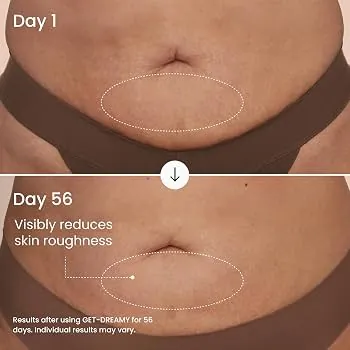
Photo requests are the wrong choice when customers can’t safely show the product, such as private medical, financial, or personal documents. Use an anonymous written survey or private support form instead.
They also fit poorly when the product is digital or invisible after delivery. Ask for a screenshot only when it won’t expose account details, payment data, or another person’s information; otherwise, request a written explanation.
Don’t use this process for a serious complaint that needs investigation. Move the customer to trained support, and stop DIY handling when the case involves injury, a legal threat, fraud, or sensitive personal data.
Frequently asked questions
Can I offer a discount for a photo review?
Yes, but don’t tie the discount to a positive rating or favorable wording. Tell customers they may share an honest review, and check the platform’s incentive rules before sending the offer. Keep the reward terms and any required disclosure visible near the request.
Why aren’t customers uploading photos?
Usually, the request asks for too much or the upload path is difficult. Test the form on a phone, remove unnecessary fields, and ask for one specific real-use image. Also check whether you’re asking before the customer has received or used the product.
How long should I wait before asking for a photo review?
Wait until delivery and normal use are possible. For a simple item, use your delivery data to choose the first request point; for an item needing setup, wait until setup support has ended. The right delay changes with the product, not just the order date.
Is it safe to publish customer photos?
It can be, when the customer gives clear permission, and the image contains no private information. Check for faces, addresses, documents, vehicle plates, and children before publishing. Use a separate marketing-use consent if you want the photo outside the review page.
What happens if a customer sends a blurry photo?
Ask for a replacement only if the image is needed to understand the review. Explain what would help, such as better light or a wider view, and don’t pressure the customer to improve a negative opinion. Keep the written review available when appropriate.
Does it matter if the photo isn’t professional?
No. A clear, relevant customer photo can answer practical questions better than a studio image. Check that shoppers can identify the product and its setting. Don’t reject an ordinary image only because it lacks polished lighting or perfect composition.
How many reminders should I send?
Send one reminder after the first request, then stop for that order. More messages can annoy customers and make your brand feel persistent. If response stays low, change the timing or form and test that change with a new group of delivered orders.
Start your photo review process
First, test one short request with delivered customers and a phone-friendly upload link. You should see relevant images, clear review text, and separate permission choices. Stop and get help if a submission includes sensitive data, an injury claim, a fraud concern, or a legal complaint.

Robert Miller works as a Reputation Management Consultant. He has been helping U.S. businesses for over ten years. His work involves helping people protect and enhance their online image.Robert has worked with a wide range of companies. He has helped new businesses, local places that give a service, and big companies. He helps turn customer reviews into something that helps people trust their company and drives business growth.