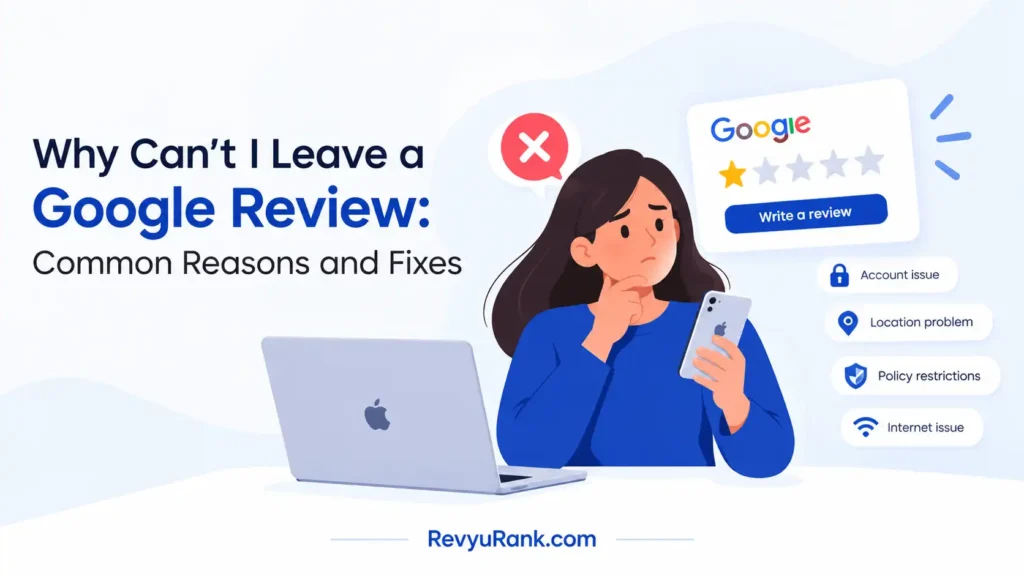
The reason you can’t leave a Google review is usually that your account doesn’t meet the platform’s activity rules, the business listing blocks new feedback, or your connection triggers an automated spam filter. If your profile has no history, if the place closed permanently, or if you’re posting from a shared office network, the button simply won’t work.
Three things change what happens next: whether your account is new or old, whether the business still exists on Maps, and whether you’re on Wi-Fi or cellular data. Each one points to a different fix.
Who can’t post a Google review

People who search for this problem fall into three groups, and each needs something different. The first group has a brand-new Gmail address with almost no history. They just created it to write feedback, and the system treats them as a potential spammer. What they need is time spent using other services like Search or YouTube before trying again. This page serves them best, because their issue is purely about account trust signals.
The second group runs a small shop or restaurant. They try to review their own business, or ask staff to do it from the store’s Wi-Fi. Their reviews vanish within hours or never appear at all. They actually need to read Google’s policies on fake engagement instead of following troubleshooting steps meant for regular customers. Trying to force a review through when you have a conflict of interest only gets the whole listing suspended.
The third group uses older phones or outdated apps. They see error messages that have nothing to do with their behavior, just broken software. They need app updates, not policy advice.
This guide assumes you’re a normal customer trying to share an honest experience. You don’t own the place, your phone works fine, and you just want your words to show up. If you’re the business owner trying to boost your own rating, stop here and look up the conflict-of-interest rules instead. The rest of these steps won’t help you, and pushing harder will hurt your listing.
What controls your ability to post
Five specific conditions decide whether your feedback goes live or gets blocked by the automated filters. They aren’t random, and knowing which one applies saves you from trying fixes that don’t match your actual problem.
Your account’s age and activity level matter most. A profile created yesterday with zero searches, emails, or map views looks exactly like a bot to the filtering system. Accounts need weeks of normal use across different services to build enough trust. Check your creation date in your account settings; if it’s under 30 days old, that’s almost certainly your roadblock.
The status of the business listing itself is the second factor. Places marked “Permanently Closed” or currently “Under Review” by the platform often disable new feedback entirely. You can check this by looking at the top of the business profile on Maps. If you see either label, no amount of troubleshooting on your end will make the option appear.
Your network location triggers heavy filtering. Shared IP addresses from large offices, universities, or public coffee shops get flagged because spammers use them too. Switching from Wi-Fi to your phone’s cellular data changes your IP address instantly. That single switch bypasses most network-level blocks.
Physical proximity plays a role now. The system increasingly checks if your device’s location history shows you actually visited the place. Reviews written from hundreds of miles away without any GPS history near the business face much stricter scrutiny. Turn on location history temporarily if you’re currently at the spot.
Finally, the content inside your text matters. Pasting the same paragraph for multiple businesses, including phone numbers, or adding web links will trigger an immediate rejection. Write unique sentences every time. The condition people misunderstand most is the network block. They assume their internet is broken, but it’s just shared by too many people.
Steps to fix a blocked review
These actions walk you through finding the exact cause and clearing it so your text finally posts. Do them in order, checking after each one to see if the problem is solved.
- Open your account settings and find the creation date. If the account is less than 30 days old, use Search, Maps, and YouTube normally for two weeks before trying again. The sign this worked is simply being able to see the star-rating screen without an error message.
- Search for the exact business name on Maps. Look directly under the title for labels saying “Permanently Closed” or “Temporarily Closed.” If you see either one, you can’t post there anymore. Your only option is to find the new location if they moved.
- Turn off your phone’s Wi-Fi completely. Connect only through your mobile carrier’s cellular data. Try opening the business profile again. If the stars appear now, your home or office network was the thing blocking you.
- Clear the cached data for the Maps app in your phone’s settings menu. On Android, go to Apps, then Maps, then Storage, and tap Clear Cache. On an iPhone, offloading the app does the same thing. Reopen it and check if the error is gone.
- Update the app through your official app store. An outdated version might not support the current submission forms. After updating, restart your phone completely before opening the app again.
- Type your feedback manually without copying anything from another document. Don’t include any URLs, email addresses, or phone numbers in the text. Hit submit.
- Wait 15 minutes without refreshing the page constantly. Go back to the business profile and look under the “Reviews” tab. Your name should appear there if the system accepted it.
The single judgment call separating success from failure is deciding when to stop trying yourself. If you’ve done all seven steps on cellular data with an aged account and it still fails, the block is tied to your specific device ID or deeper account flags. At that point, submitting repeated attempts only makes the spam filter hold you longer. You’ll need to use the official Help menu inside the app to request a manual review of your account standing.
Situations that change the fix
Different starting points require completely different actions, so pick the row below that matches what you see on your screen.
| Your situation | Action to take | Effort needed | Watch out for |
|---|---|---|---|
| Brand new email account | Use other services daily | Two to four weeks | |
| Business permanently closed | Find their new listing | Ten minutes | Reviewing the old address won’t work |
| Using office or school Wi-Fi | Switch to cellular data | One minute | Public networks share blocked addresses |
| App crashes on submit | Clear cache and update | Five minutes | Old versions may contain bugs that cause crashes |
| Text contains web links | Remove all URLs completely | Two minutes | Links trigger instant automated rejection |
| Writing from another country | Prove visit via photos | Varies greatly | Distance without proof causes silent filtering |
If your situation isn’t listed here, the block might be tied to a previous policy violation you forgot about. Check your email inbox for any messages from the platform warning you about past behavior. Those messages explain exactly which rule was broken and how long the restriction lasts. Without reading those, you’re guessing at the cause.
Details that separate working submissions from blocked ones
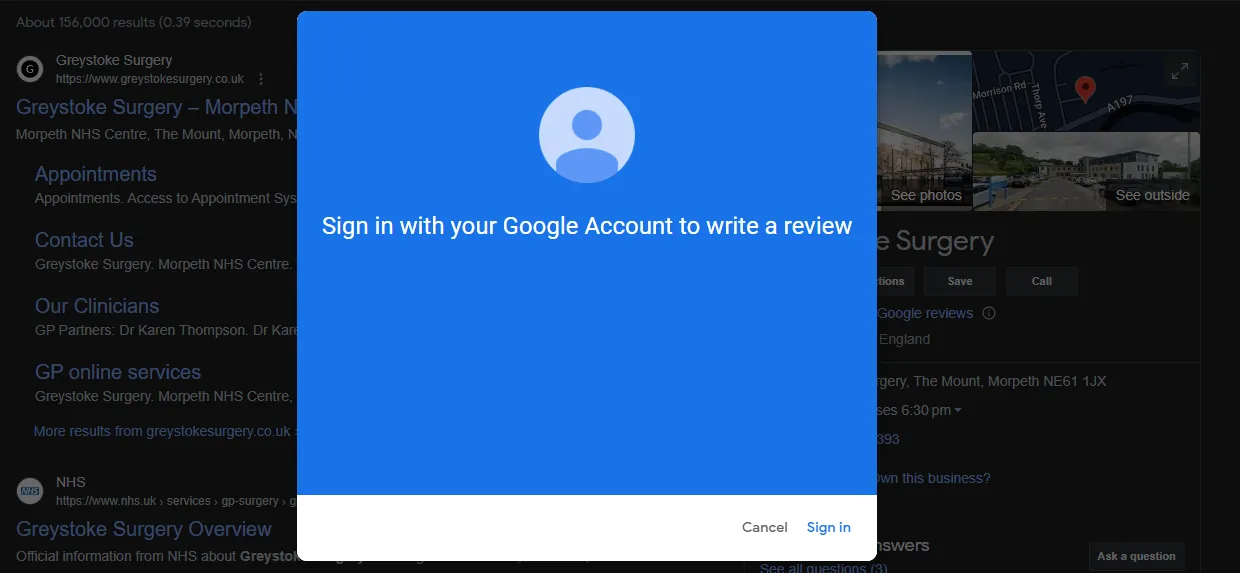
Getting your text published isn’t just about clicking the right buttons. The system evaluates how you behave before, during, and after you type your words. Small habits determine whether your contribution stays visible or quietly disappears overnight.
Preparing your account beforehand
Accounts that interact naturally with Maps succeed where single-purpose profiles fail. Browse other locations, save places to your lists, or upload a photo of a park before you ever try to rate a restaurant. These background actions prove you’re a real person navigating the world, not a script built to inflate ratings.
Don’t log into five different accounts on the same phone to leave feedback for the same place. The system links devices together, and seeing multiple profiles from one phone reviewing one business triggers an immediate purge. Stick to the single account you use for daily tasks.
Check your location permissions too. If Maps doesn’t have permission to see where you are, the platform can’t verify you actually visited the business. Grant location access while using the app, especially if you’re physically standing inside the store right now.
What to avoid while typing
Never paste identical text across multiple businesses. Even changing one word isn’t enough to fool the duplicate-detection filters. Every submission must be unique to that specific experience, written fresh in the text box.
Avoid mentioning competitors by name in a negative way. Comparing the pizza place unfavorably to the shop across the street violates policies against promotional spam. Focus strictly on what happened during your own visit, keeping the details factual and specific to that transaction.
When reviews fail to post
Match the symptom you’re experiencing to the correct cause so you don’t waste time fixing the wrong thing.
| What you notice | What it usually means | What to do first | How to stop it happening again |
|---|---|---|---|
| Stars won’t load at all | Network or app glitch | Switch to cellular data | Keep the app updated monthly |
| Submit button does nothing | Outdated software version | Update via app store | Turn on automatic updates |
| Post vanishes after hours | Content triggered filters | Remove links and phone numbers | Write plain text without formatting |
| Error says “try later” | Account lacks trust signals | Use Maps normally for weeks | Don’t create accounts just for feedback |
| Profile asks for verification | Suspicious login location | Verify via text message code | Avoid logging in from foreign countries |
| Listing shows no review tab | Business disabled or closed | Check for closure labels | Nothing; the owner controls this setting |
If you see an error message not listed here, take a screenshot immediately. Open the Help section inside the app and attach that picture to your report. Generic descriptions get generic answers, but a screenshot gives the support team the exact error code they need to investigate your specific account.
Platform rules governing feedback
The restrictions you’re running into aren’t bugs; they’re enforced policies designed to keep the map accurate. The platform prohibits anyone with a financial connection to a business from rating it. This means owners, employees, and family members living at the same address shouldn’t post feedback.
Content policies also ban profanity, personal attacks, and irrelevant rants about things outside the business’s control, like traffic or weather. Including someone’s full name or private contact information in your text violates privacy standards and results in immediate removal.
There’s no official published limit on how many places you can rate per day, but sudden bursts of activity trigger automated holds. Spreading your contributions out over several days keeps your account safely below whatever internal threshold the spam filters use.
Rules regarding conflicts of interest are detailed clearly in Google’s prohibited content policies. Read that page if you’re unsure whether your relationship to a business disqualifies you.
If your account receives multiple violations, the platform restricts your ability to contribute entirely. Reversing a total suspension requires going through the formal appeals process, which takes weeks. There’s no shortcut around this, and creating a new account to bypass a ban violates the terms of service, leading to both accounts being deleted. Stop trying to post if you receive a warning email, and address the violation first.
What troubleshooting costs you
Fixing this issue costs time rather than money, because all the tools you need are already built into your phone. The biggest expense is the waiting period required to build account trust. If your profile is new, you’ll spend two to four weeks using Maps normally before you can successfully submit feedback. That’s time you can’t rush.
Data usage is minimal. Switching to cellular data to bypass a Wi-Fi block consumes only a few megabytes to load the profile and send your text. It won’t noticeably impact your monthly plan unless you’re on a severely restricted prepaid tier.
Storage space matters slightly if your phone is nearly full. Clearing the app cache frees up room, but downloading an update might require 100 to 200 megabytes depending on your device. Check your available storage in your phone’s settings before attempting an update if you know your memory is low.
The hidden cost is frustration from repeating failed attempts. Every time you submit text that gets blocked, the system logs the failure. Too many failures in a short window extend the delay before you can try again. Doing the diagnostic steps in order prevents wasted effort. If you skip straight to typing without checking your network or account age, you’ll likely burn several days hitting the same invisible wall repeatedly.
Keeping your review visible
Posting successfully is only half the job; keeping it live requires avoiding behaviors that trigger retroactive deletion. The system scans existing content periodically, not just at the moment of submission.
Don’t go back and drastically change your rating from one star to five stars a week later without rewriting the text to match. Sudden, unexplained shifts look like the business paid you to alter your story. If your opinion genuinely changed, write a new explanation detailing why.
Keep your account active after posting. Profiles that submit one piece of feedback and then sit dormant for months are sometimes swept up in automated purges targeting abandoned bot accounts. Logging into your email or using Search occasionally maintains your digital footprint.
If a business owner replies aggressively or reports your text falsely, don’t engage in an argument in the reply section. Escalating conflicts draw moderator attention, and moderators often remove the entire thread to resolve the dispute quickly. Take screenshots of your receipt or visit as proof, and keep them stored on your phone in case you need to appeal a removal through the Help menu.
When you shouldn’t try to post

Sometimes the inability to leave feedback is the system working exactly as intended, and forcing it creates worse problems.
If you were involved in a legal dispute or police incident at the location, don’t use the map to air grievances. The platform removes text discussing ongoing litigation or criminal allegations. More importantly, publishing defamatory claims publicly exposes you to civil lawsuits from the business owner. Consult a lawyer instead of typing complaints into a map app.
If you’ve never actually been to the business, don’t rate it based on news articles or rumors. The location-tracking features exist specifically to stop this. Submitting feedback from thousands of miles away without historical GPS data proving a visit leads to silent filtering. Your words simply vanish without notification.
If you’re doing this as part of an organized campaign to lower a competitor’s score, stop immediately. Coordinated inauthentic behavior is tracked by IP clusters and timing patterns. The platform suspends entire networks of accounts caught doing this, meaning you’ll lose access to your email, photos, and documents tied to that profile. Hire a reputation management agency if you have legitimate business concerns, rather than weaponizing public maps.
Frequently asked questions
Why did my review disappear after I posted it?
It disappeared because the automated filter caught a policy violation after initial publication. This usually happens when text contains phone numbers, web links, or profanity that slipped past the first check. Rewrite your submission using only plain words describing your experience, removing any contact details or external references, and try again tomorrow.
Can I leave a review if I didn’t buy anything?
Yes, you can rate a place you visited without making a purchase, provided you actually went there. The system cares about physical presence verified by location data, not transaction receipts. However, if you never entered the building, your submission will likely be filtered out due to distance discrepancies.
How long does a new account need to wait?
A new account typically needs 14 to 30 days of normal activity before the system trusts it enough to publish feedback. This assumes you’re actively using Search, Maps, or YouTube during that waiting period. Creating an account and doing nothing else for a month won’t build the necessary trust signals.
Is it safe to turn off Wi-Fi to post?
Yes, switching to cellular data is perfectly safe and is the standard fix for network-level blocks. Your mobile carrier assigns a unique IP address that isn’t shared with hundreds of other people in a coffee shop. Just ensure you have a basic data plan active so the app can communicate with the servers.
What happens if the business is permanently closed?
If a business is marked permanently closed, the option to submit new feedback is usually disabled entirely. You won’t see the star rating interface at all. Your only alternative is finding their new location if they relocated, or leaving your experience documented on a third-party complaint board instead.
Does editing my text reset the filter?
Editing your text frequently within a short timeframe can trigger the spam filter again. If you spot a typo, fix it once and leave it alone. Making five edits in an hour looks like suspicious behavior to the automated systems monitoring account activity.
Can the business owner delete my bad review?
No, business owners can’t directly delete your feedback, regardless of what it says. They can only flag it to the platform for violating content policies. If your text is honest, contains no profanity, and describes a real visit, it will stay up even if the owner reports it multiple times.
Why does the app crash when I hit submit?
App crashes during submission usually mean your software version is outdated or your phone’s storage is full. Check your device settings for available space, ensuring you have at least 500 megabytes free. Then visit your app store to download the latest version of Maps before trying again.
Getting your review posted
Switch your phone off Wi-Fi and onto cellular data, then open the business profile again. If the stars appear, write your experience in plain text without links or phone numbers. If they still won’t load after clearing your cache and updating the app, use the Help menu inside the app to contact support.

Robert Miller works as a Reputation Management Consultant. He has been helping U.S. businesses for over ten years. His work involves helping people protect and enhance their online image.Robert has worked with a wide range of companies. He has helped new businesses, local places that give a service, and big companies. He helps turn customer reviews into something that helps people trust their company and drives business growth.