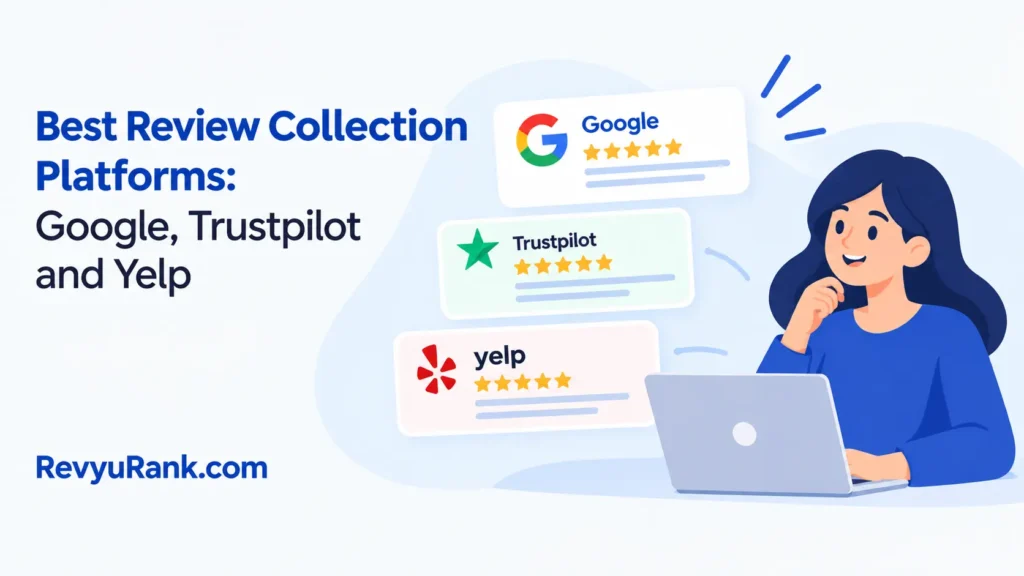
For most businesses, the best review collection platform is Google Business Profile because customers already use Google to find local companies. Trustpilot is the better choice when you sell online across several markets and need a separate review profile. Yelp is different: it can help customers discover a local business, but it doesn’t want businesses to directly ask for reviews.
The right choice depends on where your customers already search. Google usually gives the widest local reach, while Trustpilot offers stronger tools for organized review requests. The trade-off is simple: broad visibility is easier on Google, but dedicated review software may offer more control. Don’t pay for advanced tools until you know your customers will use them.
Review platforms compared

These platforms all collect customer feedback, but they serve different jobs. Compare the channel, effort, cost, and control before choosing one.
| Method | How long | Effort | Cost | Best for |
|---|---|---|---|---|
| Google Business Profile | Usually quick for the customer; the business setup time varies | Low | low | Local businesses that want reviews besides Search and Maps results |
| Trustpilot | Quick for customers after an invitation; setup takes more planning | Medium | medium | Online businesses that need a public review profile and review-request tools |
| Yelp | Quick for customers who already use Yelp; building visibility can take time | Medium | low | Local services with customers who actively search on Yelp |
| First-party website reviews | Quick when built into checkout or email; technical setup varies | High | high | Brands that want reviews inside their own website and customer journey |
Google Business Profile is usually the simplest starting point. A customer can find the business, open its profile, and leave feedback without joining a separate review website. The business also gets a public place to reply.
Trustpilot suits companies that want a dedicated review page. Its tools and plan features can change, so check the current Trustpilot business pricing and policy pages before you commit. This option can require more setup, but it may give an online brand a clearer review process.
Yelp works best when customers already use Yelp for local recommendations. It isn’t a good fit for a business whose main plan is to email every customer and ask for a Yelp review. Yelp’s policies restrict direct review solicitation, so read its current business guidance before promoting the profile.
First-party reviews give you the most control over design and placement. They can appear beside product details, booking information, or checkout content. The cost is technical effort, and visitors may trust them less if they can’t see an independent platform as well.
A common mistake is choosing a platform because it has the most features, then sending customers to a place they never visit. That costs time, creates a weak response rate, and can leave you paying for tools that don’t improve your review flow.
Google Business Profile reviews
Google Business Profile is the strongest first method for most local businesses. It places customer feedback close to the business name, location, phone number, and opening information. It also lets the business reply from the profile rather than moving the conversation to another system.
- Claim and verify the profile. Sign in to the Google account that manages the business. Use the verification route Google gives you, because the available method can differ by business and location.
- Check the public details. Confirm the business name, address, phone number, website, category, and hours. A customer should recognize the profile before being asked to review it.
- Create the review link. In the Business Profile controls, look for the option to ask for reviews or share the review form. Copy the link Google provides instead of building a guessed URL.
- Send one clear request. Place the link in a normal customer message after the service, delivery, or appointment. Say that honest feedback is welcome, and don’t tell the customer what rating to choose.
- Reply to new reviews. Thank the customer for positive feedback. For a complaint, acknowledge the issue and invite private contact without posting private customer details.
Ask customers consistently rather than contacting only people you expect to be happy. Selective requests can make the profile less representative and may create a pattern that looks manipulative. Don’t ask customers to revise or remove a negative review in return for solving the underlying problem.
Google’s own review policy explains that content must reflect a genuine experience and must not be manipulated. That means you shouldn’t offer money, gifts, discounts, or special treatment in exchange for a review.
A review request works best when it follows the completed interaction, while the details are still easy for the customer to recall. Keep the request separate from a survey that requires a positive answer. If a customer mentions a problem, resolve it without making a review conditional.
This method is good for local discovery and simple customer access. It’s also useful when your staff needs one place to monitor public feedback and answer questions.
Its weakness is limited control over the review environment. Google owns the profile; its systems can filter content, and businesses must follow Google’s rules rather than their own preferred process. A missing review isn’t automatically proof that Google removed it improperly.
If a review violates Google’s rules, such as by containing spam or personal information, report it through the profile tools. Don’t report a review merely because it’s unfavorable; respond to it unless it breaks a policy.
This method isn’t for a business that has no verified location or service relationship with the reviewer. If the profile is suspended, ownership is disputed, or a review raises a legal or privacy issue, stop changing settings and contact Google Business Profile support or a qualified local adviser.
Trustpilot review invitations
Trustpilot works as a separate review destination for online companies. Customers receive an invitation, open a Trustpilot page, and share feedback about the company or a buying experience. The platform can then display the review profile and related ratings.
- Create the business profile. Register the correct company details and check how the public profile will appear. Use the legal or trading name customers will recognize.
- Choose the invitation route. Trustpilot offers different ways to invite customers, such as links, email tools, or integrations. The exact options depend on the account and can change, so use the current Trustpilot dashboard.
- Connect the customer event. Pick a real trigger, such as a completed order, delivered service, or resolved support case. Don’t invite people who have no genuine experience with the business.
- Write a neutral message. Ask for honest feedback rather than a positive rating. Include the review link and explain what the customer is being asked to review.
- Monitor and respond. Read new reviews, answer useful questions, and move private order details away from the public thread. Keep records of invitations if the platform asks you to verify a review.
Trustpilot is good for online brands with customers in different cities or countries. A dedicated profile can also make it easier to separate company feedback from product comments or social media posts.
The platform offers more structure than a simple Google review link. That structure can help a support team manage invitations, responses, and reporting in one place.
The weakness is extra administration. You need to understand the plan, invitation rules, profile settings, and any integration before making it part of your customer process. Paid features may also be unnecessary for a small business with only occasional reviews.
Trustpilot isn’t for a company that wants to collect only praise from selected customers. A filtered campaign can weaken trust and may conflict with platform rules. If the invitation system connects to orders, your commerce or support software may need a trained administrator to set it up safely.
If you’re unsure which Trustpilot feature applies to your account, check the current plan and business-help pages before promising a feature to customers. The available tools can vary by account, country, and product.
Yelp business reviews
Yelp is mainly a local discovery platform. Customers use business pages to read feedback, compare nearby services, and decide whether to contact a company. It can be useful, but its review culture isn’t the same as a private email campaign.
- Claim the business page. Find the correct Yelp page and use Yelp’s business process to claim it. Don’t create a second page if the existing listing represents the same business.
- Correct the public information. Review the phone number, address, website, category, photos, and hours. Accurate information gives customers a reason to trust the page before they read the reviews.
- Use approved visibility tools. Add a Yelp badge or profile link to places where Yelp allows it, such as a website or business information page. Follow Yelp’s current business guidance.
- Serve the customer normally. Ask for feedback through your usual support process, but don’t pressure a customer to post on Yelp. Let the customer decide whether and where to share feedback.
- Respond carefully. Keep replies short, polite, and public. Never reveal an order number, medical detail, private complaint, or other information that identifies the customer.
Yelp can help a local business that already has customers searching there. Its public page also gives a business a place to correct basic information and show how it handles criticism.
The lower direct-control approach can be useful because the page feels less like a company-owned feedback form. Customers decide whether to write, which can make the reviews more independent.
The weakness is that you can’t treat Yelp like a normal review-request channel. Direct solicitation can create policy problems, and an unhappy customer may still post without contacting the business first.
Yelp isn’t for a company whose main goal is to send a review link after every transaction. In that case, Google or Trustpilot may fit the planned workflow better. A business with a serious dispute, suspected fraud, or possible defamation should preserve records and ask Yelp support or a qualified lawyer what action is appropriate rather than threatening the reviewer.
A fourth option, first-party website reviews, may suit a large online store with technical support. It rarely deserves priority over Google or Trustpilot when the business has limited traffic or no developer available.
Choosing a review platform
The best platform changes with the situation, not with the number of features on a sales page. Start with the customer journey: where the customer finds you, when the customer has enough experience to comment, and who will answer the feedback.
When you’re in a hurry
Choose Google Business Profile when you need a practical starting point today. The business can use its existing profile and share Google’s review route without building a full review system.
This is the fastest path for a local shop, contractor, clinic, restaurant, or service provider with a verified profile. Make sure the profile details are correct first, because a review request that leads to an unclear or duplicate listing creates confusion.
Set requests after a completed purchase, appointment, or delivery, while details are still fresh. Send customers to one clear destination rather than several platforms; the request is easier to trust and measure.
When you’re doing this for the first time
Choose Google Business Profile for a local business, or Trustpilot for an online business with no useful local search presence. Google keeps the process familiar for local customers, while Trustpilot gives an online company a more focused review destination.
Don’t choose Yelp simply because it’s well known. Yelp isn’t the right first option when your plan depends on direct invitations. Its rules and customer behavior make it better as a discovery profile than as a campaign tool.
Before choosing, check whether the platform permits your invitation method and lets you respond from the same account. If staff handle replies, assign that job explicitly; unanswered reviews can weaken confidence.
When you want the best possible result
Choose Trustpilot for a broad online operation that can manage invitations, responses, and account rules. Choose Google Business Profile for a local company where Search and Maps visibility matter most.
The trade-off is control versus reach. A dedicated platform may offer a more organized process, but Google can put feedback closer to the moment a local customer is choosing a business.
If your business has a tiny customer base, don’t buy a complex plan just to look established. Use the platform your customers already recognize, then improve the request wording and response process before adding software.
The useful limit is that review results vary with customer trust, timing, industry, country, and platform rules; you can read your own likely result from the customers who already contact you and the current policy and plan pages for the platform you choose.
Rules for collecting online reviews
Every platform choice works better when the request is honest, timely, and easy to understand. The same basic controls apply whether you use Google, Trustpilot, Yelp, or your own website.
First, follow the platform’s current rules and the consumer-protection guidance that applies where you operate. The Federal Trade Commission publishes guidance on endorsements and reviews in the United States, while platform policies explain their own limits. Check those sources before offering any incentive, displaying edited testimonials, or importing reviews. Never make a reward depend on a positive rating. Some platforms prohibit incentives altogether, and any permitted disclosure must be clear and visible.
Use the same eligibility condition for comparable customers instead of inviting only people you expect to be pleased. A request can mention the completed purchase or service, but it shouldn’t suggest a rating or tell the customer what to write.
Next, prepare the customer journey before you send a request. Decide which event starts it, who owns the message, where the link goes, and how a complaint will reach support. A customer shouldn’t have to search for the review form or repeat an issue to three employees.
Check the process partway through. Open the link on a phone, confirm that it reaches the correct business, and read the message as a customer would. If the business has several locations, check every location separately so a review request doesn’t send feedback to the wrong profile.
Keep a record of the version, audience, and destination for each campaign. That makes it easier to stop a faulty request and identify which process produced a questionable review.
At the end, record the useful lesson without changing the customer’s words. Reply to public feedback, route private order details to a secure channel, and fix repeated service problems. Don’t delete criticism just because it’s uncomfortable, and don’t publish private information in a public answer.
A real risk begins when a request touches regulated health information, financial data, employment records, or a legal dispute. Stop the campaign and ask the relevant compliance officer, platform support team, or licensed professional before collecting or publishing that material.
Frequently asked questions
Can I ask customers for Google reviews?
Yes, you can ask customers for honest Google reviews, provided you don’t pressure them for a high rating or offer a refund, gift, discount, or special treatment in exchange. Send the same basic invitation after a genuine interaction, use general wording that protects privacy, and handle serious complaints through private support rather than influencing the public review.
Why are some online reviews removed?
Yes, reviews can be removed when a platform determines that they violate its content rules, come from a false account, contain advertising or abusive material, or don’t describe a real customer experience. However, the exact reason may not be visible, and an automated filter or account problem can sometimes remove a genuine review.
How long do online reviews last?
No, an online review has no universal lifetime. It may remain visible until the author edits or removes it, the business profile closes, or the platform removes it under its current rules. Because Google, Trustpilot, Yelp, and business websites control their own systems, a company shouldn’t promise that a review will remain online forever.
Is it safe to offer a discount for a review?
No, a discount shouldn’t depend on a customer leaving a review or giving a certain rating. That arrangement can make the review appear bought, mislead future customers, and violate platform rules or consumer-protection requirements. A broad reward may be treated differently when it isn’t tied to a review, but the details, disclosures, and applicable law still matter.
What happens if a business gets fake reviews?
Yes, a business may face review removal, reduced trust, account restrictions, public complaints, or legal trouble after creating, buying, or arranging fake reviews. The outcome depends on the platform, the conduct, and the rules that apply to the business, so consequences can vary.
If a marketing agency created the reviews, the business may still need to deal with the consequences. Review the agency contract, stop the campaign, and ask a lawyer or the platform’s support team for advice when money, reputation, or legal claims are involved.
Can I use more than one review platform?
Yes, but each platform should have a clear job. A local business might use Google for local discovery and keep a Yelp page accurate, while an online company might use Trustpilot for structured invitations and another channel for product feedback.
Don’t send a customer to three review pages in one message. Too many choices reduce clarity and can make the request feel like a campaign for ratings. Choose the platform that matches the customer’s search behavior.
Keep your records separate enough to answer each review correctly. A complaint about shipping may belong with the online order team, while a complaint about a store visit may belong with the local manager.
Conclusion
Choose the platform that matches where your customers already spend time, then make asking for feedback part of your normal follow-up. Keep your profile details current, respond helpfully to new comments, and review the feedback regularly. You’ll build trust over time—and spot service problems before they become bigger issues.

Robert Miller works as a Reputation Management Consultant. He has been helping U.S. businesses for over ten years. His work involves helping people protect and enhance their online image.Robert has worked with a wide range of companies. He has helped new businesses, local places that give a service, and big companies. He helps turn customer reviews into something that helps people trust their company and drives business growth.