
Introduction
Fake Google reviews can hurt your business profile fast. One false post can lower confidence, distract potential customers, and create stress for your team. Since Google reviews influence buying decisions and local visibility, it helps to know what you can do when something looks wrong. This guide walks you through how to identify suspicious feedback, report it properly, and protect your reputation with simple actions based on Google’s process. For businesses looking to strengthen their online reputation and review management strategy, RevyuRank provides valuable resources and insights to help maintain a trustworthy Google Business Profile.
The Impact of Fake Google Reviews on Your Business
Google reviews shape first impressions. When fake Google reviews appear on your business profile, they can make honest service look unreliable. That matters because many people compare ratings before they ever call, click, or visit.
Even a few false negative reviews can affect trust, lead flow, and visibility. For small businesses, the damage can feel immediate. The next sections explain how fake feedback affects reputation, local search, and real opportunities for growth.
How False Reviews Damage Reputation and Customer Trust
A fake review can change how people see your company in seconds. Many potential customers scan Google reviews and make a judgment based on star ratings and recent comments. If they spot harsh negative reviews first, they may leave before learning anything else about your business.
That creates a reputation problem even when the claims are false. One dishonest post can suggest poor service, bad communication, or a bad experience that never happened. Since people often trust customer reviews as social proof, a false comment can feel just as damaging as a real complaint.
Worse, trust is slow to rebuild. It can take many positive reviews to offset the effect of one misleading post. If you want to protect your reputation, you need to monitor feedback, respond carefully, and act quickly when a review appears suspicious.
Effects on Local SEO and Search Ranking
Fake reviews can affect local seo because reviews help Google understand how users respond to a business. Your Google Business Profile, star rating, and review activity all influence how appealing your listing looks in search results and on maps.
When false negative feedback pulls down your rating, fewer people may click your listing. Lower engagement can weaken signals tied to search ranking. A pattern of suspicious reviews can also create confusion around the quality and trustworthiness of your business.
In simple terms, fake reviews can hurt visibility by lowering confidence and reducing actions from real searchers. That is why review monitoring matters. Removing policy-breaking content and encouraging genuine feedback can help protect local seo performance and support stronger placement in local search results.
Lost Sales and Lead Opportunities
People often compare businesses side by side. If your business profile shows recent negative reviews that are fake, some buyers may never contact you. They may assume the risk is too high and move on to a competitor.
That means lost sales and missed lead opportunities. A single false review can discourage calls, bookings, and quote requests, especially when your service depends on trust. For local businesses, that can affect revenue faster than expected.
There is also a long-term cost. If fake comments stay live, they can keep turning away future customers who find your Google reviews later. Staying proactive helps reduce that risk. Reporting suspicious posts, replying professionally, and building a steady stream of real feedback all support stronger lead flow over time.
Understanding Google Review Policies and Violations
Not every bad review can be removed. Google allows honest opinions, even when they are critical. Review removal usually depends on whether the post breaks Google’s policies or content policies, not whether you dislike it.
That distinction matters. If you understand common policy violations, you can report the right reviews and avoid wasting time on legitimate complaints. The next two sections explain what Google may see as fake, suspicious, or clearly against its rules.

What Google Considers a Fake or Suspicious Review
Google’s review policies focus on authenticity and relevance. A fake review often comes from someone who was never a real customer, or from a profile created only to post harmful or misleading content. Suspicious activity can also include spam, fake engagement, and conflicts of interest.
You may notice fake accounts with almost no history, no real profile activity, or a pattern of one-star and five-star posts only. Reviews that have no specific details, use exaggerated language, or appear in clusters over a short period can also raise concerns.
The key question is simple: does the review reflect a genuine customer experience? If not, it may violate Google’s review policies. A review may also be reportable when it appears off topic, abusive, harassing, or posted by competitors, former employees, or others with a clear conflict of interest.
Examples of Fake Reviews vs Real Reviews
Not every negative comment is false. Real reviews usually connect to a real customer experience and include details you can recognize. Fake reviews tend to be vague, copied, or tied to accounts that show little believable activity on Google Maps or across other listings.
| Review Type | What It Often Looks Like |
|---|---|
| Fake reviews | Vague complaints, no service details, extreme wording, new accounts, or repeated phrases across multiple Google reviews |
| Real reviews | Mentions a service, date, staff member, or specific issue tied to an actual visit or transaction |
| Fake reviews | Reviewer has no history, no photo, or activity in unrelated places within a short time |
| Real reviews | Reviewer shows normal profile activity and comments that fit a believable experience |
| Best action | Report fake reviews with evidence; respond professionally to real reviews, even if negative |
How to Spot Fake Google Reviews
You do not need to guess blindly. Fake Google reviews often leave clues in the wording, timing, and reviewer profile. Spotting those red flags early helps you protect your business profile before false claims shape public opinion.
Start with patterns, not emotions. A review may feel unfair and still be real. The sections below show the most common warning signs and practical methods you can use to check whether feedback looks inauthentic.
Signs and Patterns of Fraudulent Reviews
Fraudulent feedback usually follows patterns. Instead of focusing only on the rating, look at the account, the language, and the timing. Fake Google reviews often come from fake accounts or from a coordinated attack using several new profiles at once.
Common signs include the following:
- The reviewer has little or no history, photo, or profile activity.
- The comment is vague and gives no real service details.
- Several negative posts appear within a short time from new accounts.
- Multiple reviews use repetitive language or nearly identical phrasing.
- The account leaves only extreme ratings with no balanced middle-ground reviews.
Another warning sign is a simple error. Some fake reviewers copy text and forget to change the business name, location, or story. When you see several red flags together, document them. That gives you a stronger case if you later report suspicious activity to Google.
Tools and Methods for Identifying Inauthentic Feedback
You can review suspicious feedback manually, but tools make the process easier. A reviews management tool or other reputation management tools can help you track changes on your Google Business Profile and notice patterns faster.
Useful methods include:
- Compare the reviewer name against your booking system, invoices, or CRM.
- Save screenshots and note dates when a fake review or new review appears.
- Check whether several accounts posted similar wording at nearly the same time.
- Use reputation management tools to monitor review trends and sentiment changes.
These steps help you build a clearer picture before filing a complaint. While tools do not remove a fake review directly, they can support ongoing review management, highlight suspicious behavior early, and make your report stronger by showing timing, patterns, and gaps in customer records.
Step-by-Step Guide to Reporting Fake Reviews on Google
Once you identify a suspicious post, move quickly. Google reviews can often be challenged through your Google Business Profile, and the first step is usually to report review content directly from the listing. The process is simple, but details matter. You need to find the review, choose the most accurate reason, and keep records in case follow-up is needed. Businesses that actively monitor customer feedback often use resources from RevyuRank to stay informed about review management best practices. The next sections break down each part of review removal in a practical order.
Searching for Your Business and Finding Problematic Reviews
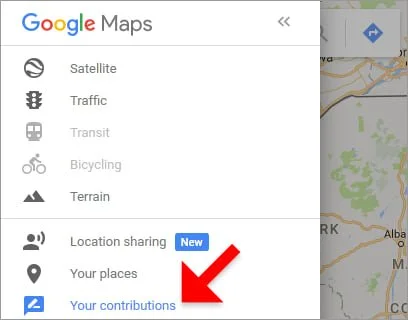
Begin with a Google search for your business name or open your listing in Google Maps. From there, go to your business profile and open the reviews section so you can see recent activity clearly.
Look for problematic reviews by checking recent posts, especially any new review that appeared suddenly or seems disconnected from a real customer interaction. Review the language, account history, and whether the timing matches a known event, sale, or service period.
Do not assume every harsh comment is fake. First, compare the reviewer against your records, such as bookings, invoices, or customer communication. If you cannot find any record of the person and the review shows other warning signs, save screenshots. That preparation will help if you need to escalate after your first report.
Using the “Report Review” Feature
To report review content, open your listing in Google Maps or through your Google Business Profile dashboard. Find the review, click the three-dot menu, and select the option to report it. This starts your removal request.
Follow these steps:
- Search for your business and open the reviews tab.
- Find the suspicious post and click the three dots beside it.
- Select “Report review.”
- Choose the reason that best matches the problem, such as spam or conflict of interest.
- Submit the report and track whether the review stays live.
If the post remains after several business days, you may need to escalate through Google’s review management process or Google support. Be factual when you choose the reason. Selecting the most accurate category improves your chances because Google reviews are judged against specific policy standards, not general frustration.
What Information You Need When Filling Out a Report
A strong report is based on proof, not emotion. When you dispute a suspicious post, gather your business name, the review details, and any screenshots of the reviews before anything changes or disappears.
You should also keep the email address tied to your account ready in case Google support contacts you. Helpful records may include booking logs, invoice history, CRM notes, or anything else showing there is no record of your interaction with the reviewer.
Clear evidence matters most. Show why the person was never a customer, why the timeline does not fit, or why the wording suggests spam or a coordinated attack. The more specific your documentation is, the easier it becomes to explain the issue and support a proper removal request.
What Happens After You Report a Fake Review?
After you flag a fake review, Google reviews the content against its rules. That does not mean instant action. Your removal request may sit in review for several business days, and sometimes longer if the case needs closer checking.
You also may not receive a direct notice right away. That is why it helps to monitor the status of your report and know when to follow up with Google support. Here is what the process usually looks like.

Google’s Review Removal Process and Timeline
Once you submit a report, Google checks the review against Google’s review policies. If the post appears to break rules on spam, harassment, fake engagement, or conflicts of interest, it may be taken down from public view.
The timeline is not guaranteed. Some reports are reviewed within three to seven business days, while others can take longer. If the first flag does not lead to review removal, you may need to use the review management process or contact support for a second look.
In some cases, you may receive a case ID or similar tracking detail during support contact. Keep that information. It helps if you need follow-up. If Google decides the review does not violate policy, that final decision can limit what you can do within the platform, which is why strong evidence is so important early on.
Monitoring the Review Status and Next Steps
After submission, check your Google Business Profile dashboard or review management area regularly. Monitoring matters because Google may not always send a direct update when the review status changes.
You may see outcomes such as decision pending, reviewed with no action, or removed. Your initial response should be patience for a few business days, followed by a manual check to see whether the review is still visible. Save screenshots during this period so you have a record of any changes.
If the review stays live, your next step is escalation. Contact Google support with clearer context, your evidence, and any tracking details tied to the case. If the review still is not removed, post a calm public response, continue monitoring, and work on strengthening your profile with more authentic customer feedback.
Common Mistakes to Avoid When Reporting Fake Reviews
Many businesses hurt their own case by reacting too fast. Fake Google reviews are frustrating, but a weak or emotional report can make it harder to show real policy violations.
The goal is accuracy. Google policies focus on evidence and rule-breaking behavior, not on whether a review feels unfair. The next sections cover the reporting mistakes that come up most often and how to avoid them.
Mislabeling Reviews or Not Providing Enough Evidence
A common mistake is reporting a legitimate complaint as a fake review just because it is negative. Google’s policies allow honest criticism. If the person was a real customer, the review may stay live even if you strongly disagree with it.
Another issue is weak documentation. Google is more likely to act when you present clear evidence rather than a general statement that the post is false. If your report lacks details, it may be reviewed quickly and denied.
Avoid these errors:
- Choosing the wrong violation category when the issue is really spam or conflict of interest
- Submitting a complaint without records, screenshots, or proof the reviewer was not a customer
- Writing an emotional explanation instead of a concise summary tied to policy violations
A focused report gives you a better chance of success.
Repeated Submissions and Their Effects
It is tempting to file the same complaint again and again. Still, repeated submissions do not always help. If you keep sending the same removal request without new evidence, you may only create confusion and waste time.
A better approach is to wait for the review status to update, then decide whether escalation makes sense. Use your first submission carefully. If the result is no action, prepare stronger records before contacting Google support or appealing through the available process.
Think of it as building a case, not pressing a button over and over. One thoughtful report backed by proof is more useful than several rushed attempts. Stay organized, track dates, and keep your communication consistent so your request stays clear from start to finish.
Legal Options and Support for Persistent Fake Reviews
Sometimes fake reviews do not disappear even after careful reporting. When that happens, you may need added support. Start with Google support, but know that serious cases can move beyond platform tools.
If false statements are damaging your reputation or revenue, legal counsel may be worth considering. The next sections explain when a defamation claim or other legal services may come into play, and where outside help can fit.
Legal Remedies for Defamation and Malicious Reviews
Legal action is usually a last resort, but it can matter in severe cases. If malicious reviews include false factual claims and cause measurable harm, a business may speak with legal counsel about a defamation claim or other legal remedies.
This path makes the most sense when the review is clearly untrue, damaging, and tied to someone you can identify. It may also matter when repeated fake attacks create financial risk or serious reputational harm that normal reporting has not solved.
Recent action by the Federal Trade Commission against fake reviews shows that false testimonials are taken seriously. Even so, legal services should be used carefully. Start with documentation, platform reporting, and support escalation first. If those efforts fail, an attorney can advise whether a formal notice or claim makes sense for your situation.
Obtaining Help from Google Support and Third-Party Tools
If standard reporting does not work, the next step is help. Google support can review your case again when you provide better context, and outside tools can help you organize what happened on your Google Business Profile.
Useful support options include:
- Contact Google support directly through the business help channels
- Use the Help Community if you need guidance after a rejected appeal
- Use reputation management tools to track suspicious activity and review trends
- Speak with legal counsel if the review is clearly false and seriously harmful
Third-party platforms do not remove reviews for you, but they can make the process easier. They help with monitoring, screenshots, sentiment patterns, and recordkeeping. That structure can strengthen your report, support ongoing review management, and reduce the stress of handling fake review issues alone.
Responding Publicly to Fake Reviews and Reputation Management
While you wait for action, your public reply matters. People often read your response as closely as they read the review itself, so one calm message can protect your online presence.
This is where reputation management becomes practical. You cannot always control fake reviews immediately, but you can control tone, clarity, and professionalism. The next sections show how to answer carefully and protect trust while the issue is being reviewed.
Best Practices for Addressing Fake Reviews Online
Yes, you can respond publicly, and in many cases you should. A measured public reply shows potential customers that you take feedback seriously and handle conflict professionally. It also supports reputation management while you wait for Google to review the post.
Use these best practices:
- Stay calm and avoid accusing the reviewer aggressively
- State that you cannot find a record of the visit or transaction
- Invite the person to contact you directly to discuss the issue
- Keep the message short, factual, and polite
- Continue encouraging satisfied customers to post genuine feedback
A good response does not need to prove the review is fake in public. Its job is to reassure readers. When future buyers see a composed answer, they are more likely to trust your business than the suspicious comment sitting above it.
How Smart Responses Can Protect Your Business Image
A smart review response protects your business image by showing restraint. Instead of arguing, you present your side in a way that feels calm and credible. That can reduce the effect of a suspicious post on your online reputation.
Your Google Business Profile is often the first place people meet your brand. If they see a thoughtful reply, they are more likely to believe you are attentive, fair, and willing to help. That matters even when Google has not yet made a removal decision.
In many cases, your response becomes part of the customer experience for people who have never contacted you before. A short, professional message can signal trustworthiness, reduce doubt, and keep one fake review from shaping the entire story around your business.
Preventing Future Fake Reviews
You may not stop every attack, but you can make fake Google reviews less damaging. A strong business profile filled with genuine customer experiences is harder for false feedback to outweigh.
Prevention is mostly about consistency. Ask for honest reviews, watch your listings, and keep records organized. The next sections cover simple ways to build better review signals and stay alert to suspicious activity before it grows.
Strategies for Building Genuine Customer Feedback
The best defense against fake feedback is a steady flow of genuine reviews. When satisfied customers regularly share honest experiences, one suspicious post has less power over your overall rating and public trust.
Try these practical steps:
- Ask for customer reviews after a completed service or appointment
- Use your booking system or follow-up messages to request feedback at the right time
- Keep the ask simple and focused on honest experiences
- Make review requests part of your normal customer process
This approach helps in two ways. First, it strengthens credibility with real social proof. Second, it gives you a clearer pattern of normal review activity, which makes fake campaigns easier to spot. Over time, consistent outreach builds a more resilient profile rooted in authentic customer experiences.
Monitoring Tools for Ongoing Review Management
Ongoing review management gets easier when you use the right systems. A reviews management tool or other reputation management tools can help you monitor changes to your Google Business Profile without checking manually every hour.
Helpful uses include:
- Tracking when new reviews appear
- Noticing sudden rating drops or unusual posting patterns
- Organizing screenshots and notes for future disputes
- Reviewing sentiment trends over time
These tools support prevention, not just cleanup. If you spot suspicious activity early, you can respond faster, document better, and reduce the time fake content has to influence buyers. For busy teams and local businesses, that kind of structure can make review management far more consistent and less stressful.
Frequently Asked Questions
Q: How do I know if a Google review is fake?
A: Look for red flags such as vague wording, extreme claims, new or empty profiles, and suspicious activity like several similar posts appearing at once. If the reviewer has no connection to your business profile records and the story does not match reality, the Google reviews may point to a fake review.
Q: What can I do if Google refuses to remove a fake review?
A: If your removal request is denied, gather stronger evidence and contact Google support directly. You can also post a professional public response and keep building real reviews. If fake Google reviews are seriously harmful and Google’s final decision does not change, legal counsel may be your next option.
Q: Are there tools or services that help remove fake Google reviews?
A: A reviews management tool or other reputation management tools can help you detect fake Google reviews, track patterns, and organize evidence for your Google Business Profile. These services do not usually remove reviews directly, but they make reporting easier and support stronger protection for your business profile.
Conclusion
In conclusion, managing fake Google reviews is crucial for maintaining your business’s reputation and customer trust. By understanding the impact of these false reviews, as well as knowing how to identify and report them, you can protect your brand’s image effectively. Implementing best practices for responding to negative feedback and preventing future fake reviews will further strengthen your online presence. Remember, staying proactive and vigilant in monitoring your reviews can make a significant difference. If you need personalized assistance and guidance in handling this issue, don’t hesitate to book a free consultation with our experts today!