Every review you get is a public conversation. The customer wrote the first line; your reply is the second, and hundreds of future customers will read both. Knowing how to respond to Google reviews well can turn an angry 1-star into proof that you take care of people, and a short 5-star into a reason for someone new to choose you.
This guide covers the whole process: where to reply, what to write for every type of review, what never to write, how fast to answer, and how to keep replies personal when you have dozens to handle each week.
In short:
- Reply to every review, positive and negative, ideally within a day or two.
- Use the reviewer’s name, mention a specific detail, and keep it short.
- For complaints: acknowledge, apologize where it’s fair, and move the details to phone or email.
- Never share private information, argue, or offer anything in exchange for changing a review.
Why Responding to Google Reviews Matters
Many owners think replies are a courtesy. The data says they’re part of how customers choose. In BrightLocal’s Local Consumer Review Survey 2026, consumers were clear about what they expect:
| What consumers said (2026) | What it means for you |
|---|---|
| 89% expect business owners to respond to reviews | Silence now looks like neglect |
| 80% are more likely to use a business that replies to all reviews | Reply to the good ones too, not just complaints |
| 42% are unlikely to use a business that ignores its reviews | An unanswered profile costs you customers |
| 50% are put off by generic or templated replies | Copy-paste replies can do more harm than no reply |
| 81% expect a reply within a week; 19% expect it the same day | Speed is part of the impression |
Replies also work on the people who haven’t reviewed yet. When customers see that you read and answer feedback, they’re more willing to leave their own, which keeps your profile fresh. And a calm, helpful reply to a complaint often persuades readers more than another 5-star review would, because it shows how you behave when something goes wrong.
How to Reply to a Google Review: Step by Step
You can reply to reviews once your Business Profile is verified. According to Google’s help page on managing customer reviews, the process takes a few taps:
- Sign in and open your Business Profile (search your business name on Google, or open it in Google Maps).
- Select Read reviews.
- Next to the review, select Reply.
- Write your reply and select Reply again to post it.
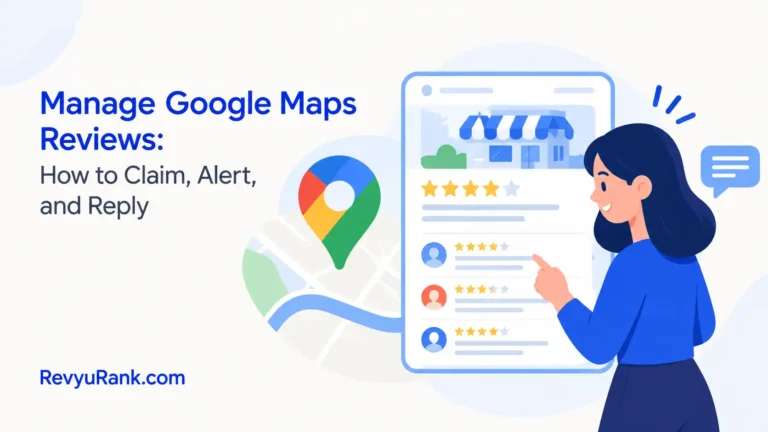
To change or remove a reply later, open the same screen and choose Edit or Delete under your reply. If you mostly work from your phone, our guide to managing Google Maps reviews covers claiming, alerts, and replying from the Maps app.
What happens after you post a reply
A few details surprise many owners:
- Google checks replies first. Replies are reviewed against Google’s content policies. Most appear within about 10 minutes, but some can take much longer. If a reply isn’t approved, you’ll be asked to edit it.
- Your reply shows as the business. It appears under the review in your business name; your personal name isn’t shown.
- The reviewer is notified. They can still edit their review after reading your reply, and the review date then changes to the date of the update.
If the Reply button is missing or your reply never appears, the cause is usually verification, account access, or a policy filter. Our guide on why you can’t reply to a Google review walks through each fix. For a wider overview of how reviews work on your profile, see our guide to Google Business Profile reviews.
A Simple Framework for Every Reply
You don’t need a different strategy for every review. Almost every good reply has the same five parts. Use the ones that fit and drop the rest.
| Part | What to do | Example |
|---|---|---|
| 1. Greet by name | Use the reviewer’s first name or display name | “Hi Maria,” |
| 2. Thank them | Thank them for their time, whatever the rating | “Thanks for taking the time to write this.” |
| 3. Be specific | Mention one detail from their review | “Glad the same-day boiler fix saved your weekend.” |
| 4. Respond to the point | Celebrate, explain, or apologize as needed | “You’re right that we ran late, and we’re sorry.” |
| 5. Next step and sign-off | Invite them back or offer a direct contact; sign with a name or initials | “Call me directly on our main line if anything else comes up. – James, Owner” |
Google’s own advice on writing better review replies lines up with this: be professional and polite, keep it short, make each reply count instead of posting the same thank-you everywhere, and be conversational rather than promotional. A personal sign-off with your name or initials shows that a real person read the review.
How to Respond to Positive Reviews
Positive reviews are the easiest to answer and the easiest to neglect. Yet they’re read by everyone deciding whether to choose you, so a warm, specific reply adds to the effect of the review itself.
Keep these replies to two or three sentences:
“Thank you, Daniel! We’re glad the new kitchen lighting turned out exactly as you pictured it. Enjoy the space, and we’ll be here whenever you start the bathroom.”
A few tips that make positive replies stronger:
- Repeat the detail they valued. If they praised your punctuality, mention it. It reinforces that strength for readers.
- Vary your wording. Ten identical “Thanks for the 5 stars!” replies look automated and put people off.
- Don’t sell. Skip discount codes and promotions in replies; Google recommends staying conversational, and readers trust it more.
- Answer star-only ratings briefly. When someone leaves stars without text, a one-line thank-you is enough.
For ready-to-adapt wording, browse our positive review response examples, or see 20 Google review response examples that cover positive, mixed, and negative situations.
How to Respond to Negative Reviews
A negative review feels personal, especially for small business owners. The goal of your reply is not to win the argument. It’s to show future customers that when something goes wrong, you deal with it fairly.
Step 1: Pause before you write
Read the review twice and wait until you’re calm. Check your records: who served this customer, when, and what happened. A reply written in anger can stay on your profile for years.
Step 2: Acknowledge and apologize where it’s fair
Start by showing you understood the complaint. Apologize for what went wrong on your side, but don’t accept blame for things outside your control. Google’s guidance suggests explaining your limitations honestly: what you can and can’t do in that situation.
Step 3: Take the details offline
Don’t debate specifics in public. Give a direct way to reach a real person (a named manager, a phone line, or an email) and invite the customer to continue there. This protects their privacy and keeps the public thread short.
Step 4: Fix it, then let them decide
If you resolve the problem, the customer may update their review on their own. You can let them know the issue is fixed, but never offer a refund, discount, or gift in exchange for changing or removing the review. Google’s policy treats that as fake engagement.
Here’s what that looks like in practice:
“Hi Tom, thank you for telling us about this. Waiting 40 minutes past your booking isn’t the experience we want for anyone, and I’m sorry. We had two staff out sick that evening and should have called ahead to warn you. I’d like to hear more and make it right. Please call me directly on our main line or email the manager’s address on our website. – Priya, Manager”
Our full guide on how to respond to negative reviews covers tougher cases step by step. If you’re facing a 1-star review right now, follow how to respond to a 1-star Google review in 24 hours, and for wording, see our negative review examples with response templates.
Mixed and 3-star reviews
Mixed reviews (“Great food, slow service”) deserve a balanced reply: thank them for the positives, take the criticism seriously, and say what you’re doing about it. These reviews are often the most useful, because they show exactly where you lose a star.
Reviews you believe are fake
Sometimes a review comes from someone who was never a customer, a competitor, or a person trying to pressure you. Reply briefly and neutrally, for example: “We can’t find any record of your visit. Please contact us directly so we can look into this.” Then report it. Readers will see a calm reply, while Google reviews the report.
Learn what happens when you report a Google review, and see how to remove fake Google reviews for the full removal process. If someone threatens to post negative reviews unless you pay them, don’t pay; Google has a dedicated form to report negative review extortion scams.
Industry Rules You Must Follow When Replying
Some businesses have legal limits on what they can say in public, even when the customer has already shared details themselves.
Healthcare, dental, and therapy practices
In the US, HIPAA rules apply to review replies. A reply that confirms someone was a patient, or mentions their treatment, insurance, or costs, can be a violation. The Department of Health and Human Services has settled cases with dental practices over exactly this; in one, a practice disclosed patient information while responding to online reviews. Keep healthcare replies general: “We take all feedback seriously and invite you to contact our office manager directly.” Never confirm the person was a patient.
Legal, financial, and other confidential services
Lawyers, accountants, and financial advisers usually have confidentiality duties too. The same rule applies: thank, acknowledge, invite a private conversation, and say nothing about the client’s matter.
Restaurants, hotels, and hospitality
Hospitality businesses get a high volume of reviews, so speed and variety matter most. Mention the dish, the room, or the occasion, and keep replies short. If you run a restaurant and want more reviews to reply to, read how to get Google reviews for restaurants.
Reply Examples for Common Situations
Most reviews fall into a handful of patterns. These short examples show how the framework adapts. Change the details so they match what the customer actually said.
| Situation | Example reply |
|---|---|
| Praise for a staff member | “Thanks, Leah! I’ll pass this on to Marco. He’ll be happy to hear the extra time he took explaining the options helped.” |
| Complaint about price | “Thanks for the honest feedback, Sam. Our prices include a 12-month warranty on parts and labor, but we should have explained that clearly before starting. I’d be glad to go through the invoice with you by phone.” |
| Wrong or late order | “Sorry, Aisha, a missing side is frustrating when you’re hungry. We’ve added a second check at the counter for delivery orders. Please message us so we can put this right.” |
| Review that mentions a competitor | “Thank you for giving us a try, Chris. We’re glad the turnaround worked for you, and we look forward to seeing you again.” |
| Long-time customer | “Five years of Saturday haircuts, Ben! Thank you for sticking with us. See you next week.” |
| Complaint you already resolved | “Thanks for the update, Nora, and for giving us the chance to fix the leak properly. We appreciate your patience.” |
Notice what these replies avoid: none of them argues, none of them name-drops a competitor, and none includes a sales pitch. They read like a real person talking, which is exactly what customers want to see.
Reviews written in another language
If a customer reviews in their own language, reply in that language when you can, or in your usual language with a short note of thanks. Google shows translations to many readers, so a clear, simple reply works best either way. Avoid slang and idioms that translate badly.
Old reviews you never answered
It’s worth going back. Start with the most recent unanswered reviews and work backwards over a few days. For very old reviews, a short reply is fine (“Thank you, and sorry for the late reply. We appreciate you sharing this.”). Readers scrolling your profile will see a business that now answers everyone, which matters more than when the reply was written.
Who should write the replies?
Ideally, the owner or a manager who knows the business well and can make decisions, such as approving a refund or calling an unhappy customer. Front-line staff can draft replies, but someone senior should approve anything about complaints, pricing, safety, or legal matters. Whoever writes them, keep one consistent voice so the profile sounds like one business.
What Not to Write in a Review Reply
| Don’t | Do instead |
|---|---|
| Argue, blame the customer, or call them a liar | Stay calm, state facts briefly, take it offline |
| Share names, order details, health or account information | Keep every reply general and private-safe |
| Copy the same reply onto every review | Mention one specific detail each time |
| Offer discounts or refunds in exchange for changing the review | Fix the problem and let the customer decide |
| Post promotions or links in replies | Keep replies conversational, not sales-driven |
| Stuff keywords and city names into replies | Write naturally for the person reading |
| Threaten legal action in public | Report policy-breaking reviews and get advice privately |
Two of these deserve extra attention. First, keyword-stuffed replies (“Thanks for choosing the best plumber in Austin TX!”) read badly and don’t add anything Google can’t already see in your profile. Second, threats or intimidation to remove a review can create legal problems in the US, where the FTC’s rule on consumer reviews prohibits review suppression through groundless legal threats or intimidation.
Using AI and Templates Without Sounding Robotic
When reviews pile up, templates and AI tools save time. The risk is that every reply starts to sound the same, which half of consumers now notice and dislike. Use them as a first draft, not a final answer.
- Start from a template, then personalize. Add the reviewer’s name and one detail they mentioned. Our free review reply templates are built for exactly this.
- Use AI for drafts, not for sensitive cases. AI is fine for routine positive reviews. Complaints, healthcare reviews, and suspected fake reviews need a human. Our guide on replying to Google reviews with AI shows a safe workflow.
- Rotate wording. Keep several versions of your common replies so readers don’t see the same sentence twice in a row.
Not sure where to draw the line? We compare both approaches in AI vs manual review management.
Response Time and a Workflow That Keeps Up
The easiest way to stay fast is to give the job to one person and make it part of the day. A simple routine:
| When | Task | Who |
|---|---|---|
| Daily | Reply to all new reviews; flag complaints | Owner or assigned manager |
| Same day | Call or message customers with serious complaints | Manager |
| Weekly | Look for repeated themes (wait times, pricing, staff) | Owner |
| Monthly | Update reply templates and train staff on new issues | Owner |
Turn on review notifications in your Business Profile so new reviews reach your phone. For multi-location businesses, decide who replies for each location and keep a shared document of approved wording. If replying has become a job nobody has time for, our Google review response management service can handle replies for you, written by people and matched to your tone.
Turn Feedback Into Better Reviews
Replies fix individual conversations. The bigger win is using what reviews tell you. If several customers mention slow phone answers, a confusing price list, or a rude moment with one shift, that pattern is a free consultant’s report. Fix it, mention the change in future replies (“We’ve added a second line for bookings since then”), and your next reviews will reflect it.
That’s also how strong businesses keep their rating high without any tricks: they ask every customer for a review, reply to all of them, and improve what people complain about. If you still need more reviews coming in, start with our guide on how to get Google reviews.
Want an expert to set this up with you? Take a look at Google Review Generation.
Frequently Asked Questions
Should I respond to every Google review?
Yes. Consumers are far more likely to choose businesses that reply to all reviews, not only negative ones. A short, specific thank-you is enough for positive reviews; complaints need a fuller reply and an offer to talk directly.
How quickly should I reply to a Google review?
Aim for within 24 to 48 hours. Most customers expect a reply within a week, and a growing share expect it the same day. Reply to negative reviews first, because they do the most damage while unanswered.
Can a customer change their review after I reply?
Yes. The reviewer is notified when you reply and can edit their review at any time. If they update it, the review date changes to the date of the update.
Why isn’t my reply showing on Google?
Google checks replies against its content policies before publishing them. Most appear within about 10 minutes, but some take longer, and replies that break the policies won’t be approved. Check that your profile is verified and that the reply contains no links, personal data, or offensive language.
Can I delete or edit my reply?
Yes. Open Read reviews in your Business Profile, find your reply, and choose Edit or Delete.
Should I reply to fake reviews?
Yes, briefly and calmly, then report the review to Google. A neutral reply such as “We have no record of your visit, please contact us directly” reassures readers while the report is reviewed.
Is it okay to offer a refund in a review reply?
You can offer to resolve a problem, including a refund, through a private conversation. What you must not do is make anything conditional on changing or removing the review, because Google treats that as an incentive.
What to Do Next
- Open your Business Profile today and reply to any unanswered reviews, newest first.
- Save five reply starters (positive, mixed, negative, star-only, suspected fake) and personalize each one.
- Turn on review notifications and assign one person to reply daily.
- Write down the top three complaints from your reviews and fix one this month.
- Check again in 30 days: are all reviews answered, and is your average rating moving?

Robert Miller works as a Reputation Management Consultant. He has been helping U.S. businesses for over ten years. His work involves helping people protect and enhance their online image.Robert has worked with a wide range of companies. He has helped new businesses, local places that give a service, and big companies. He helps turn customer reviews into something that helps people trust their company and drives business growth.