Spot it by a demand for money, goods, or services in exchange for removing reviews, then report it to Google through its extortion report form. Stop contact and preserve evidence. Google review extortion scams are fake or threatened reviews used to demand money, gift cards, products, or other favors. Don’t pay, don’t argue, and don’t delete messages. Take screenshots now, save email headers if available, and copy the review’s link.
If the person threatens violence, doxxing, or damage to your property, contact local law enforcement immediately. For a normal business dispute, keep serving real customers while you report the abuse through Google Business Profile. The review may be removed, but removal isn’t guaranteed. Your strongest protection is a clear record showing what was threatened, when it happened, and what the person demanded.
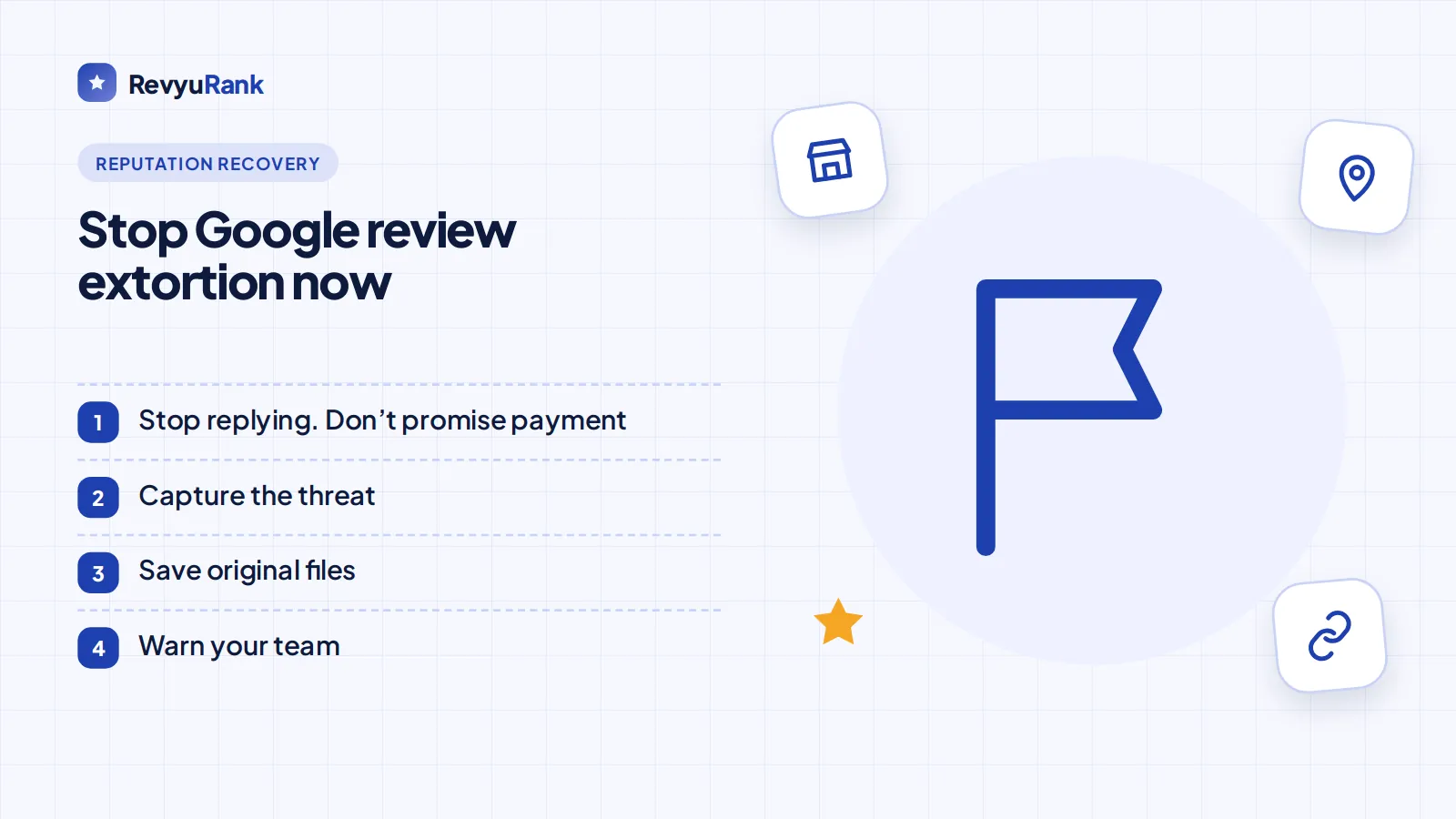
Stop Google review extortion now
-
Stop replying. Don’t promise payment, a refund, a gift, or a review change. One careless reply can look like an admission or encourage more demands. If you already answered, stop now and preserve the entire exchange.
-
Capture the threat. Screenshot the full message, sender details, date, profile name, phone number, email address, and payment instructions. Include the review itself and its public URL. Capture edits or follow-up messages before they disappear.
-
Save original files. Keep emails in the original account, not only as screenshots. Save voicemail files and export chat records when the service offers that option. Store copies in a restricted folder so the evidence isn’t lost if an employee leaves.
-
Warn your team. Tell staff not to contact the sender, hide the message, or post an angry response. Give one manager responsibility for evidence and reporting. Ask employees to forward new contact to that manager without deleting anything.
-
Report the account. Use the review’s reporting option in Google Business Profile or Google Maps. Choose the closest reason, such as spam, conflict of interest, harassment, or fake content. Report the review itself, not only the sender’s profile, and keep the confirmation or case details.
-
Don’t offer money to make it stop. Payment may not remove the review and can invite another demand. If the message includes threats, impersonation, or attempted theft, preserve it and consider reporting it to local law enforcement.
How Google review extortion works
Review extortion uses a threat: pay or provide something, or the sender will publish, keep, or multiply damaging reviews. The demand may arrive before any review appears, after a one-star review, or through several new accounts at once. The sender might claim to be a customer, but a name in a review doesn’t prove that person bought anything.
The most useful clue is the connection between the review and the demand. A genuine unhappy customer usually describes a service, date, order, or problem and seeks a normal remedy. An extortion attempt focuses on payment, removal of criticism, private information, or a promise to stop posting.
Some attacks come from outside the business. The sender may have copied details from your website, used a public profile, or guessed that a negative review would pressure you. Other attacks can involve a real customer mixed with an improper demand. A genuine complaint doesn’t become legitimate simply because the person had a real transaction.
A sudden group of similar reviews is another warning sign, especially when the accounts have little history, use repeated wording, or mention services the business doesn’t offer. Still, unusual timing alone isn’t proof. A busy business can receive several real complaints after one event, such as a delayed shipment or a booking error.
Google’s rules matter because a review can be inappropriate even when it’s negative. Content may violate rules against fake engagement, harassment, conflict of interest, or off-topic material. The U.S. Federal Trade Commission’s consumer reviews rule also addresses certain deceptive review practices and business conduct, but it doesn’t decide whether every bad review is extortion.
Don’t assume a review is fake because you can’t find the customer in your records. The person could have used a different name, booked through a partner, or reviewed a location handled by another system. Check the facts you can verify, then describe the uncertainty in your report.
The trade-off is simple: a fast public reply may reassure readers, but it can reveal private details or give the attacker more material. If the message includes a demand tied to a review, stop private negotiation; if it’s only a normal complaint, use your usual customer-service process.
Check Google review evidence first
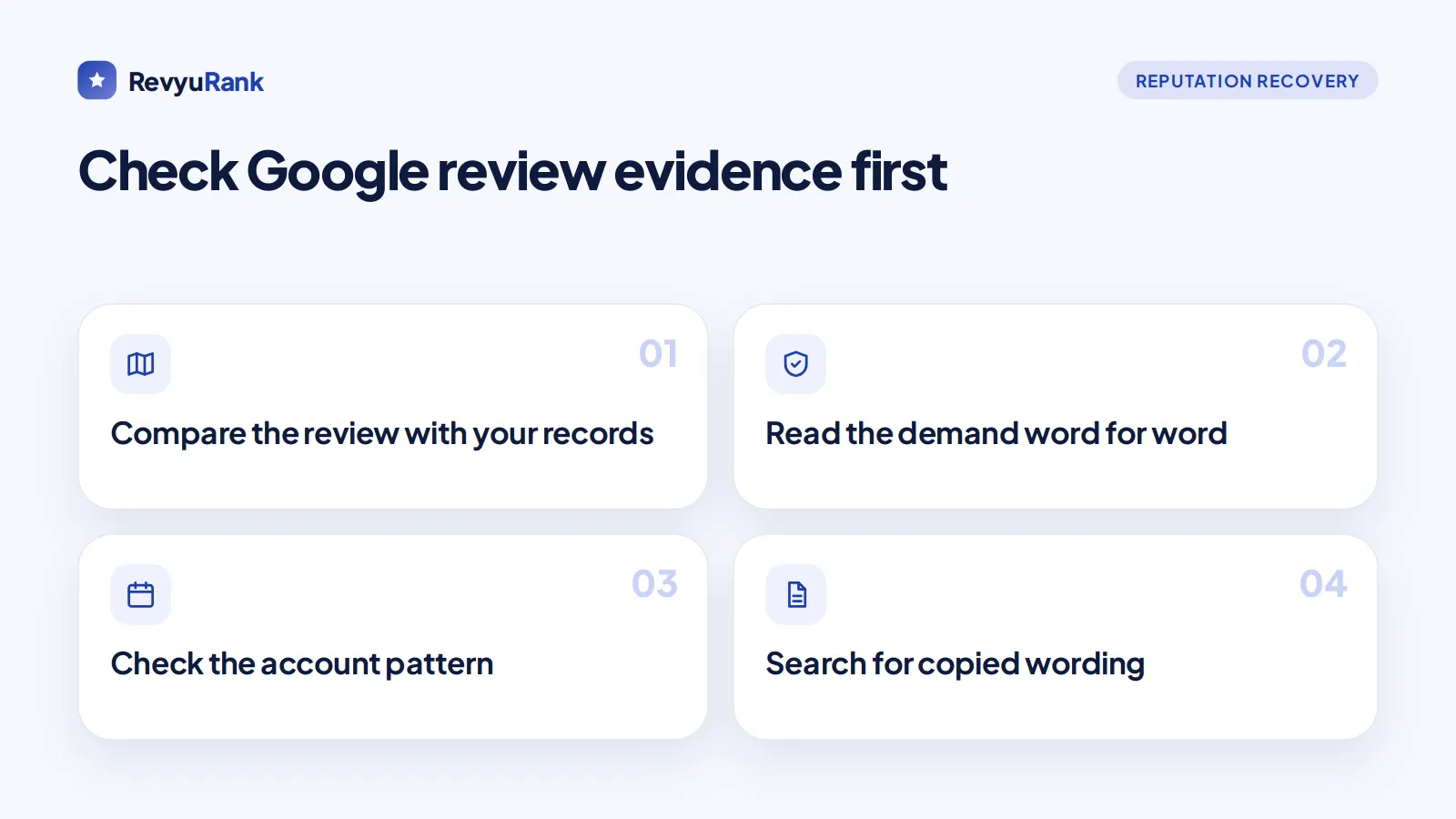
Start with the public record, then move to checks that need more time or specialist help.
Compare the review with your records
Check the date, service, location, order details, and staff notes without exposing private customer information. A good match supports a genuine service issue, though it doesn’t prove the reviewer acted fairly. No match is useful evidence, but it isn’t conclusive proof of fraud. Record exactly what you checked and what was missing.
Read the demand word for word
Look for a request for cash, cryptocurrency, gift cards, products, free work, or a refund in exchange for stopping reviews. Note deadlines, threats, and promises such as “pay and I’ll delete everything.” A demand connected to review activity is stronger evidence than a vague complaint about service.
Check the account pattern
Open the reviewer’s public profile and note the account age, review history, locations, repeated phrases, and sudden activity. Several accounts posting near-identical text can support a coordinated-abuse report. Don’t accuse a named person publicly based only on a profile pattern; accounts can be copied or shared.
Search for copied wording
Put a short, distinctive phrase in quotation marks in a search engine. If the same text appears on unrelated businesses or cities, save the results with dates and URLs. A match supports a spam report, but copied complaints can also come from a shared marketing or review campaign, so explain the context.
Ask the platform for review status
Use Google Business Profile’s review-management tools to check whether the report was received and whether an appeal is available. Follow the current instructions shown in your account because Google can change its menu names. A rejected report doesn’t prove the review is true; it means the available review process didn’t remove it.
Get legal advice for serious threats
If the demand includes blackmail, private data, impersonation, or a threat to harm people or property, speak with a lawyer or law enforcement rather than paying. Legal advice costs money, but public accusations or a rushed settlement can cost more. Bring your saved timeline, original messages, review links, and payment demand.
How to report Google review extortion
Report the review through the Google Business Profile account that manages the affected location. Open the review, choose the reporting option, select the most accurate policy reason, and submit the evidence Google allows. Keep the wording factual: identify the demand, explain the lack of a matching transaction if you checked, and attach the relevant screenshots.
If you get stuck choosing the policy reason or attaching evidence to your report, ask our team and we can check it with you or do it for you.
Report each clearly separate review, but don’t create duplicate reports for the same item unless Google’s process tells you to appeal. A large pile of repeated submissions can make the record harder to follow. Put the strongest evidence first: the threat, the requested payment, the review link, and the timeline connecting them.
Don’t offer a reward for positive reviews or ask customers to change their rating after seeing the attack. Ask for honest feedback only, without telling them what score or words to use. Don’t publish the suspected person’s name, phone number, address, or other private details. That can create a new privacy or harassment problem.
If you answer publicly, keep it short and neutral. You can say that the business can’t locate the described transaction, has reported suspected policy violations, and invites genuine customers to contact the business through an official channel. Don’t mention private order information, even when you believe the reviewer is lying.
Then prepare a timeline with four fields: date, event, evidence, and action taken. Include every demand, review, report, response, and follow-up. If the same conduct returns within a week, treat it as an ongoing campaign and give the complete timeline to Google, your lawyer, or law enforcement instead of starting a public fight again.
The sign that your response has held isn’t merely that one review disappears. It’s that the demands stop, no new linked accounts appear, and your records show no further contact. If new threats return, the first report wasn’t the whole solution; preserve the new evidence and escalate through the proper channel.
Use Google’s extortion report form
Google has a separate help page and report form for review extortion. It is titled “Report negative review extortion scams on your Business Profile.” Use it only if someone directly demanded money, goods, or services in exchange for removing reviews. For reviews with no demand, use the normal review report described above.
- Open the form while signed in to the Google account that manages the Business Profile.
- Give your full name, your address, and the link to the affected Business Profile.
- Attach screenshots and files that clearly show the messages, the demands, and any other evidence.
Google says its moderation systems catch most suspicious activity. It still asks businesses to stay alert and report extortion attempts promptly.
When Google review extortion needs help
Stop DIY work when the demand involves violence, stalking, private information, impersonation, account access, or a threat against employees or customers. Contact local law enforcement for immediate danger, and contact a lawyer for blackmail, defamation, privacy, or business-loss questions. If someone may be at risk now, use emergency services rather than waiting for a platform response. Don’t try to identify or confront the sender yourself.
A lawyer can assess whether a letter, court process, or preservation request is suitable in your location. Law enforcement may look at payment records, phone numbers, account data, or threats that a business can’t access. Google can handle platform-policy reports, but it generally isn’t a substitute for legal advice or emergency help.
Give the person you call a clean packet. Include the original messages, screenshots, review URLs, account links, payment instructions, dates with time zones, staff names, and every report number. Explain what you didn’t do, such as paying or sharing customer data. Keep the originals in their original form, and make a separate copy for notes or redactions.
Don’t delete the review, messages, call records, or payment requests after reporting them. Record when each item appeared and who had access to the business account. If the sender used several accounts, preserve each profile link rather than treating the messages as one unverified identity.
The limit is that Google may remove content without telling you all enforcement details, and it may keep a review that you believe is false. If the case turns on identity, legal rights, or threats, your own review of the account can’t establish the answer; the relevant platform, lawyer, or authority must handle that step.
This isn’t for a business that wants every negative review removed. A real customer can criticize poor service, and a lawful complaint may remain online. The line is the coercive demand or prohibited conduct, not the fact that the review hurts. A request to fix a factual error is different from a demand for money, goods, or access in exchange for removing criticism.
If you would rather have this handled for you, our Google Reputation Recovery for Bad & Fake Reviews | RevyuRank service covers it end to end.
For hands-on help with this, our team offers Google Review Generation.
Frequently asked questions
Can I pay to remove an extortion review?
No, don’t pay unless a qualified lawyer advises that a lawful settlement is appropriate. Payment may encourage further demands and may not remove the review or stop new accounts. Save the demand, report the review and account through Google’s current tools, and keep your public response neutral. If threats involve violence, private data, or property damage, contact law enforcement.
Why are fake Google reviews used for extortion?
They’re used because a damaging review can pressure a business quickly, even when the sender has no real customer relationship. The attacker may threaten more reviews, continued publication, or private claims unless paid. A sudden demand is the key warning sign. Similar wording, new accounts, and demands outside Google may support a coordinated-abuse report but don’t prove identity.
How long does Google take to remove an extortion review?
There’s no reliable public removal time for an individual report. Google’s timing varies with the evidence, account history, policy issue, and appeal availability. Check the status in the reporting tool connected to your Business Profile and keep the confirmation. If threats continue, add evidence through the correct appeal or report path; urgent threats should go to law enforcement.
Is it safe to reply to a threatening reviewer?
A short public reply is usually safer than a private argument, but don’t respond to the threat itself. Avoid revealing order numbers, employee names, customer details, security information, or internal records. State that the business is reviewing suspected policy violations and offer a normal contact channel for genuine customers. For stalking, violence, blackmail, or private information, seek legal or law-enforcement guidance.
What happens if Google refuses to remove the review?
The review may remain visible after you report or appeal it. A refusal doesn’t prove the review is true; it means the platform didn’t remove it under the process used. Keep the evidence and ask a lawyer whether another remedy fits, especially for threats, impersonation, or serious false claims. You may post a calm, factual response without publishing private data or attacking the reviewer.
Does it matter if the reviewer was a real customer?
Yes, but a real customer can still make an improper demand. Confirm the transaction and address the genuine service issue through normal support, while separately preserving any threat to publish or multiply reviews unless you provide money or another benefit. If there was no transaction, say that your records don’t show one rather than declaring the person a criminal. The review’s truth, the customer relationship, and the extortion demand are separate questions.
Can I delete a bad review from Google myself?
No, you can’t directly delete another person’s Google review. You can report it, appeal an eligible decision, and reply publicly from the verified business profile. A business can remove its own reply, but that won’t remove the customer’s review. Don’t offer benefits for changing ratings or pressure customers for positive reviews, and preserve evidence before changing the public record.
What to do next
Keep your business ready for future attempts by checking new reviews calmly, limiting who can change your online listings, and telling staff where to report suspicious messages. If a threat feels serious or includes personal information, contact local authorities. You don’t have to handle harassment alone, and early support can protect your reputation.

Robert Miller works as a Reputation Management Consultant. He has been helping U.S. businesses for over ten years. His work involves helping people protect and enhance their online image.Robert has worked with a wide range of companies. He has helped new businesses, local places that give a service, and big companies. He helps turn customer reviews into something that helps people trust their company and drives business growth.