Learning how to get Google reviews is one of the fastest ways to win more local customers. Reviews sit right next to your Business Profile in Search and Maps, they shape the first impression people get of you, and Google says review count and rating feed into how local results are ranked.
The good news: you don’t need tricks. Most customers will leave a review if you ask at the right moment and make it take less than a minute. This guide shows you exactly how to do that, step by step, while staying inside Google’s rules and the law.
In short:
- Verify your Google Business Profile, then copy your official review link and QR code.
- Ask every customer, right after a good experience, through the channel they already use (in person, text, email, WhatsApp).
- Send one polite follow-up, reply to every review, and keep a steady flow instead of short bursts.
- Never pay, reward, or filter customers for reviews. Google removes those reviews and can restrict your profile.
Why Google Reviews Matter More in 2026
Reviews are not just social proof anymore. They are a filter people use before they even look at your website. BrightLocal’s Local Consumer Review Survey 2026 (1,002 US adults) found that 97% of consumers read reviews for local businesses, and their standards are rising every year.
| What consumers said (2026) | What it means for you |
|---|---|
| 47% won’t use a business with fewer than 20 reviews | A thin profile loses customers before they compare prices |
| 74% only care about reviews from the last three months | Old reviews don’t count for much; you need a steady flow |
| 68% will only use a business with 4 stars or more (31% want 4.5+) | Every honest 5-star review protects your average |
| 89% expect the owner to respond to reviews | Replies are part of the job, not an extra |
| 94% are open to writing a review | Most customers will help if you ask the right way |
Reviews also help you get found. Google explains in its guide to improving your local ranking that local results are based on relevance, distance, and prominence, and that review count and review score factor into prominence. Reviews won’t fix a wrong category or a far-away location, but between two similar businesses, the one with more recent, well-rated reviews usually has the edge.
There is a newer reason too. The same survey found that 45% of consumers now use AI tools such as ChatGPT to find local businesses, up from 6% a year earlier. Those tools lean on review content and summaries, so a healthy review profile helps you there as well.
Step 1: Get Your Profile Ready to Collect Reviews
Before you ask anyone for anything, make sure the place you’re sending them to is in good shape. A customer who clicks your link and sees wrong hours or no photos is less likely to finish the review.
Claim and verify your Business Profile
Search for your business on Google. If the listing exists, claim it; if not, create it. Then finish verification using the method Google offers you (phone, text, email, or video). Until the profile is verified, you can’t manage reviews or reply to them properly.
Once you’re verified, fill in every field: primary category, hours, phone, website, services, and at least a handful of real photos. Our complete Google Business Profile guide walks through each setting.
Check that customers can actually leave a review
Customers must be signed in to a Google Account to post a review. Many people assume that means they need Gmail, so they give up. They don’t: a Google Account can be created with any email address. If some of your customers hesitate here, point them to our guide on leaving a Google review without Gmail.
Also test your profile from a phone that isn’t logged in to your business account. Search your business name, open the profile, and tap the review button. If anything looks broken or confusing, fix it before you start asking.
Step 2: Create Your Google Review Link and QR Code
The single biggest reason customers don’t leave reviews is friction. “Search for us on Google and find the reviews tab” loses half your people. A direct link opens the review box straight away.
Find your official review link
Google gives every verified profile its own review link. According to Google’s help page on creating a review link or QR code, you can get it in a few taps:
- Sign in and open your Business Profile (search your business name on Google or open it in Maps).
- Select Ask for reviews, or Read reviews and then Get more reviews.
- Select Copy to copy the link, or use the share options shown.
The link usually looks like a short g.page address. Save it somewhere your whole team can reach it. If you prefer, our free Google review link generator builds the same direct link from your business name. For a deeper walkthrough, including multi-location setups, read how to collect Google reviews with a direct link.

Turn the link into a QR code, sticker, or NFC tap
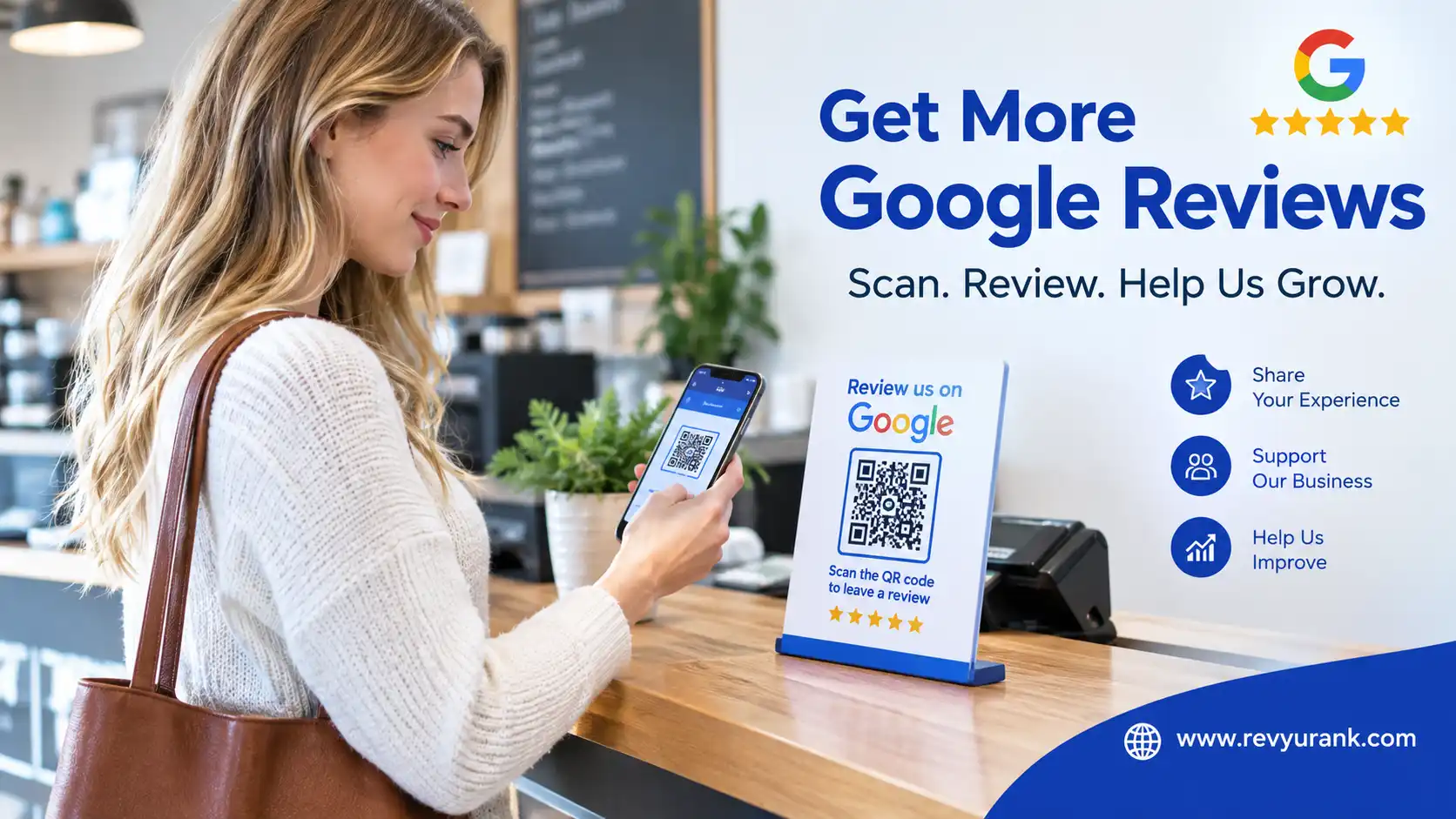
Google shows a downloadable QR code on the same screen as your link. A QR code is perfect anywhere customers pause with a phone in hand: the checkout counter, the waiting room, the table, the delivery bag. You can also make a branded version with our Google review QR code generator, and our guide to creating a QR code for Google reviews covers sizes, placement, and testing.
Physical prompts work well for walk-in businesses. A small counter sign or window decal reminds people without anyone saying a word; see how to get a Google review sticker for the free and paid options. NFC cards and stands go one step further: the customer taps their phone and the review box opens. Whatever you use, test it on both iPhone and Android before you print a hundred copies.
Step 3: Ask the Right Way, at the Right Time
Here is the part most businesses skip: actually asking, consistently. BrightLocal found that 78% of consumers were asked to leave a review in the past year, and most people who are asked are happy to do it. The difference between a profile with 15 reviews and one with 150 is usually not service quality. It’s whether someone asks.
1. Ask in person, right after a good moment
The best time to ask is when the experience is fresh and positive: the customer just thanked you, finished a meal, picked up a repaired car, or saw the finished job. Keep it short and honest:
“We’re really glad it worked out. If you have a minute later, a Google review helps other people find us. Here’s the link.”
Then hand them a card with the QR code or text them the link. Don’t stand over them while they write it. Google’s policy now says merchants shouldn’t require or pressure customers to leave reviews while on the premises, so make the ask and let them do it in their own time. Our guide on when to ask for reviews lists the best moments for different business types.
2. Send a text message with the link
SMS has the highest open rate of any channel, and the link opens straight on the phone the customer will use to review. Send it within a few hours of the visit or job. Keep it to two or three lines, use their name, and include only one link.
Need wording? Our free review request message generator writes a personalized message in seconds, and our review request message templates cover five common situations.
3. Use a follow-up email
Email works well for appointments, online orders, and services that finish a day or two after the customer leaves. Use a clear subject line (“How did we do, Sarah?”), one short paragraph, and one button that goes to your review link. For ready-made wording, use our Google review email templates.
4. Ask on WhatsApp where customers already talk to you
If your customers book, ask questions, or receive updates on WhatsApp, ask for the review there. It feels natural because the conversation already exists. Keep the message personal and send it once the job is complete; this guide explains how to send a WhatsApp review request the right way.
5. Add the link to receipts, invoices, and packaging
Customers often look at receipts and invoices again for their records. A single line near the total (“Happy with your visit? Leave us a quick Google review”) plus a QR code works as a quiet reminder. For product businesses, a small card in the box or bag does the same job.
6. Put a review button on your website and email signature
Add a “Review us on Google” link to your contact page, footer, or order confirmation page, and to every staff email signature. Each email your team sends becomes a soft reminder. If you also want to display your best reviews on the site, our guide on embedding Google reviews on your website shows the options.
7. Share the link on social media and in newsletters
Followers and subscribers already like you, so they are good candidates. Post your review link with a short thank-you to recent reviewers, or add a one-line ask at the end of your newsletter. Keep it occasional so it doesn’t turn into noise.
8. Ask for photos and video, not just stars
Reviews with real photos feel more trustworthy, and BrightLocal found an appealing photo or video is one of the factors consumers use to judge reviews. When it fits your business (food, renovations, salons, events), gently mention that photos are welcome. Our guides on getting photo reviews and getting video reviews from satisfied customers explain how to ask without making it feel like homework.
9. Use natural moments in the year
Holidays, anniversaries, and busy seasons bring in more customers, which means more chances to ask. Seasonal ideas like our Mother’s Day Google review tips help you plan requests around peak weeks. And because reviews are the online version of a personal recommendation, it helps to understand how Google reviews became the new word of mouth for local brands.
10. Follow up once, then stop
Many people mean to leave a review and simply forget. One friendly reminder three to five days later often brings in as many reviews as the first request. Don’t send a third message. A short note works best: “Thanks again for choosing us. If you still want to share your experience, here’s the link.”
11. Personalize every request
Use the customer’s name and mention what you did for them (“the boiler repair on Tuesday”). Personal requests get more replies and read less like spam. What you must not do is tell people what to write, how many stars to give, or which staff member to mention. Google added that last point to its policy in 2026.
12. Treat great service as part of the system
No message fixes a bad experience. The reviews that convert new customers usually mention simple things: the team was on time, explained the price clearly, fixed it the first time, or was kind. Deliver that consistently and your requests will mostly bring back positive, detailed reviews.
Step 4: Automate Requests So You Never Miss a Customer
Manual asking works until you get busy, and that’s exactly when you have the most happy customers. Automation solves this: your booking system, POS, CRM, or invoicing tool sends the review request automatically when a job is marked complete.
A simple automated flow looks like this:
| Trigger | Message | Timing |
|---|---|---|
| Job or order marked complete | SMS or WhatsApp with name + review link | Within 2–4 hours |
| No review after first request | One short email reminder | 3–5 days later |
| Customer replies with a problem | Personal call or message from the owner | Same day |
The important rule: automation must send the same request to every customer, not just the ones you expect to be happy. Our step-by-step guide on how to automate Google reviews shows a setup you can build in about 30 minutes.
How Many Google Reviews Do You Need?
There is no magic number, but the data gives useful targets. BrightLocal’s 2026 survey found 47% of consumers won’t use a business with fewer than 20 reviews, so 20 is a sensible first milestone. After that, compare yourself with the top three businesses in your local results for your main service, and aim to match their count while keeping your reviews recent.
Your average rating matters as much as the count. A 4.6 with 80 reviews often beats a 5.0 with six, because people trust volume and a natural mix. To see how many new 5-star reviews it would take to move your average, try our Google rating calculator. For benchmarks by business type, read how many Google reviews a business needs, and for the honest way to push your average up, see how to get 5-star Google reviews without pressure.
Pace matters too. A steady two to four reviews a week looks natural and keeps your profile inside the “last three months” window most customers care about. Twenty reviews in one day followed by silence looks odd to customers and can draw attention from Google’s spam filters.
What Google and the Law Don’t Allow
Asking for reviews is completely allowed. Google encourages it. What gets businesses into trouble is trying to control the outcome. These rules come from Google’s Maps content policy on fake engagement, which was expanded in April 2026.
| Allowed | Not allowed |
|---|---|
| Asking every customer for an honest review | Asking only the customers you think are happy (review gating) |
| Sharing your review link and QR code anywhere | Offering discounts, gifts, cash, or entries for reviews |
| Sending one polite reminder | Pressuring customers to review while they’re on the premises |
| Replying publicly to every review | Setting staff quotas for a number of reviews |
| Fixing a problem and letting the customer decide whether to update their review | Asking reviewers to mention a staff name or specific words, or paying them to change or remove a negative review |
Review gating
Review gating means sending a quick “How did we do?” survey and then only showing the Google link to people who answer positively. It sounds clever, but Google explicitly bans selectively asking for positive reviews. Collecting private feedback is fine; filtering who gets the public link is not. Read why you should stop review gating and send every customer the same request.
Incentives, rewards, and contests
Google’s rule is broad: no incentives of any kind in exchange for posting, changing, or removing a review. That includes a 10% discount, a free coffee, or entry into a prize draw. This is stricter than some other platforms, which is why so many businesses get caught out. Our guide to incentivized reviews explains where the lines are on different platforms, and if you’re considering a giveaway, read our breakdown of Google review contest ideas and the risks of each format first.
The FTC rule on fake reviews (US)
In the United States, the FTC’s final rule banning fake reviews and testimonials took effect on October 21, 2024. It bans buying or selling fake reviews (including AI-written ones), paying for reviews that must be positive or negative, undisclosed reviews from employees and insiders, and suppressing negative reviews through threats or intimidation. The FTC can seek civil penalties for each violation. Our summary of FTC review guidelines explains what this means for a small business. Rules differ outside the US; for one example, see getting more Google reviews in Canada.
The practical takeaway is simple: ask everyone, reward no one, and let customers say what they really think. Honest reviews are also the ones that persuade future customers.
Reply to Every Review, Positive or Negative
Replies are where many businesses lose easy points. BrightLocal found that 80% of consumers are more likely to use a business that responds to all of its reviews, while generic, copy-paste replies put off half of them. Replying also tells customers you read what they write, which encourages the next person to leave a review.
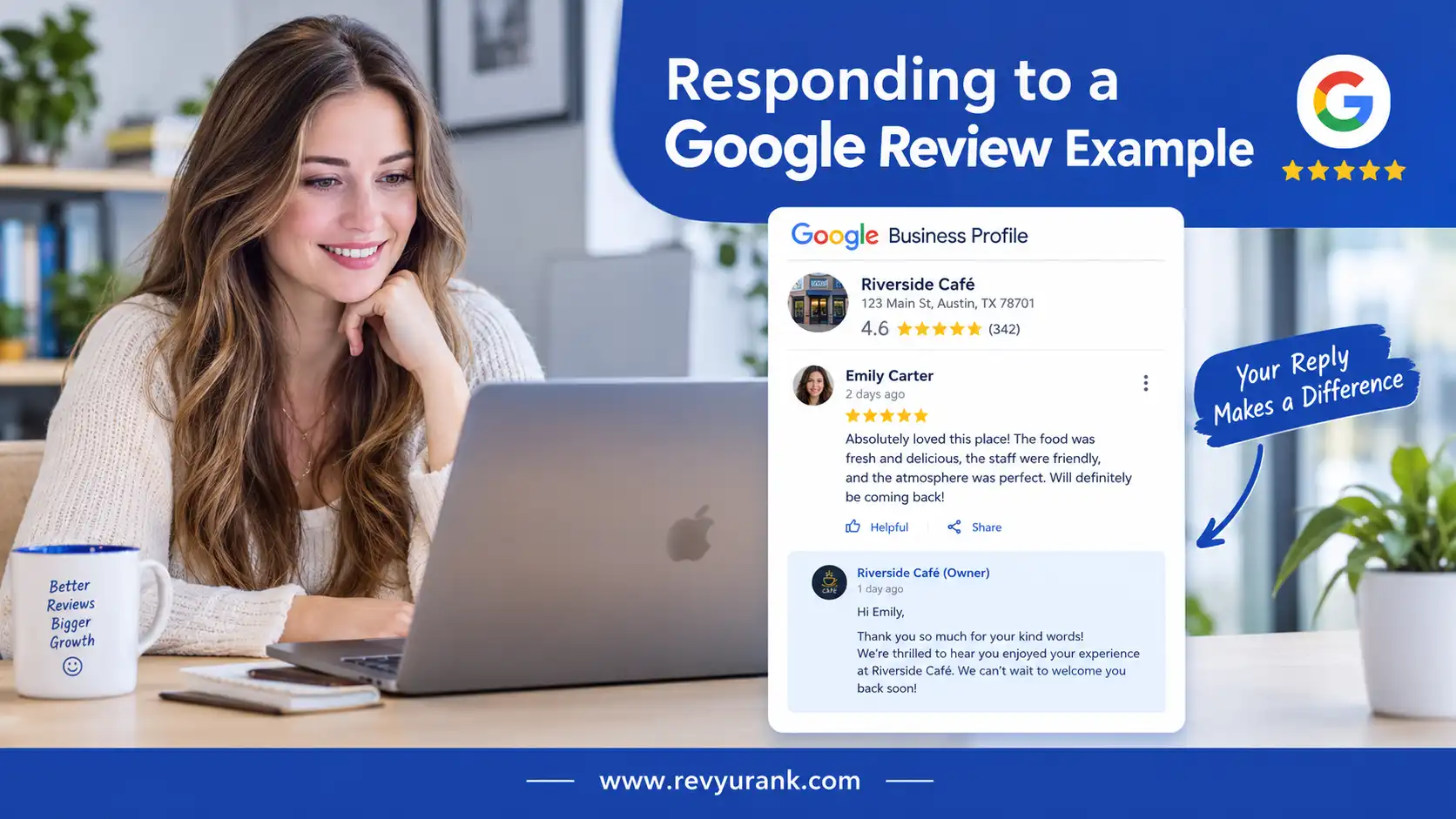
- Positive reviews: Thank the person by name and mention one detail from their review. Two or three sentences is enough.
- Negative reviews: Stay calm, acknowledge the problem, apologize where it’s due, and invite them to continue the conversation by phone or email. Never share their private details.
- Timing: Aim to reply within a day or two. Most customers expect a reply within a week.
Our full guide on how to respond to Google reviews includes examples for every situation, and our free review reply templates give you a starting point you can personalize.
Turn Reviews Into a Repeatable System
The businesses with the strongest review profiles don’t run occasional campaigns. They build asking into their normal workflow, the same way they send invoices. Here’s a simple weekly routine for a small team:
| When | Task | Who |
|---|---|---|
| After every job or visit | Send the review request (in person, SMS, email, or WhatsApp) | Front desk or technician |
| Daily | Reply to new reviews | Owner or manager |
| Weekly | Check new review count, average rating, and any complaints | Owner or manager |
| Monthly | Compare your count and rating with your top three competitors | Owner |
| Quarterly | Refresh request wording, QR signs, and staff training | Owner |
Watch the numbers that actually move results: reviews per week, average rating, date of the newest review, and how quickly you reply. When you’re ready to grow beyond Google, our guide to review marketing strategies compares the goals, cost, and results of each approach. If you’d like an outside view of where your profile stands today, request a free review audit.
Common Mistakes That Stop Reviews Coming In
| Mistake | Why it hurts | Fix |
|---|---|---|
| Saying “search for us on Google” | Too many steps; people give up | Always send the direct review link |
| Asking days or weeks later | The experience has faded | Ask the same day, follow up once |
| Long, formal request messages | Nobody reads them on a phone | Two or three lines, one link |
| Only asking regulars or “nice” customers | Counts as gating; looks unnatural | Ask every customer the same way |
| Bursts of reviews, then nothing | Old reviews lose value fast | Build a steady weekly flow |
| Ignoring negative reviews | Readers assume you don’t care | Reply calmly within a day or two |
| Offering a discount “for a review” | Breaks Google policy; reviews can be removed | Thank customers with great service instead |
When It Makes Sense to Get Help
Everything in this guide can be done in-house, and for many small businesses that’s the right choice. Outside help makes sense when you serve many customers but nobody owns the process, when you run several locations, or when you’ve tried asking and the numbers still won’t move. In those cases, our Google review generation service can set up and run a compliant request system for you, using the same rules described above: real customers, every customer asked, no incentives.
Frequently Asked Questions
Is it allowed to ask customers for Google reviews?
Yes. Google encourages businesses to ask customers for reviews and provides an official review link and QR code for it. What isn’t allowed is offering anything in return, asking only happy customers, pressuring people on the spot, or telling them what to write.
What is the fastest way to get more Google reviews?
Ask every customer right after a good experience and send them your direct review link by text the same day, with one reminder a few days later. Speed comes from consistency and a one-tap link, not from shortcuts.
Do customers need a Gmail account to leave a Google review?
They need a Google Account, but it doesn’t have to be Gmail. A Google Account can be created with any existing email address, which removes a common excuse for not reviewing.
Can I offer a discount in exchange for a Google review?
No. Google prohibits incentives of any kind, including discounts, free products, and prize draws, for posting, changing, or removing reviews. Reviews obtained this way can be removed, and repeated violations can lead to restrictions on your profile.
How many Google reviews should my business have?
Aim for at least 20 as a first milestone, since nearly half of consumers avoid businesses with fewer. Then aim to match the top three competitors in your local results, while making sure you get new reviews every month.
Why are my Google reviews not showing up?
New reviews can be delayed or filtered by Google’s spam systems, especially if many arrive at once, come from the same location, or come from new accounts. Our guide on Google reviews not showing covers the common causes and what you can do.
Can I remove negative Google reviews?
Only if they break Google’s policies, for example spam, fake content, conflicts of interest, or offensive language. You can report those for removal. Genuine negative reviews stay, so the best response is a calm public reply and a real fix.
What to Do Next
Start small and build the habit this week:
- Copy your review link and download your QR code today.
- Write one short request message and save it on every team phone.
- Ask every customer for the next seven days, the same way, with no exceptions.
- Reply to every review that comes in, good or bad.
- At the end of the month, check your count, average rating, and newest review date, then adjust.
Do this consistently for three months and you’ll have a review profile that keeps bringing in customers on its own.

Robert Miller works as a Reputation Management Consultant. He has been helping U.S. businesses for over ten years. His work involves helping people protect and enhance their online image.Robert has worked with a wide range of companies. He has helped new businesses, local places that give a service, and big companies. He helps turn customer reviews into something that helps people trust their company and drives business growth.